

HappierLeads Review: AppSumo Lead Gen LTD
In this HappierLeads review, I walk through the AppSumo lifetime deal, including visitor identification, ICP scoring, automated outreach, API access, pricing, and how it compares to Bullseye.

This video is sponsored by AppSumo. AppSumo did not control the review, preview the video before publishing, or have a say in the final opinion. HappierLeads is available as a lifetime deal through AppSumo.
HappierLeads
Identifies website visitors, qualifies them against ideal customer profiles, and helps automate B2B follow-up through segments, email campaigns, integrations, webhooks, and API access.
B2B companies, agencies, consultants, SaaS businesses, creators, and service providers with website traffic and a defined sales process.
Bullseye, RB2B, Leadfeeder, visitor-identification tools, and cold outreach platforms.
What HappierLeads Actually Does
HappierLeads is a B2B lead-generation platform built around a simple idea: people are already visiting your website, and some of them are probably worth talking to. Instead of treating that traffic as anonymous page views, HappierLeads tries to identify the visitor, enrich the company and contact data, score the lead against your ideal customer profile, and then help you follow up.
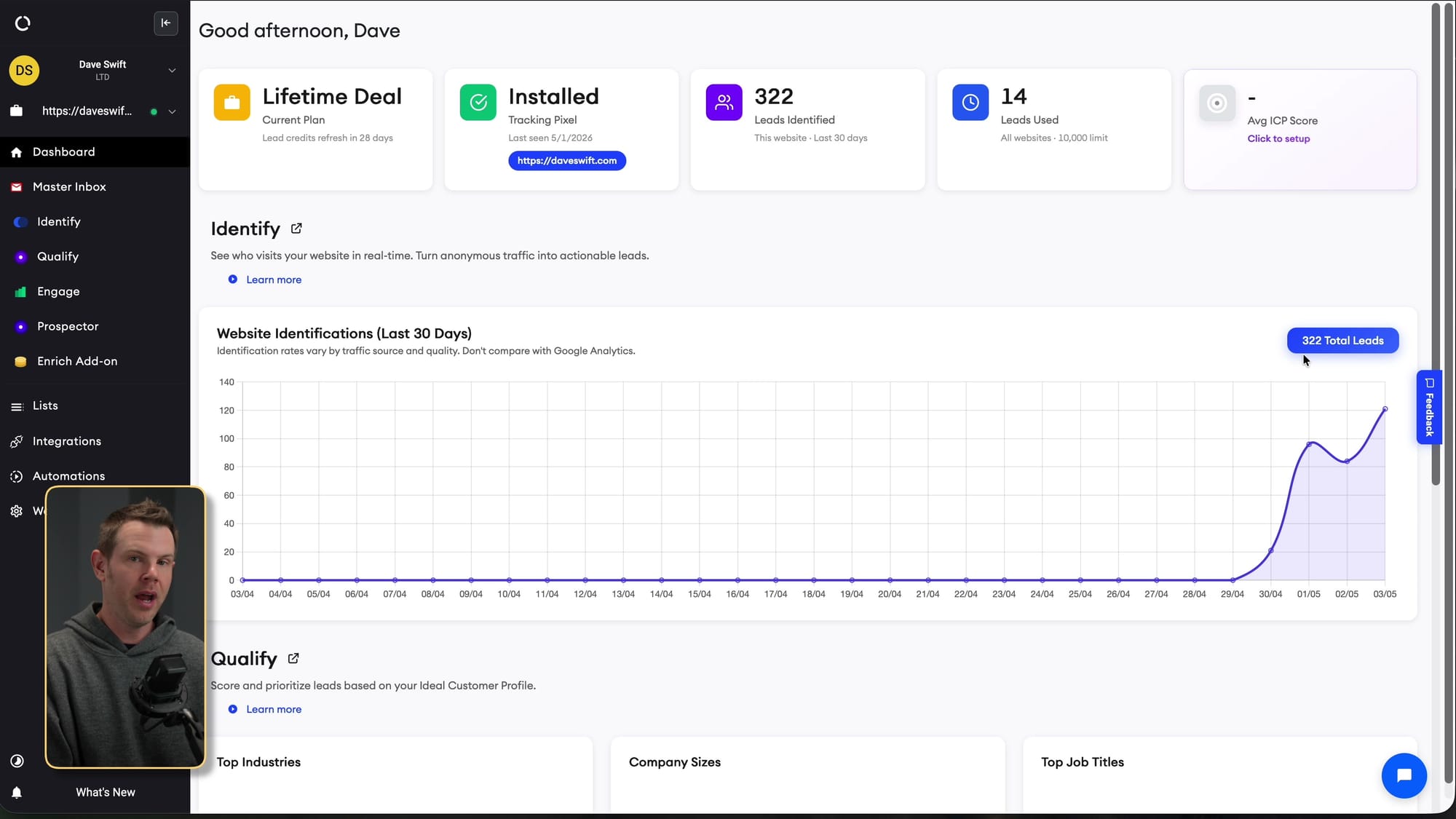
That makes it more than a basic visitor-identification tool. In the video, I walk through the three core pieces of the platform: identify, qualify, and engage. Identify shows you who is visiting. Qualify lets you build scoring models for the types of customers you actually want. Engage lets you turn those segments into outreach campaigns. If those pieces fit your business, this becomes a practical sales automation tool rather than just another analytics dashboard.
Suggested visual: screenshot of the HappierLeads dashboard showing the identified leads count, with sensitive contact details blurred.
Setup Starts With Your Website Pixel
The first setup step is adding your website to HappierLeads and installing the tracking pixel. There is a WordPress option, and if you are using a platform like Ghost, Shopify, or a custom site, you can copy the script into your header or theme injection area. Once the pixel is live, HappierLeads starts collecting visitor data for that website or workspace.
Plan limits matter here. The entry-level deal gives you one domain or workspace, while higher tiers add more workspaces, credits, and mailboxes. Agencies and resellers should pay attention to that because HappierLeads also supports white labeling and can scale across multiple client sites if you stack codes.
Suggested visual: screenshot of the tracking pixel settings page or website setup screen.
The ICP Builder Is the Most Important Screen
After the pixel is installed, the most important part of the setup is the qualify section. This is where you define your ideal customer profiles. HappierLeads correctly assumes that many businesses have more than one good customer type, so you can create multiple models instead of forcing every lead through a single definition.
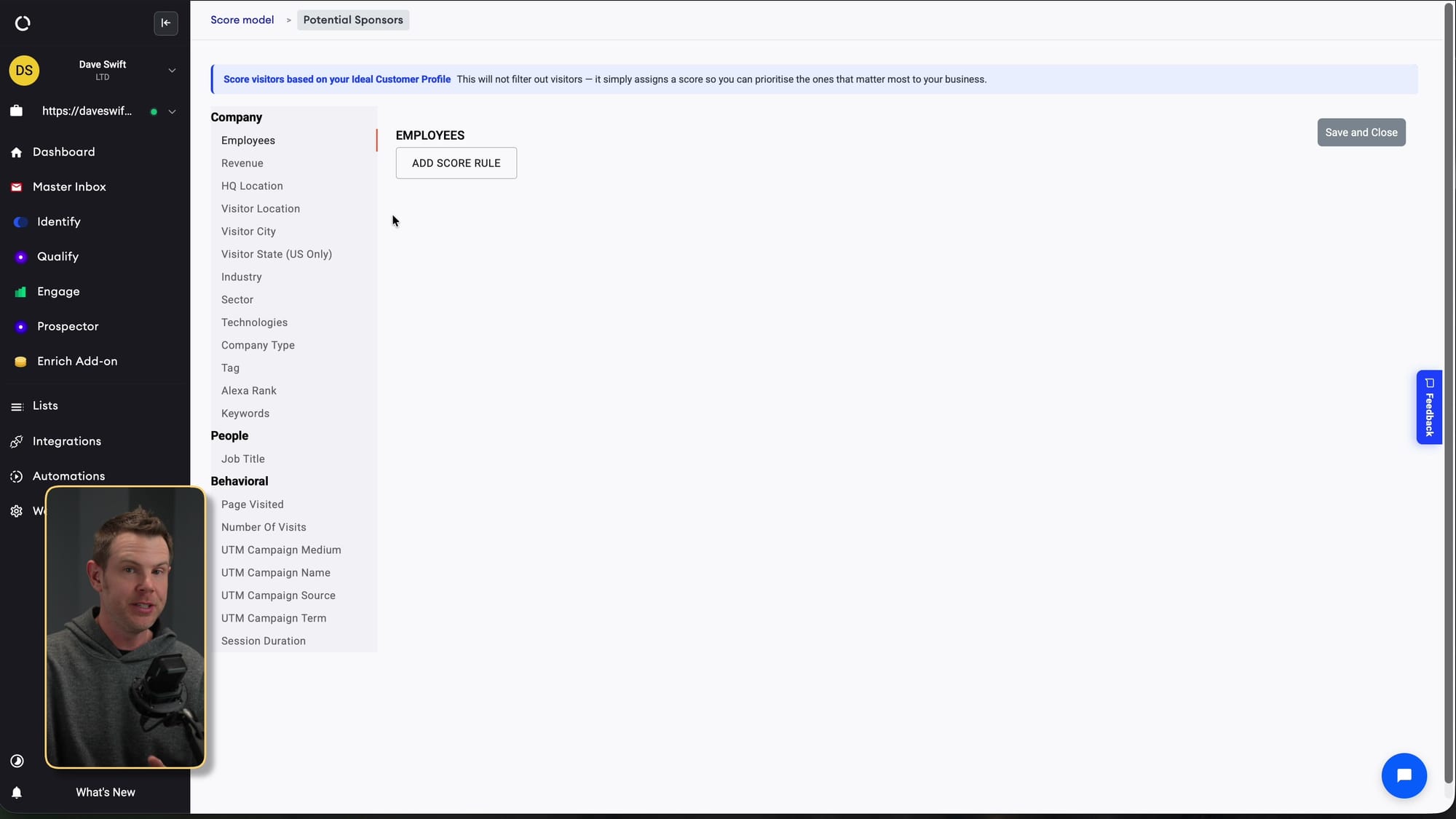
In my example, I built a potential-sponsor profile for DaveSwift.com. I weighted software companies positively, favored smaller companies, and talked through how revenue could be used to filter out prospects that are unlikely to afford sponsorships. The nice part is that these rules are not just yes-or-no filters. You can score traits as important or penalize them, which gives you a more flexible way to surface the leads you care about.
One annoyance: the interface did not always refresh after creating a model. I had to reload to see the new profile. That is not a deal breaker, but it is the kind of rough edge that makes the product feel less polished than it could be.
Visitor Identification Gets Very Specific
The identify screen is where HappierLeads starts to feel powerful. It can show actual visitor contact information, company details, job titles, LinkedIn links, phone numbers, revenue estimates, employee counts, and the pages someone visited. In the demo, I had HappierLeads running on my own site for a few days and it had already identified 322 total leads.
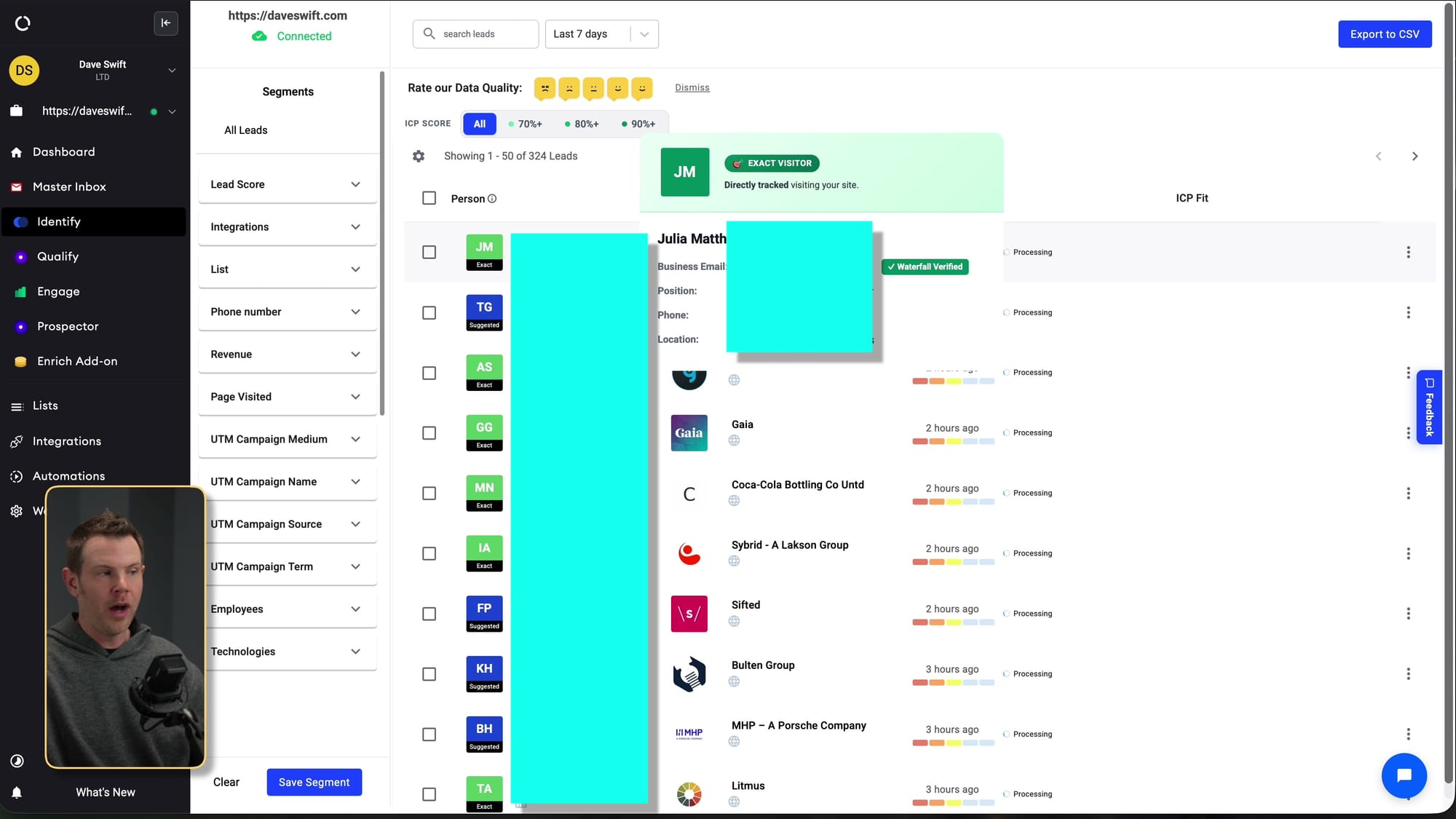
That level of detail can be extremely useful if you sell B2B services, sponsorships, software, consulting, or anything with a meaningful average order value. It also means you should think carefully about compliance and comfort level. HappierLeads includes settings for whether you identify exact visitors, focus on companies and suggested contacts, or avoid tracking personal emails. Those are not throwaway settings; they matter depending on your audience and jurisdiction.
Suggested visual: blurred lead-detail hover card showing contact/company/activity fields.
Segments Help Turn Visitor Data Into Action
Raw visitor data is interesting, but it does not become useful until you can act on it. HappierLeads lets you filter leads by traits like ICP score, location, revenue, company size, source, and other criteria, then save those filtered views as segments. That means you can build a segment for likely sponsors, local service prospects, high-revenue visitors, or people coming from a specific campaign.
I also showed lists and CSV exports, which may appeal to people who like hard copies or want to move data into another tool. Personally, I think most users will get more value from the automation options, but exports and lists are useful fallback options if your process lives somewhere else.
The main UI complaint here is that a lot of information appears through hover popups. I would prefer being able to click a lead and open a dedicated detail page. The popup-heavy approach works, but it can get cluttered quickly.
Automation Is Where HappierLeads Becomes Interesting
HappierLeads can trigger automations when a new lead is identified. You can send that lead to an email campaign, push it into an integration, send it to Slack, or use webhooks to handle the workflow somewhere else. That webhook support is important because it means you are not locked into HappierLeads' built-in outreach system if you already have your own stack.
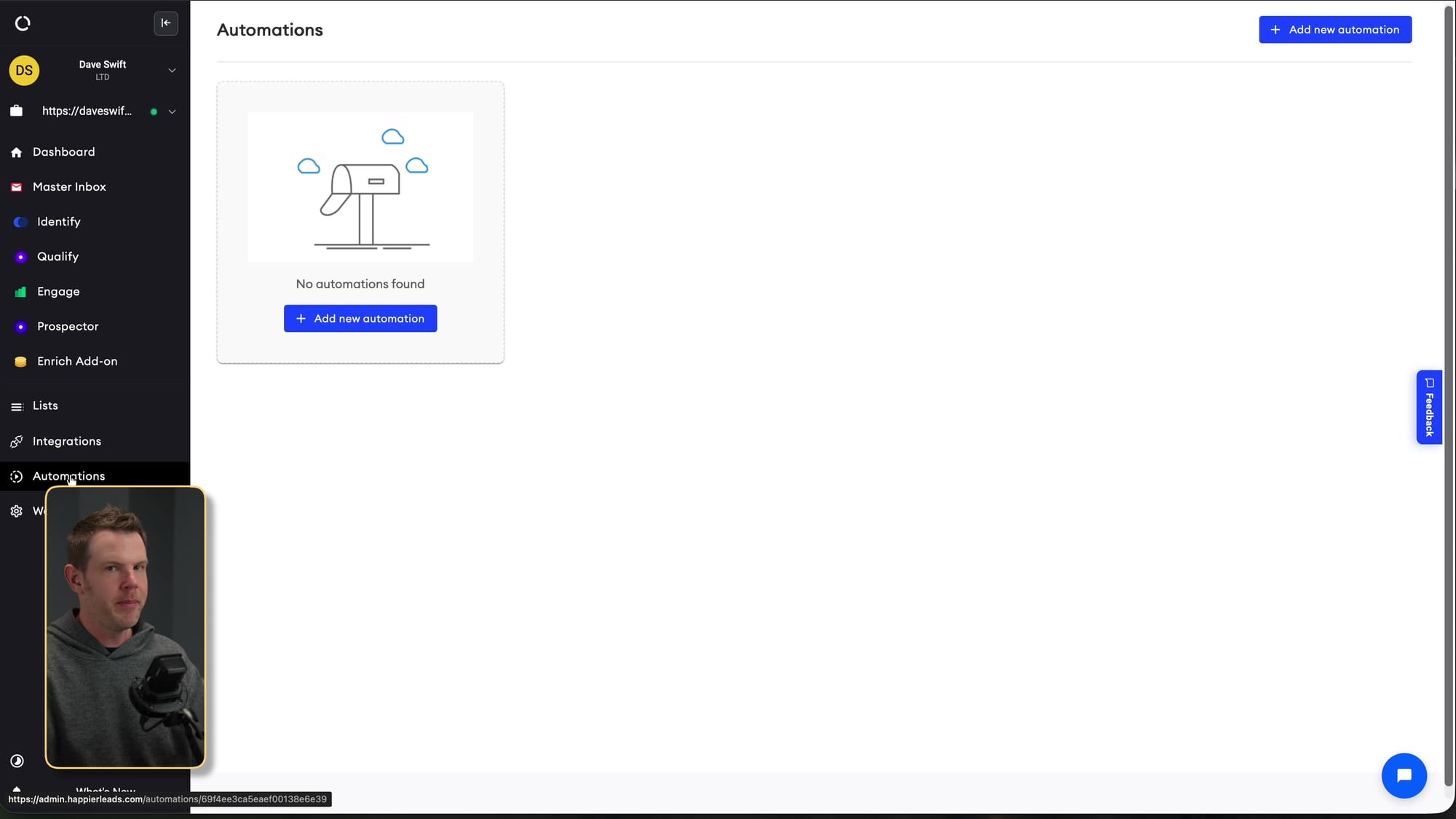
In the walkthrough, I created a segment from an ICP model and then used it as the trigger for a campaign. The logic is straightforward: if someone visits your website and matches the kind of customer you want, they can enter an outreach sequence automatically. That is the core promise of the product, and it is the reason this deal is more compelling than a tool that simply tells you who visited your site.
The Email Campaign Builder Is Useful, But Be Careful
The engage section includes a cold email campaign builder. You can connect a sending domain or buy one through HappierLeads, configure mailboxes, set sending windows, write templates, add steps, and monitor campaign stats. I like that the platform encourages sending windows rather than blasting constantly. If you are doing cold outreach, you do not want your behavior to scream spammer.
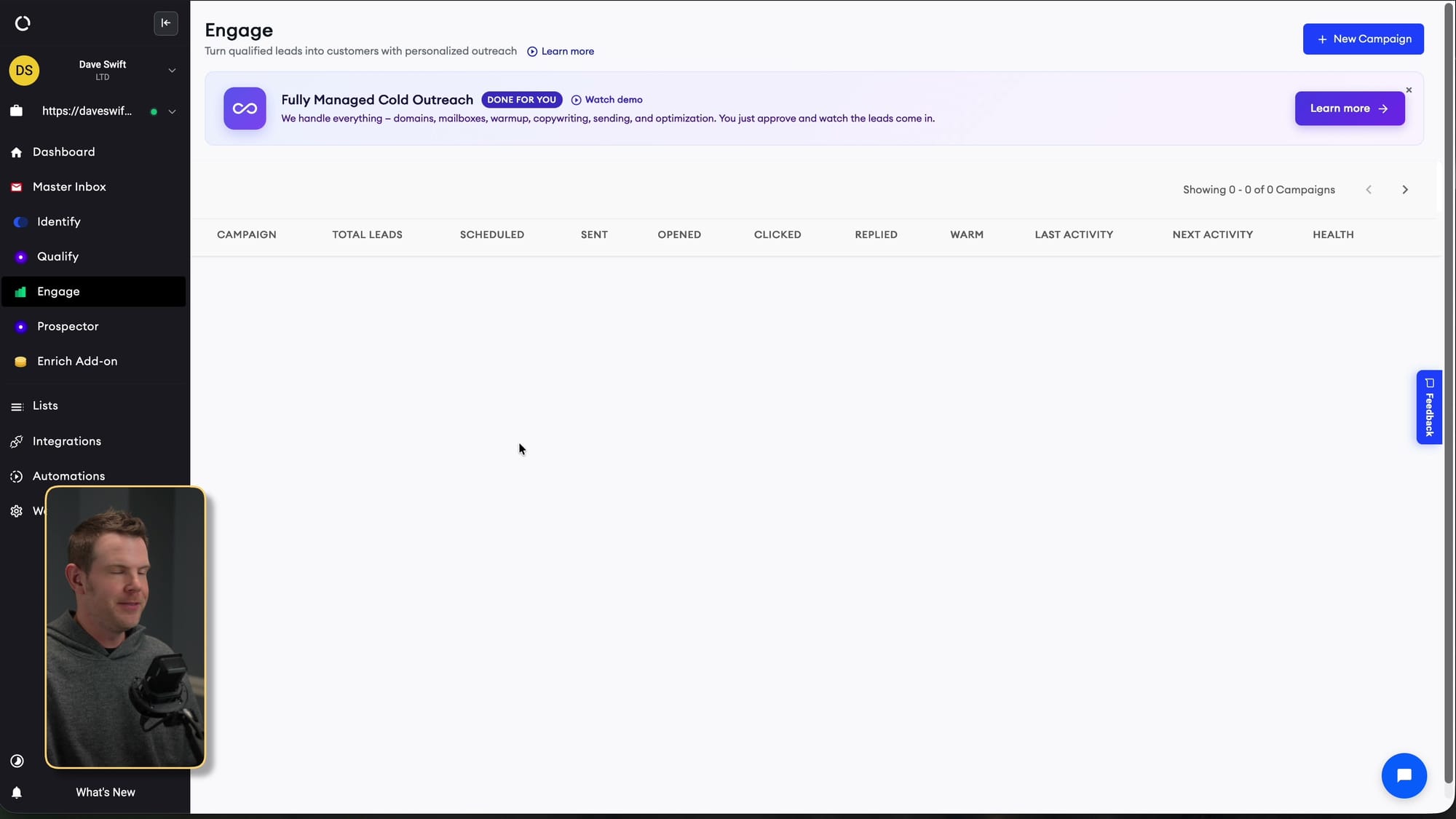
I recommend using a secondary domain for cold outreach rather than your primary business domain. Even if you are responsible and targeted, cold email can generate spam complaints. Protecting your main domain reputation is worth the extra setup. HappierLeads also sells mailboxes for a monthly fee, though I mentioned that I personally self-host email and have covered that process separately.
Suggested visual: campaign builder screenshot showing sending window, email sequence steps, or spam score.
Email Templates Could Use Smarter AI
The template builder supports dynamic fields, which helps personalize emails with data HappierLeads has already collected. There is also AI spin text, but that is not the same as having a genuinely intelligent outreach agent. What I would really like to see is lead-specific research that uses LinkedIn, website context, and visit behavior to write a more tailored message.
That said, the product does include practical deliverability helpers. The spam score is useful because it warns you when your message includes words or patterns that may hurt inbox placement. Open and click tracking are enabled by default, but HappierLeads also warns that tracking can hurt deliverability. If a campaign starts struggling, that is one of the first things I would turn off.
API Access Is a Big Advantage Over Bullseye
One of the most important differences I called out is API access. HappierLeads includes API access with all of the AppSumo plans, while Bullseye had an extra paid API add-on when I reviewed it. For me, that matters a lot because I increasingly want tools that agents and custom automations can operate directly.
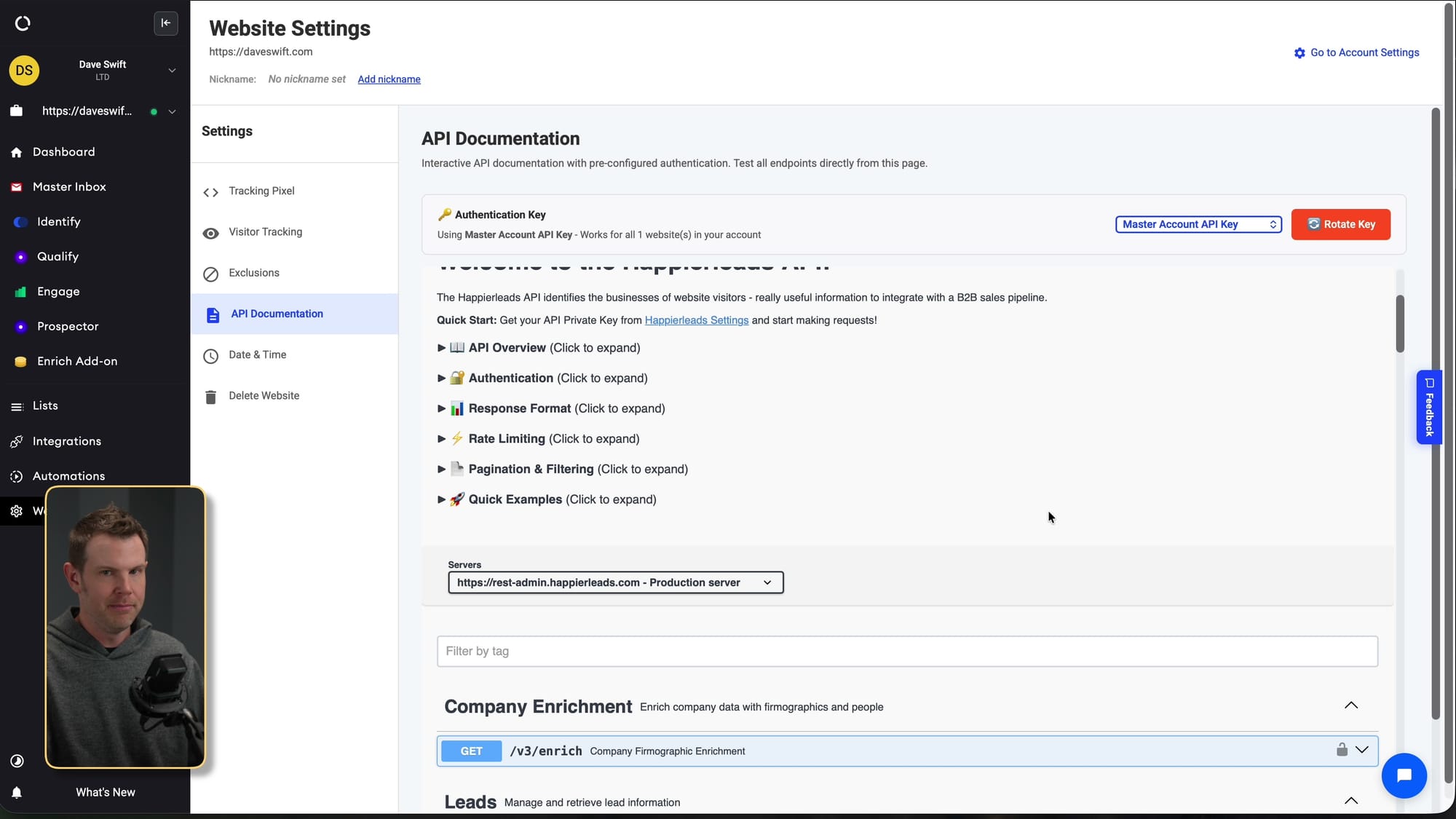
The API docs appear fairly extensive, and that opens up more interesting workflows than manual clicking. You could use HappierLeads as the data source, then let your own LLM-powered system enrich, prioritize, draft, route, and follow up with leads in a more customized way. For technical users, agencies, and anyone building an internal sales system, API access may be the feature that pushes HappierLeads ahead.
Pricing, Credits, and AppSumo Plan Selection
The plan decision mostly comes down to domains or workspaces, credits, and mailboxes. At the time of the video, each code added one workspace or domain, 1,000 credits per month, and five mailboxes. As far as I could tell, one credit equals one lead, which I appreciate because there is no confusing credit math hiding behind the scenes.
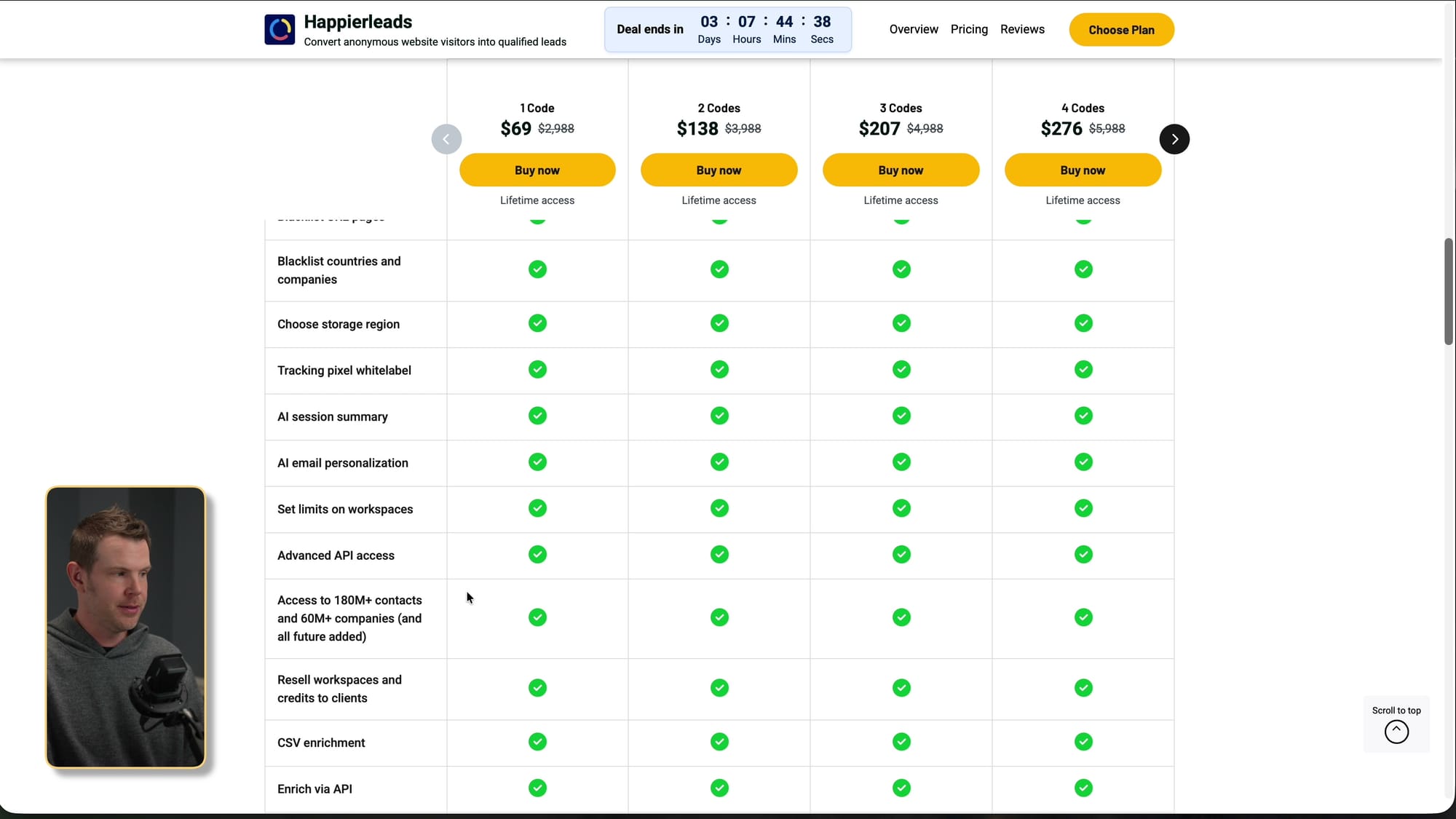
If you only have one website and modest traffic, the lower tier may be enough. If you are an agency, run multiple brands, or have enough traffic to burn through 1,000 leads per month, you will need more codes. I also noticed that while the visible scale looked like it stopped at ten codes, the deal allowed unlimited stacking if you needed more.
HappierLeads vs. Bullseye
Bullseye is the obvious comparison because I had recently reviewed it and viewers asked how HappierLeads stacked up. My short version: I personally like the look and feel of Bullseye better, but HappierLeads wins on features, value, credits, and API access.
The Bullseye interface felt nicer to use, while HappierLeads has more rough edges: hover-heavy lead details, some cut-off UI labels, and screens that sometimes need a refresh before new items appear. But when I step back and evaluate what the tool can actually do, HappierLeads is the stronger pick if you are choosing between the two for practical B2B prospecting.
Who Should Buy HappierLeads?
HappierLeads makes the most sense if you already have relevant website traffic and a clear idea of who you want to sell to. It is especially interesting for B2B service providers, software companies, agencies, consultants, course creators, and sponsorship-driven businesses. If a qualified visitor is worth real money to you, identifying and routing that visitor can pay for itself quickly.
It is less compelling if your site has very little traffic, your customers are mostly consumers, or you are uncomfortable with visitor-level identification and cold outreach. You also need to be willing to configure things properly: tracking, ICP models, domains, mailboxes, sending windows, exclusions, and compliance settings. This is not a magic button, but it is a useful platform if you have a real sales process to plug it into.
My Final Take on HappierLeads
HappierLeads is not the prettiest tool I have reviewed, and there are definitely interface details I want them to clean up. But the feature set is strong: visitor identification, ICP scoring, segments, automations, email campaigns, CRM integrations, webhooks, and API access are all packed into the AppSumo deal.
If you are deciding between HappierLeads and Bullseye, HappierLeads would be my pick for most buyers. I like Bullseye's interface better, but HappierLeads gives you more practical leverage, especially if you care about API access and building automated workflows around your leads.
My score is 7.9 out of 10. That is a solid recommendation with the caveat that you should only buy it if you have enough traffic and a clear B2B use case for turning identified visitors into actual outreach.
Frequently Asked Questions
What is HappierLeads?
HappierLeads is a B2B lead-generation platform that identifies website visitors, enriches contact and company data, scores leads against ideal customer profiles, and can trigger outreach automations. It is available as an AppSumo lifetime deal in this review.
How does HappierLeads identify website visitors?
You install a tracking pixel on your website, and HappierLeads uses visitor and enrichment data to identify people and companies visiting your pages. You can configure whether you want exact visitor identification or a more company-focused approach.
Is HappierLeads better than Bullseye?
For most practical use cases, I would pick HappierLeads over Bullseye because it has stronger features, better value, and API access included in the AppSumo plans. Bullseye has a nicer interface, but HappierLeads gives you more automation potential.
Does HappierLeads include API access?
Yes. API access is included with the AppSumo plans, which is one of the biggest advantages I saw in HappierLeads. That makes it easier to connect the data to your own automations or AI-driven sales workflows.
Can HappierLeads send cold email campaigns?
Yes. HappierLeads includes an engagement section where you can create email campaigns, connect sending domains, configure mailboxes, set sending windows, and build multi-step sequences. You should still be careful with deliverability and avoid using your primary domain for cold outreach.
Who should use HappierLeads?
HappierLeads is best for B2B businesses, agencies, consultants, creators, and service providers that already have relevant website traffic. If a qualified visitor could become a high-value lead, the platform is much more compelling.
What are HappierLeads credits?
In the AppSumo plan shown in the video, credits appeared to map one-to-one with leads. Each code added more monthly credits, workspaces or domains, and mailboxes.
What score did Dave give HappierLeads?
I gave HappierLeads a 7.9 out of 10. The value and feature set are strong, but the interface has some rough edges that keep it from scoring higher.
Get Dave's Toolbox
The tools I actually use, every Tuesday. Free. No spam.
No cost. No spam. Unsubscribe anytime.


