Inrō Review: I Suck at Instagram, So I Tried This AI DM Tool
Inrō turns Instagram comments into automatic DMs and plugs into your AI agent. Lifetime deal from $59 on AppSumo: daveswift.link/inro

I suck at Instagram, but I want to get better. ▶ 0:00
So when AppSumo told me they were launching a new Instagram tool as a lifetime deal, I was stoked. It's called Inrō, and the pitch is right there on their site: AI-powered Instagram DM automations to drive growth and sales from comments and DMs. ▶ 0:13
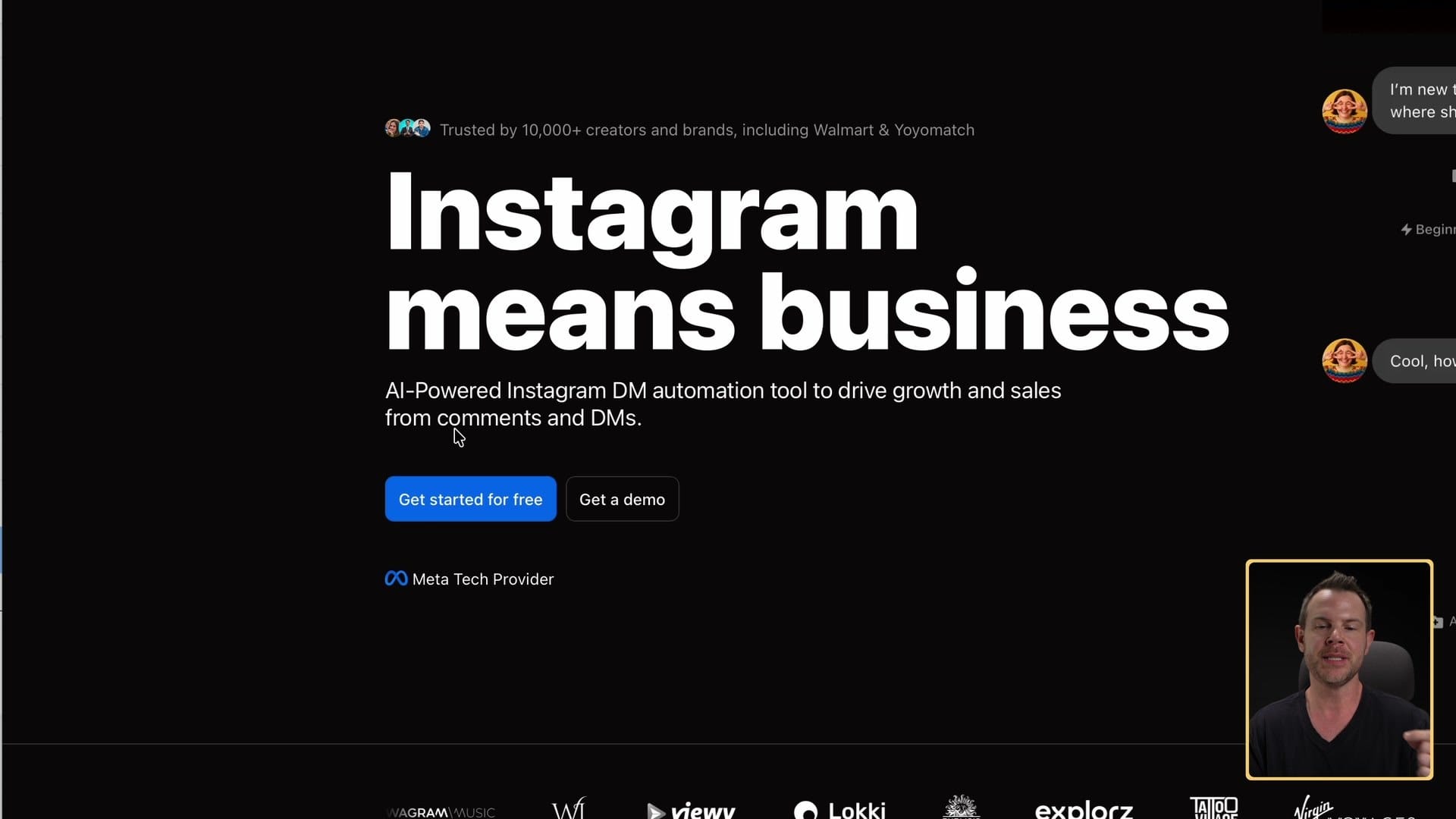
I don't really care much for Instagram itself. The pictures of food and all the drama aren't for me. But I do like marketing, and this tool is right up my alley.
Here's my call. If people already comment on your posts and you want those comments to turn into leads without answering every one by hand, Inrō is worth a look. If you also use an AI agent, it's even better, because you can run the whole thing from your agent. It's not perfect, and I'll tell you the two things that tripped me up.
Who should buy Inrō, and who should skip it
Buy it if:
- You want those "comment checklist and I'll send it to you" posts, and you want them to run on their own.
- You want to collect an email address (or anything else) from people who comment, and keep a record of every conversation.
- You want to send follow-up messages to people who've already DMed you, instead of hoping the algorithm shows them your next post.
- You already use an AI agent like Claude Code, ChatGPT or Hermes Agent and you'd rather talk to it than click around another app.
Skip it if:
- Nobody comments on or DMs your account yet. Inrō only saves people who have DMed you, so it can't do much with an account nobody talks to.
- You plan to do all your testing on Instagram in a web browser. The buttons in Inrō's DMs only showed up for me in the mobile app.
- You mostly post video and want Inrō to publish it for you. My first video upload never published, and Inrō didn't tell me why.
Getting started: connect Instagram, then your AI
Getting started is pretty easy. You connect your Instagram account, and then there's a bunch you can do. ▶ 0:36
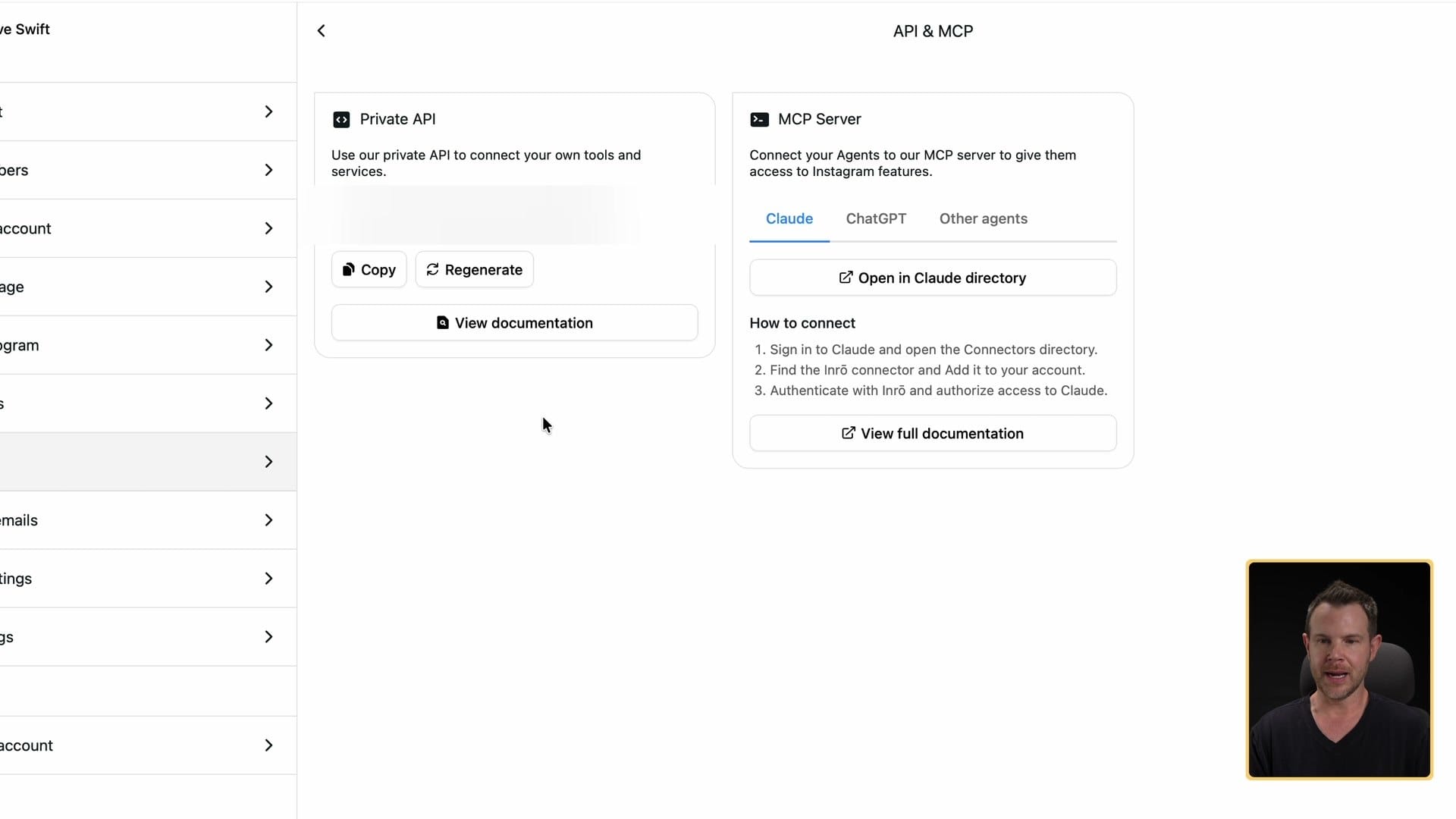
One of the things I like the most is that you can run the whole platform from AI. If you use an AI assistant like Claude Code or ChatGPT (I use Hermes Agent), it's easy to give it access as an MCP server. MCP is the standard way AI agents connect to other apps. In Inrō's settings page you'll find your API key and your MCP server details. Treat that API key like a password, and regenerate it if anyone else sees it.
You can also connect more than one Instagram account. The AppSumo deal starts at $59 for one Instagram account, and higher plans add more accounts and team seats, up to 20 accounts. Check the plans on AppSumo. ▶ 1:09
Scenarios: turn a comment into a conversation
The coolest feature in Inrō, to me, is Scenarios. ▶ 1:37
You've seen people do this. They post something and say, "Comment 'checklist' and I'll send you my free checklist," or "Comment 'mastermind' and I'll send you the details to join my mastermind." Then a bot follows up in the DMs. It's hard to do much engagement on Instagram because they limit how many links you can include. But with automations and AI, the world becomes your oyster.
You can build a scenario from scratch, start from their big library of templates, or have AI build it for you. The builder is an infinite canvas, so you can zoom out and see the whole flow.
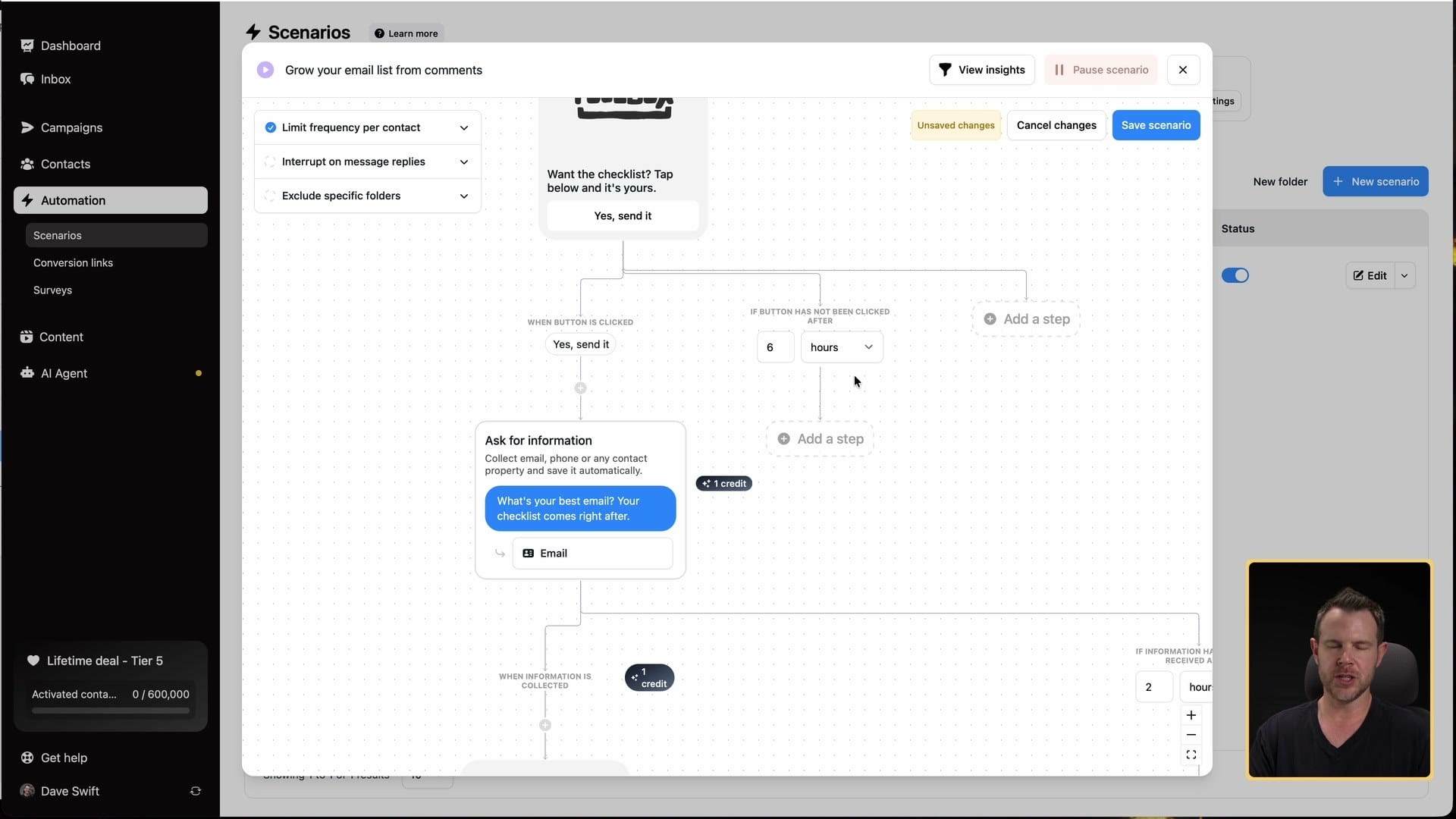
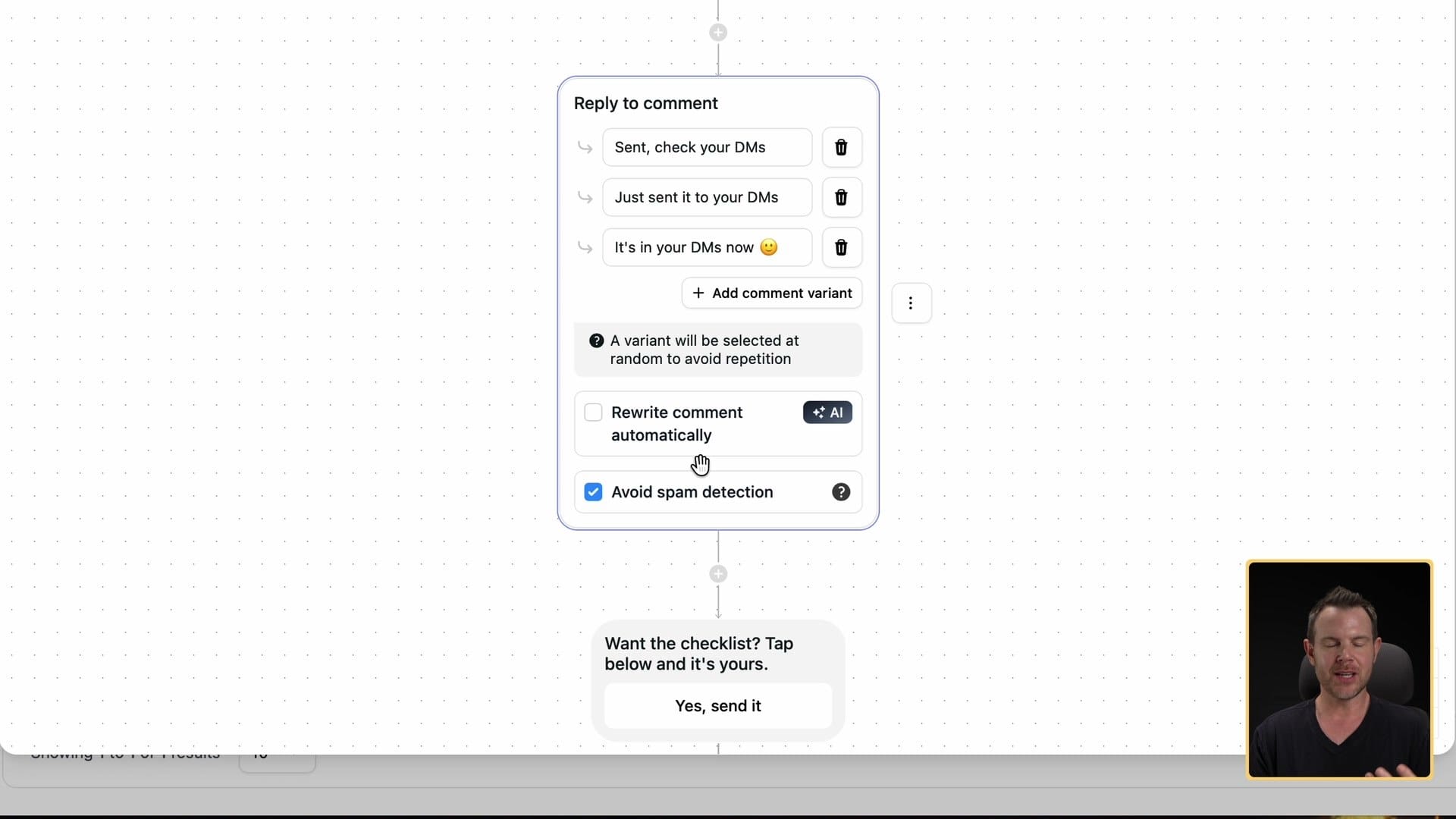
Here's the one I set up. When someone comments the keyword "newsletter" on my post, Inrō replies to the comment with one of three variants: "Sent, check your DMs," "Just sent in your DMs" or "It's in your DMs."
Those variants matter. You don't want to get flagged as a bot on Instagram, because you can get your account banned, and they don't like it when people automate their accounts. If you want to spend the extra AI credits, Inrō can also rewrite each reply automatically, so hundreds of comments don't all get the exact same answer. Pretty cool. (Terrible time to be in the moderation business.)
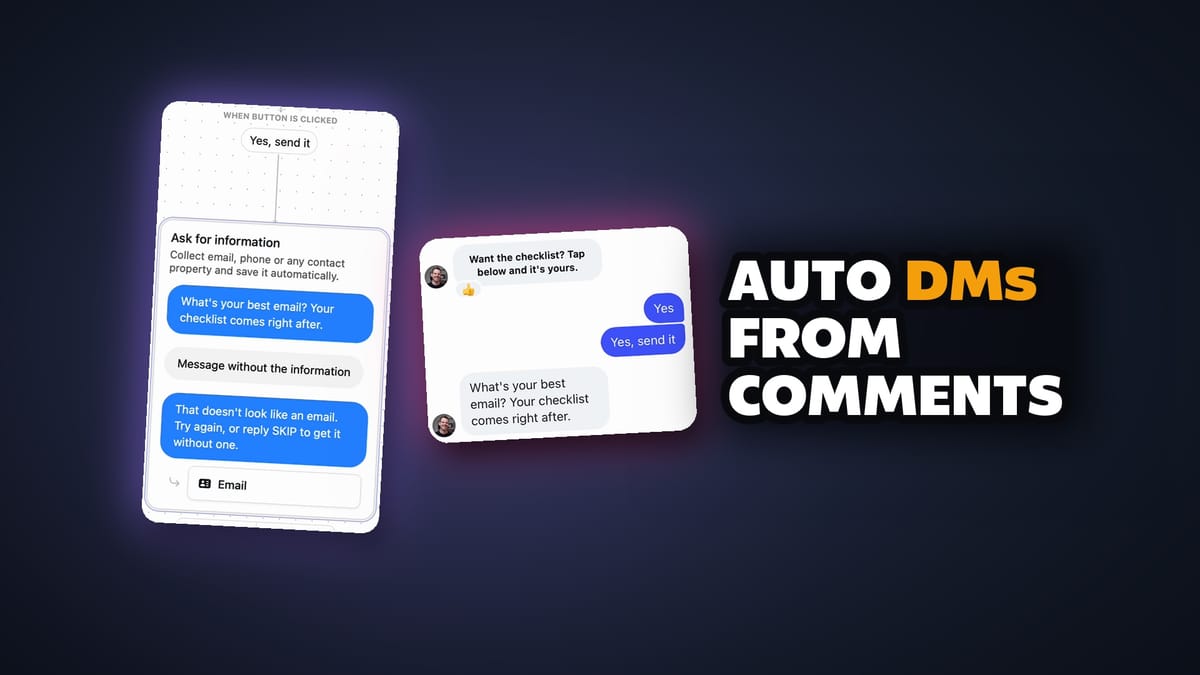
Then it sends a DM: "Do you want the newsletter? Tap this button." You can change the button text and add an image. If they tap yes, it asks for their email address. You can ask for anything instead (a phone number, a birthday, whatever you'd like).
My advice: ask for something people are willing to trade for what you're giving them. If you're offering a free checklist, don't ask for anything too personal. An email address is fair if the checklist is good enough. That's how you get a new lead.
Once they've given you their email, they get the link. You can customize that message too: the image, the description and the call to action text.
Decision trees, folders and integrations
From there you can file the person into a folder inside Inrō. I made one for testing called Hot Leads. Later you can send a campaign to just that folder (more on campaigns below). ▶ 5:27
There are decision trees, too. Say someone commented, I asked if they wanted the checklist, and they never answered. I can have Inrō wait a while and then send another message. The steps you can add include asking a question, sending an audio message and sending files. You can build some fairly complex automations here.
It also has integrations for Calendly, Shopify and HighLevel. If you use those, connect them under Integrations in your user account, and you'll get more steps in the builder.
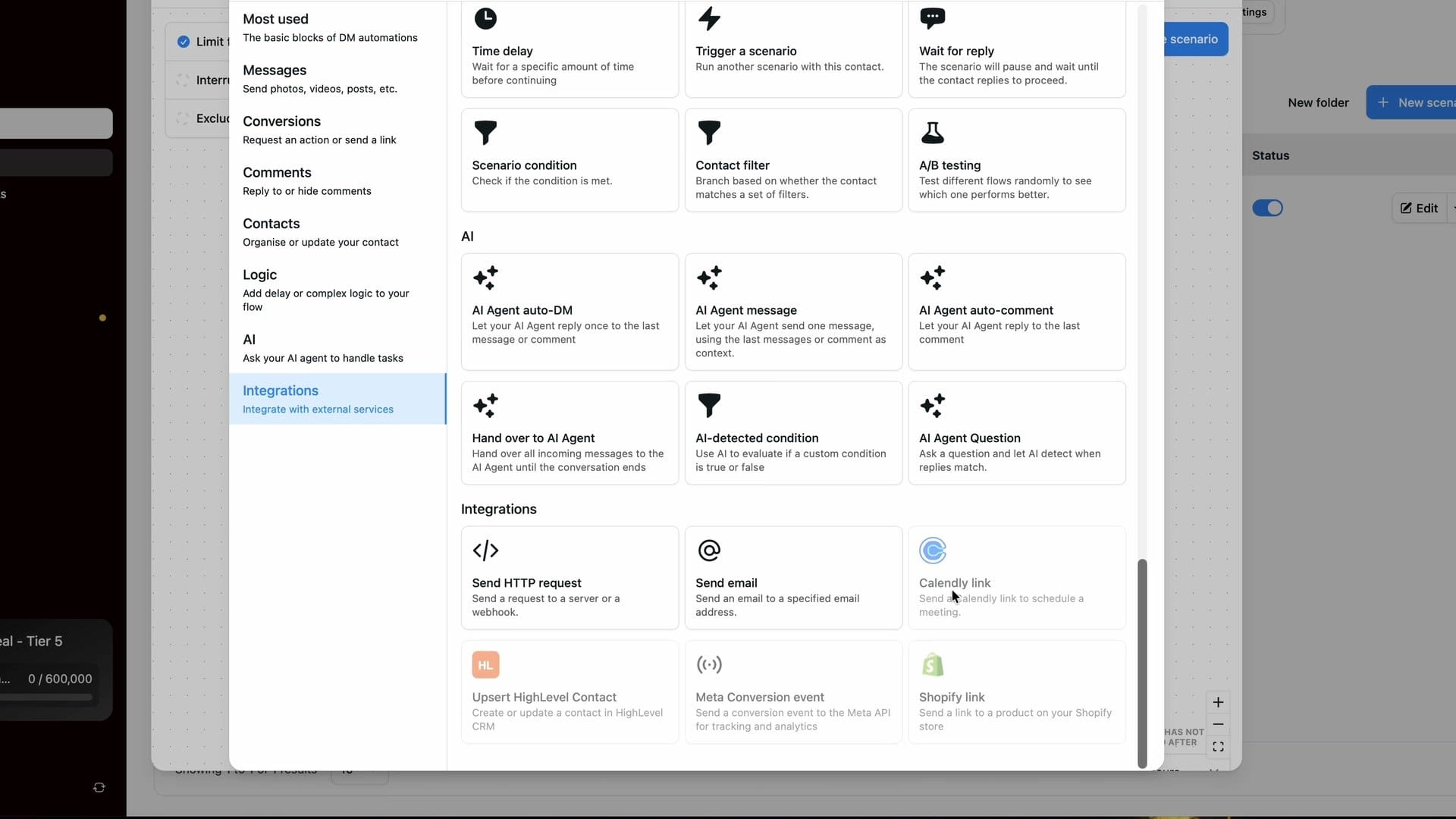
One more setting to know: my scenario was set to apply to my next post only. You can also edit a scenario and pick a specific post, and Inrō pulls in your most recent posts to choose from. That's handy for posts that are already live.
Does it actually work? I tested it
I posted a real Reel, attached my newsletter scenario to it, and then commented "newsletter" from another Instagram account (my Client Amp test account). ▶ 6:19
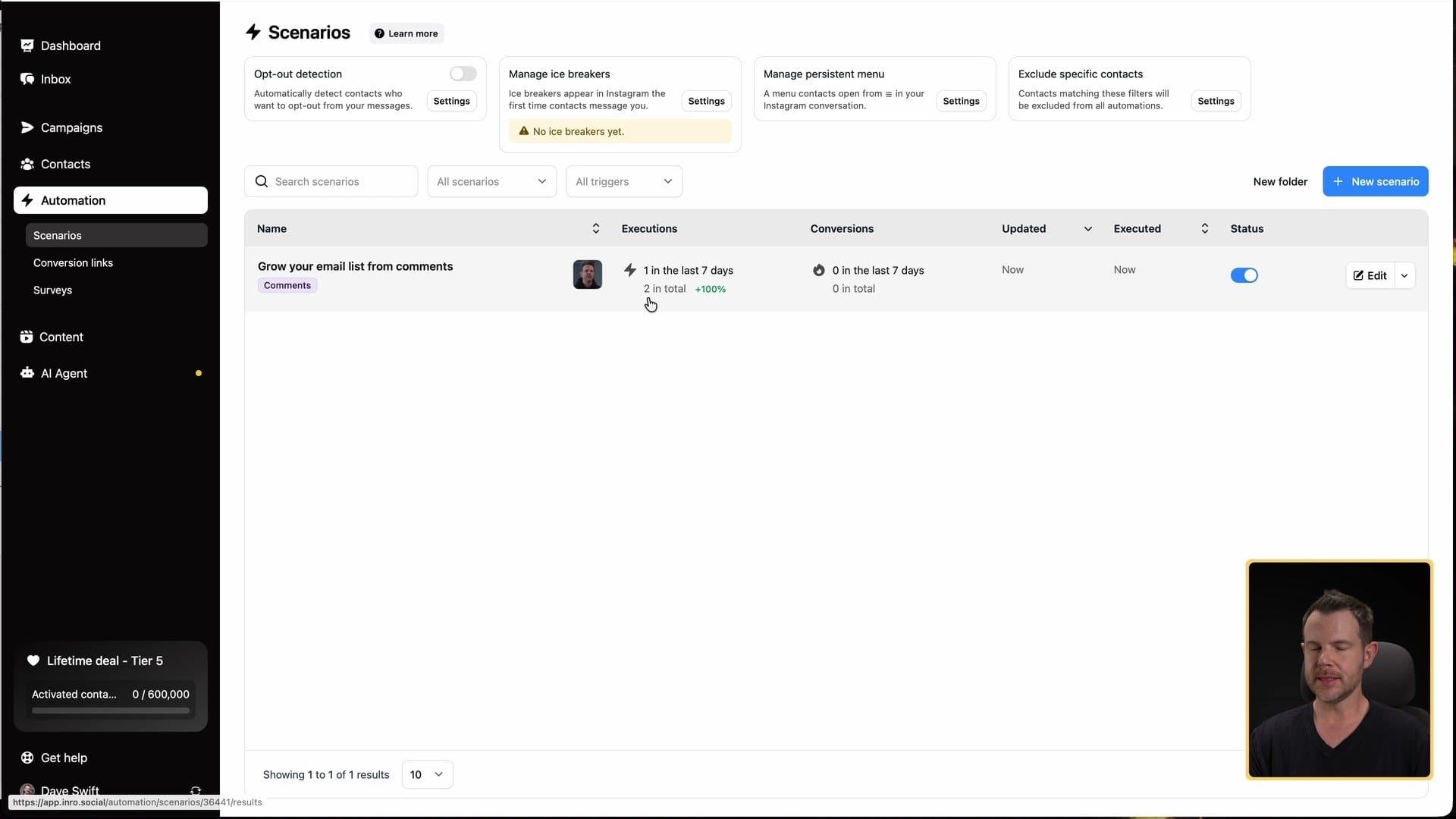
Inrō picked it up. Back in Inrō, the scenario showed one execution, and a reply on my comment said, "Just sent to your DMs." The DM arrived. In the mobile app it worked perfectly: I tapped the button to say yes, the bot asked for my email, and then the checklist came through.
Heads up: the buttons only show on mobile
Here's the first catch. Those buttons don't show up in the web version of Instagram. ▶ 8:46
On the web, the DM just said, "Want the checklist? Tap below and it's yours," with nothing to tap. At first I thought it was broken. I tried typing yes. Eventually I figured it was probably a mobile thing, checked my phone, and sure enough, that was the problem.
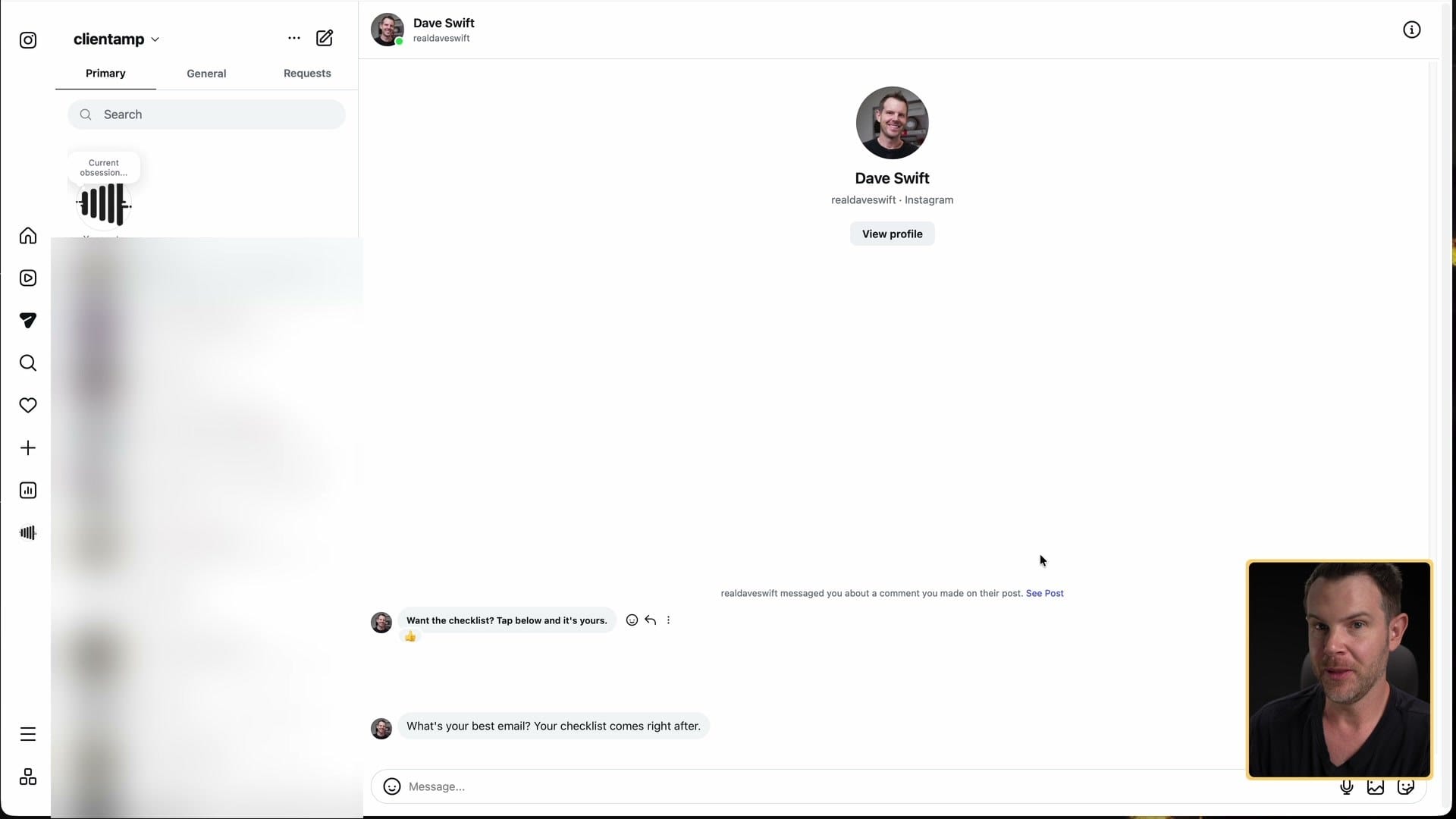
Everything was working. It's kind of a platform issue with Instagram. Instagram has never liked you being on the web, and they still don't. They want you on the mobile app. Test your scenarios on your phone.
A little CRM for your Instagram
What's cool back in Inrō is that you get data on every step of the process. My scenario showed two executions (I tried it once from my own username, too). ▶ 9:19
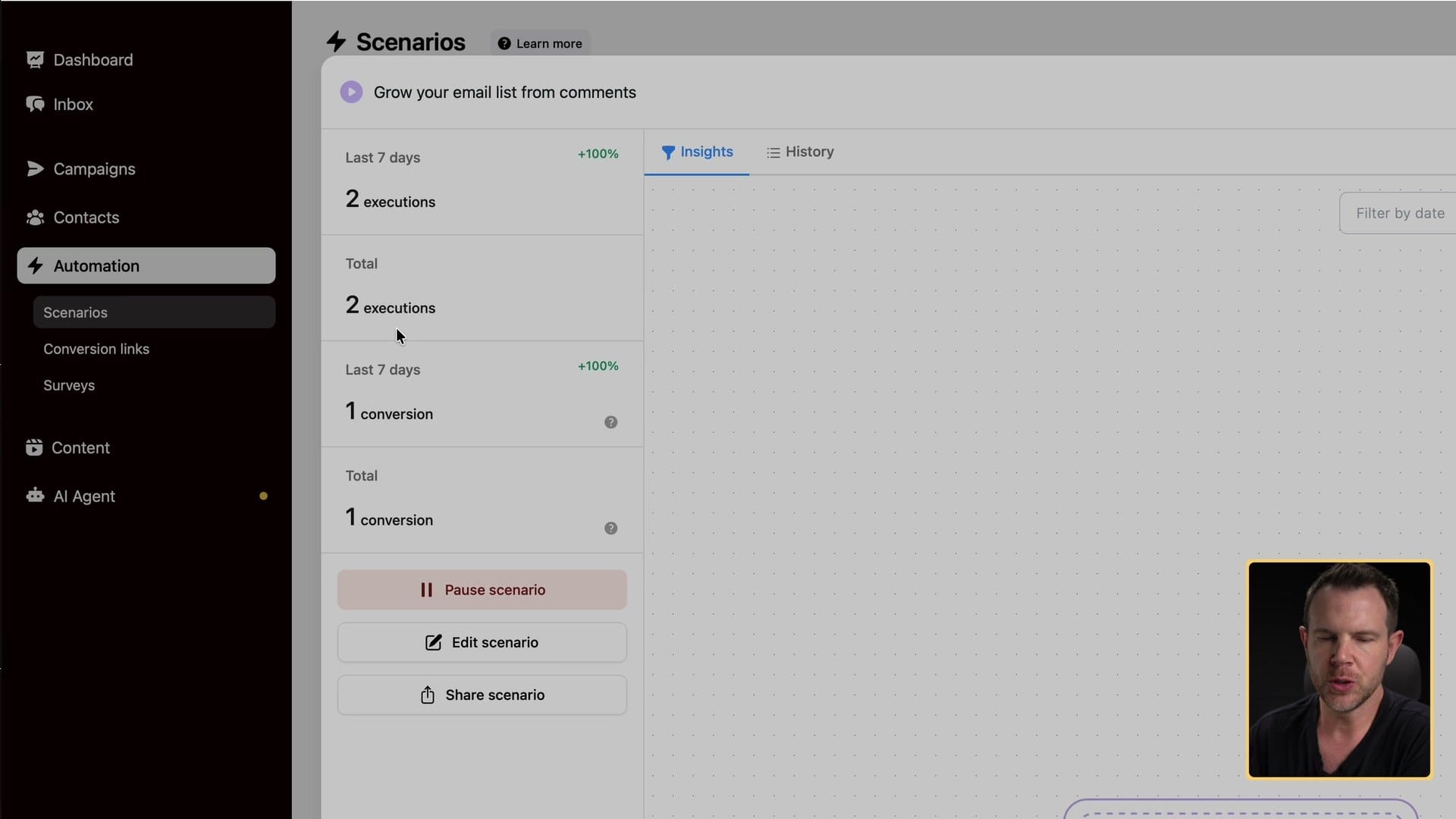
Click into one and you see the actual comment, the whole conversation and which automation it ran. That person is now a contact, so I've basically got a little CRM with the history of our interactions on Instagram, including mentions. Very, very nice.
Templates for everything else
You can prompt Inrō to build any scenario you want. But to get ideas, the template library is worth scrolling through. ▶ 10:02
- Comment moderation. Automatically hide comments about a topic you don't want people talking about, or keep hate out of your comments.
- Auto-thanks. Thank people who leave positive comments or share your story.
- Book calls. This connects to the Calendly integration.
- Freebies and giveaways. Grow followers with a freebie, get leads with a freebie, run a giveaway that grows your reach.
- Webinars and affiliate links. Link up your webinar software or just add the URL, or share affiliate links.
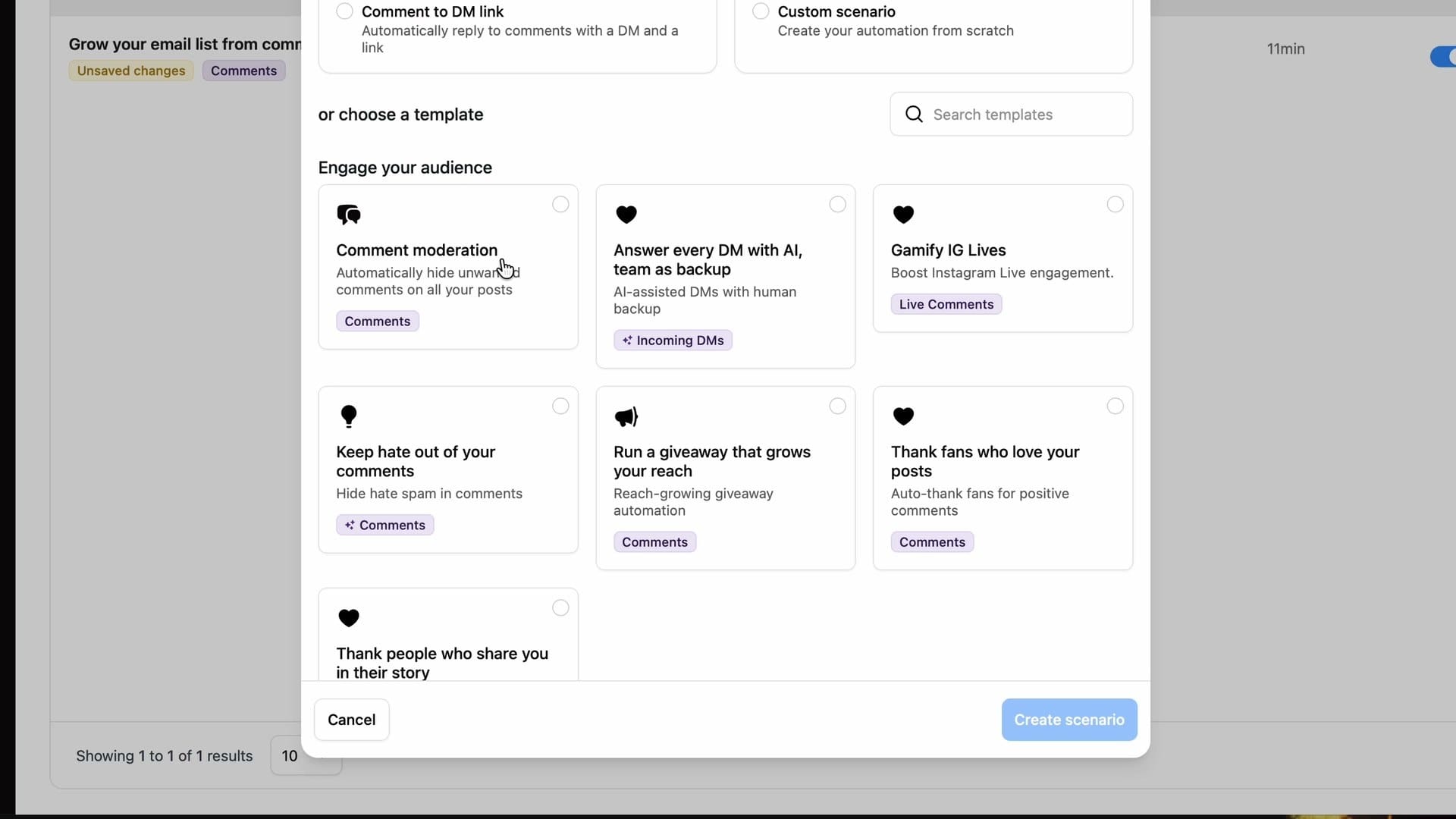
It's a full-featured builder with lots of templates ready to go. Pretty impressive.
Posting and scheduling (my second catch)
You can also post to Instagram and schedule posts right from inside Inrō. This is the one part that didn't work as smoothly for me as I'd have liked. ▶ 11:16
I uploaded the same video I'd posted earlier, and I think the problem was formatting. I didn't make it square like Instagram wants. It was 9:16. The issue is that there's no feedback inside Inrō. It looked like everything was good to go, but when I hit publish, it just stayed in draft. No error message.
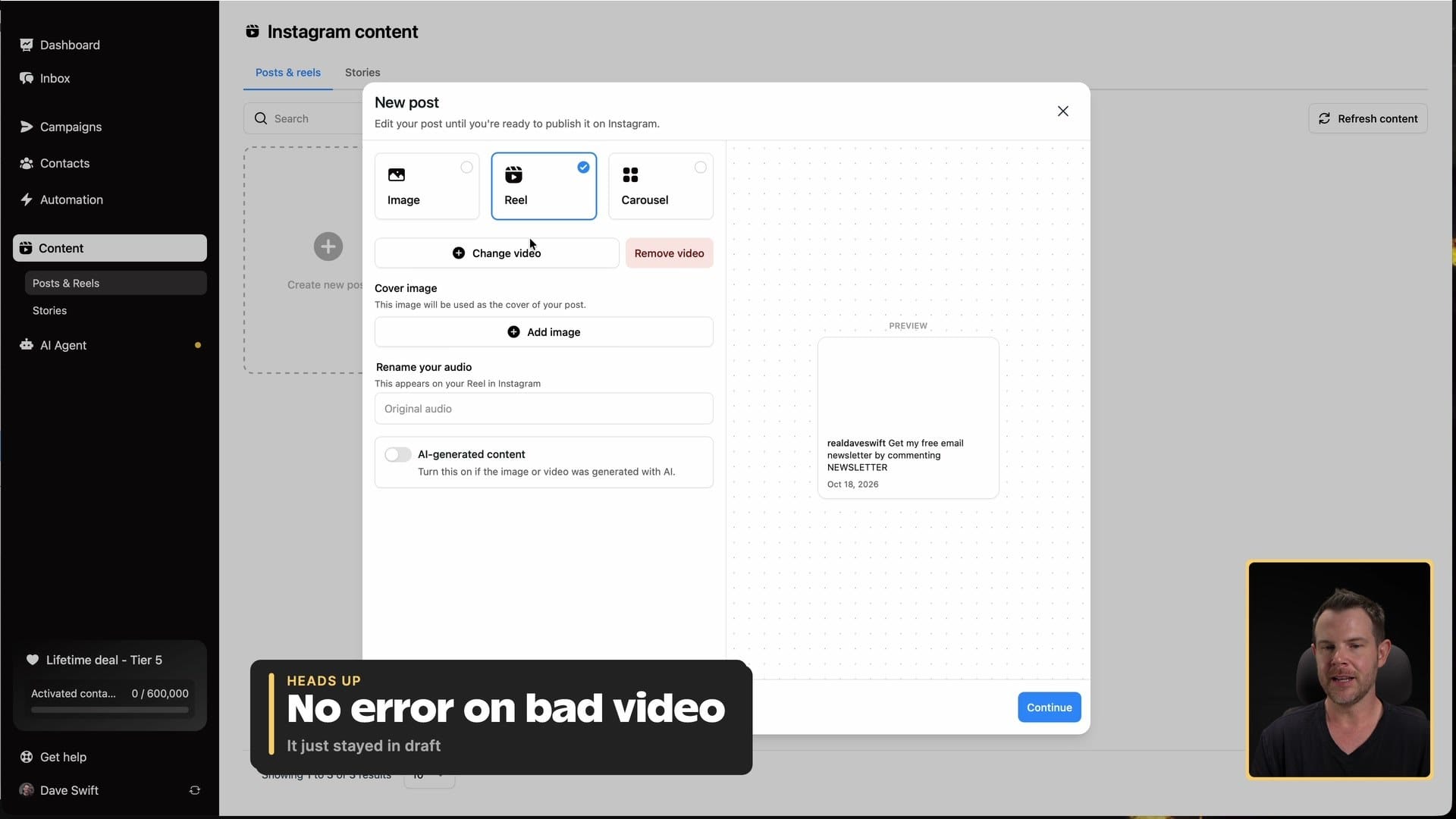
Then I uploaded an image instead, and that showed up on Instagram with no problem. While you're posting you can attach a scenario to the post, add collaborators, turn on paid sponsorship, and either schedule it or publish now.
My advice: if a post doesn't go out, check your format first, because Inrō won't tell you.
Contacts and campaigns
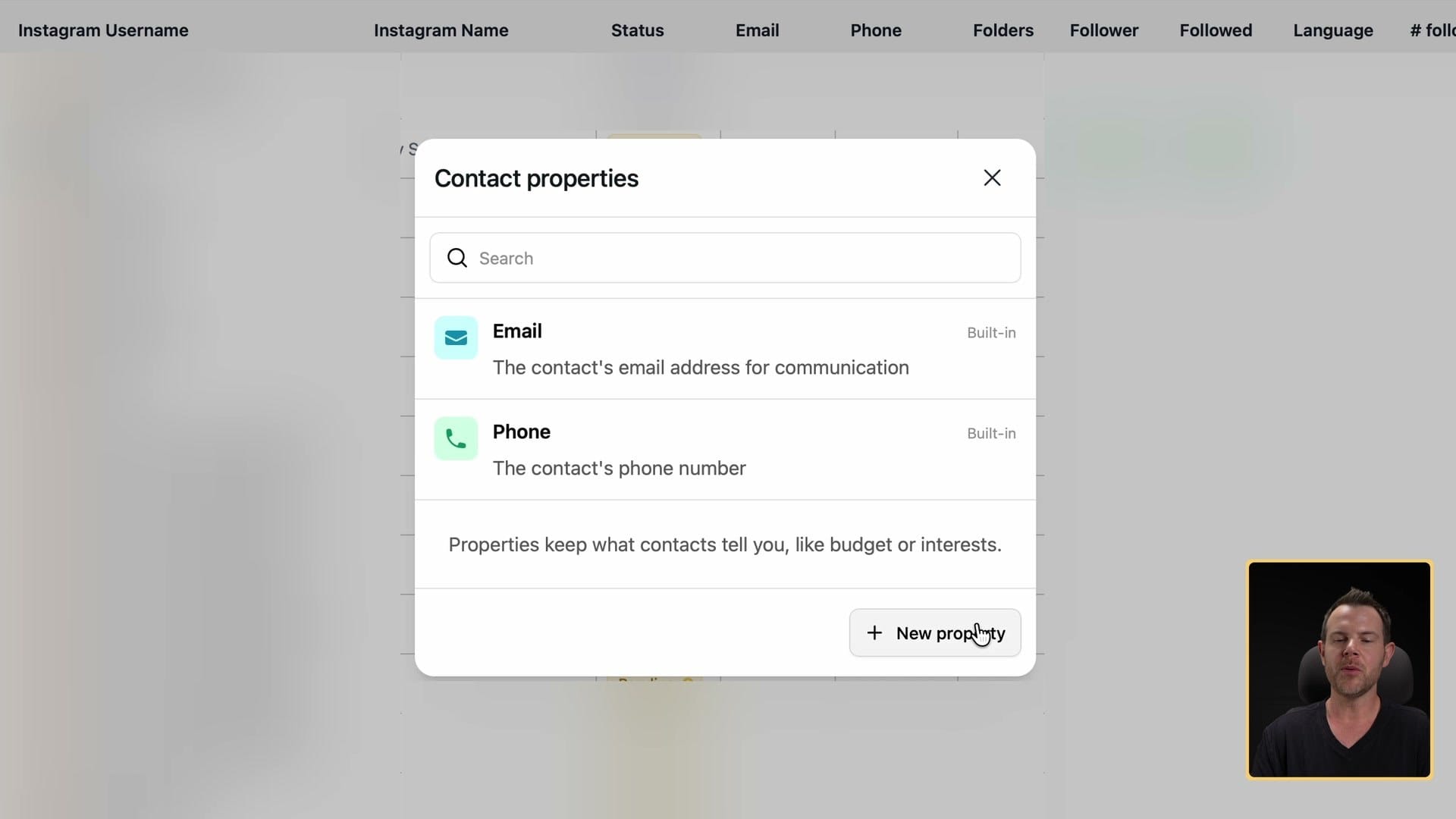
Contacts is a record of everybody you've engaged with by DM on Instagram. It's a literal database of everything you're doing on IG. ▶ 13:19
Each contact can store things like email and phone number, and you can add your own properties (dates, numbers, URLs and more). That could be really cool if you connect it to an AI that can look people up and fill those in. You could build a pretty enriched list.
Campaigns are exactly what you'd think if you've done email marketing. You send a message to your contacts, except it goes out as an Instagram DM. ▶ 14:21
There are campaign templates to ask for a follow, send an audio message, send a launch message, send a survey, or send a personalized campaign where AI writes each message. You can send to everybody or to a folder, and you can exclude people too. For example, everybody who isn't a hot lead.
You can add quick reply buttons, and each answer can take the conversation down a different path. I asked "What's your favorite color?" with red, blue and green, which gave me three paths.
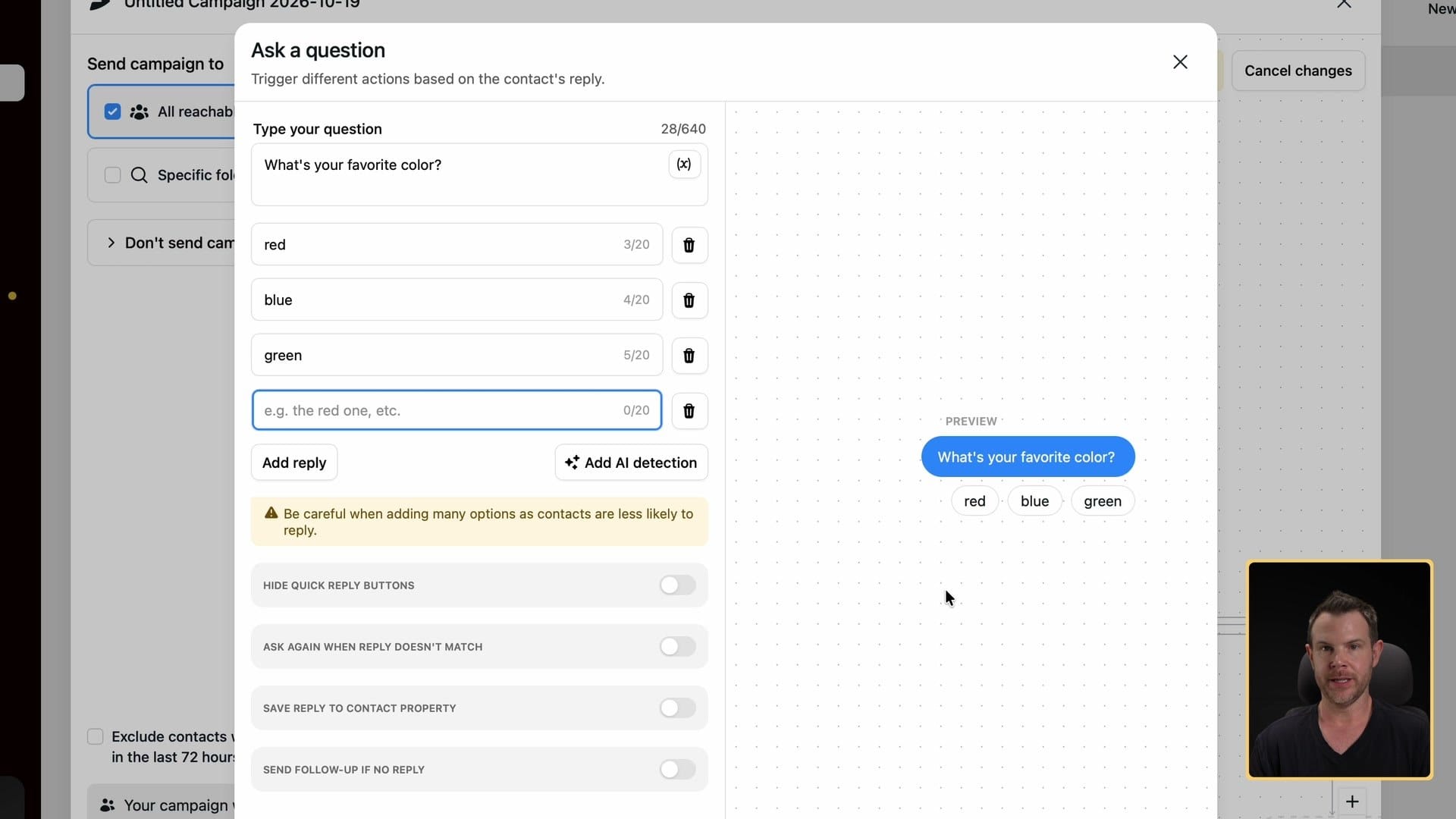
Honestly, this is a lot like the old way of building automations, before we had AI. I don't think most people will build elaborate quick-reply flows in the future, since there's AI built in. But a quick reply still has its place, especially if you sell products. "Which product are you interested in?" gets you that answer locked in.
I like campaigns as a way to stay in touch with people who might otherwise drift away as the algorithm pulls them in other directions. The automation gets them in, and campaigns keep them coming back. Just be careful. Don't send too much, or you'll get flagged as a spammer.
The inbox, with folders
Between campaigns and automations, you'll want to keep an eye on your DMs. You can use AI for that (there's a built-in agent), or you can look at the inbox like a human being. It's right at the top of Inrō, and you can read and reply to your Instagram DMs there. ▶ 16:56
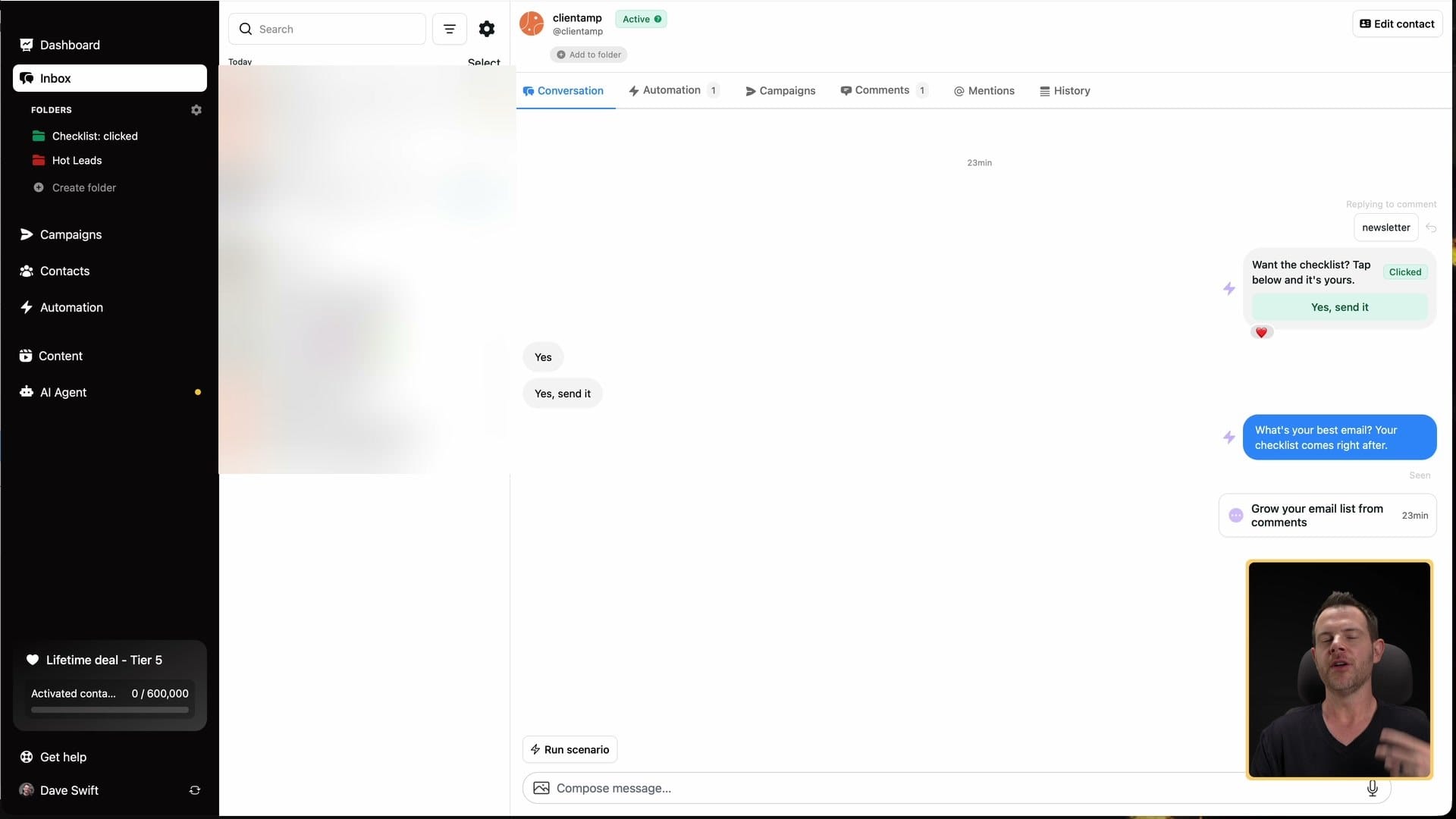
You also get your folders here. So you can sort conversations by your top priority leads, which is something you could never do in the Instagram app on your phone.
The built-in AI agent
The last big feature is Inrō's AI agent, which answers your DMs for you. You set it up in six steps. ▶ 17:29
- Role and tone. Pick a role: community manager, sales closer, support agent, content promoter, lead nurturer or brand concierge. I picked content promoter. Set the message length to short, normal or long, add style rules and example messages, and turn on auto-likes for positive messages if you want.
- Account type. Content creator, e-commerce or local business. Inrō looks at your existing account and fills in a description and goals. Mine wasn't perfect, but I don't post much on Instagram, and it wasn't awful. It got my audience dialed in pretty well.
- Training and knowledge. Add text, documents or a URL. I added my homepage, and it was ready to use in conversations very quickly.
- Actions. Let the agent book consultation calls, handle requests for free resources, add people to a folder, start one of your scenarios, or send conversion links (links with buttons that go out in DMs).
- Activation rules. The agent can answer every message or only messages with a specific intent, like when someone asks about coaching or pricing.
- Done. You get a summary of everything and confirm it.
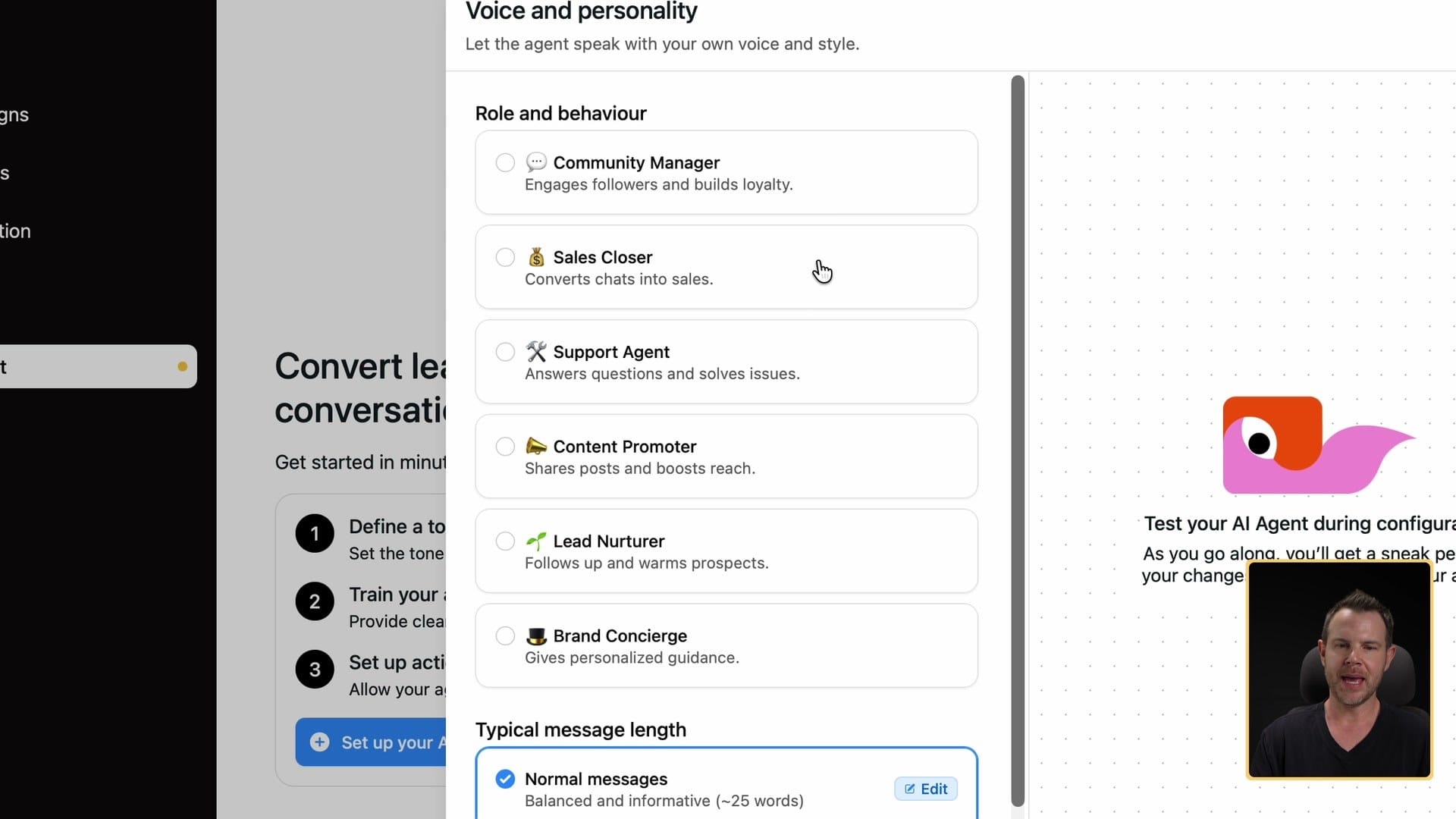
Then you can test it. I asked, "Who is Dave?" It said: "Hi, I'm Dave, helping you build online businesses, no-code tools, practical steps, real results. Follow for simple playbooks you can use today."
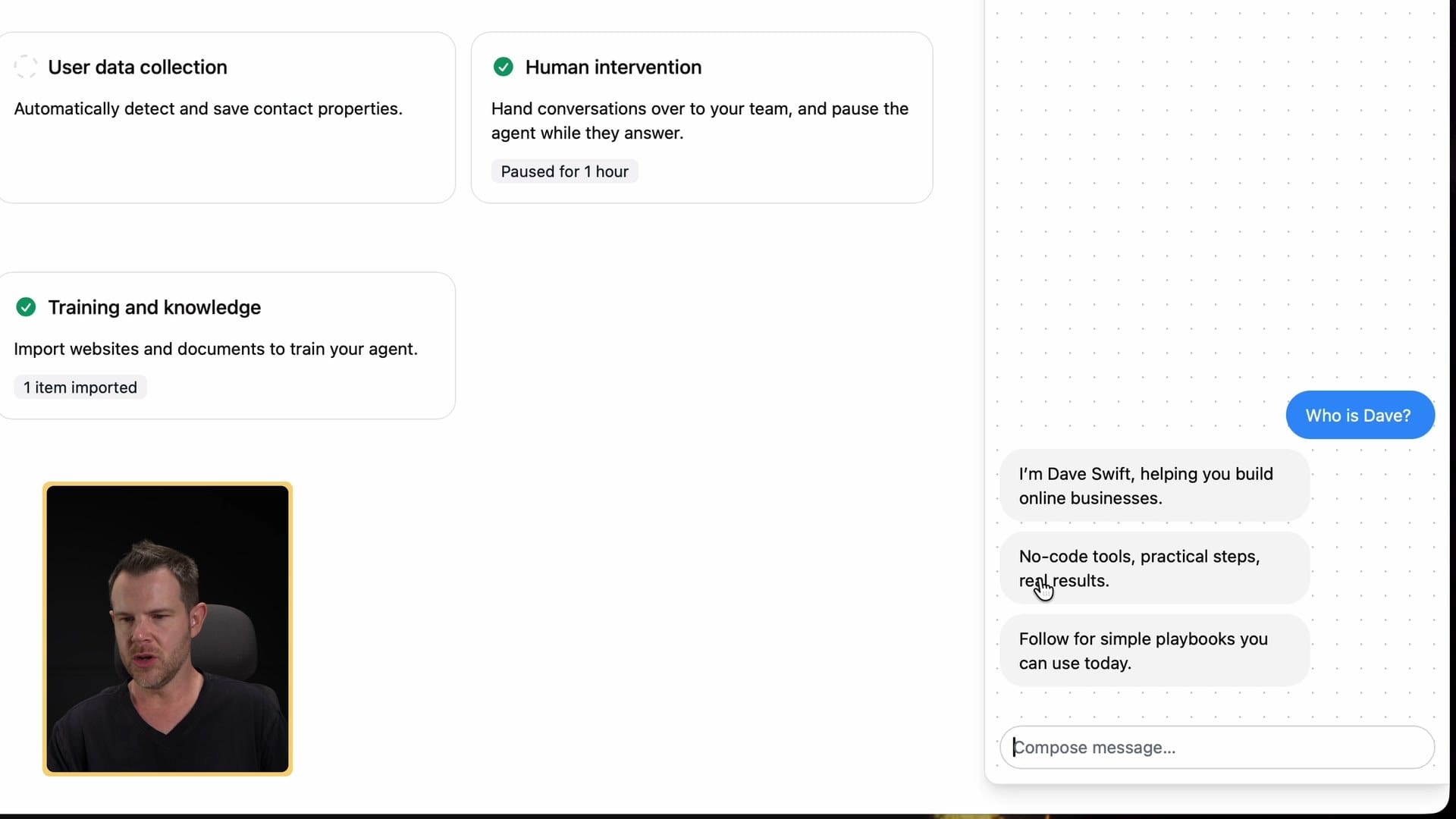
That sounds very bot-like. But it's better than no reply at all, and I didn't spend any time dialing it in. I didn't give it any style rules. If you put in the work, you could make it sound a lot more like you.
Control Inrō from your own AI agent
To put a bow on this, I connected Inrō to my own AI agent, Hermes Agent, which runs on my Mac mini in the other room. Then I asked it what it could do with the Inrō MCP. ▶ 21:00
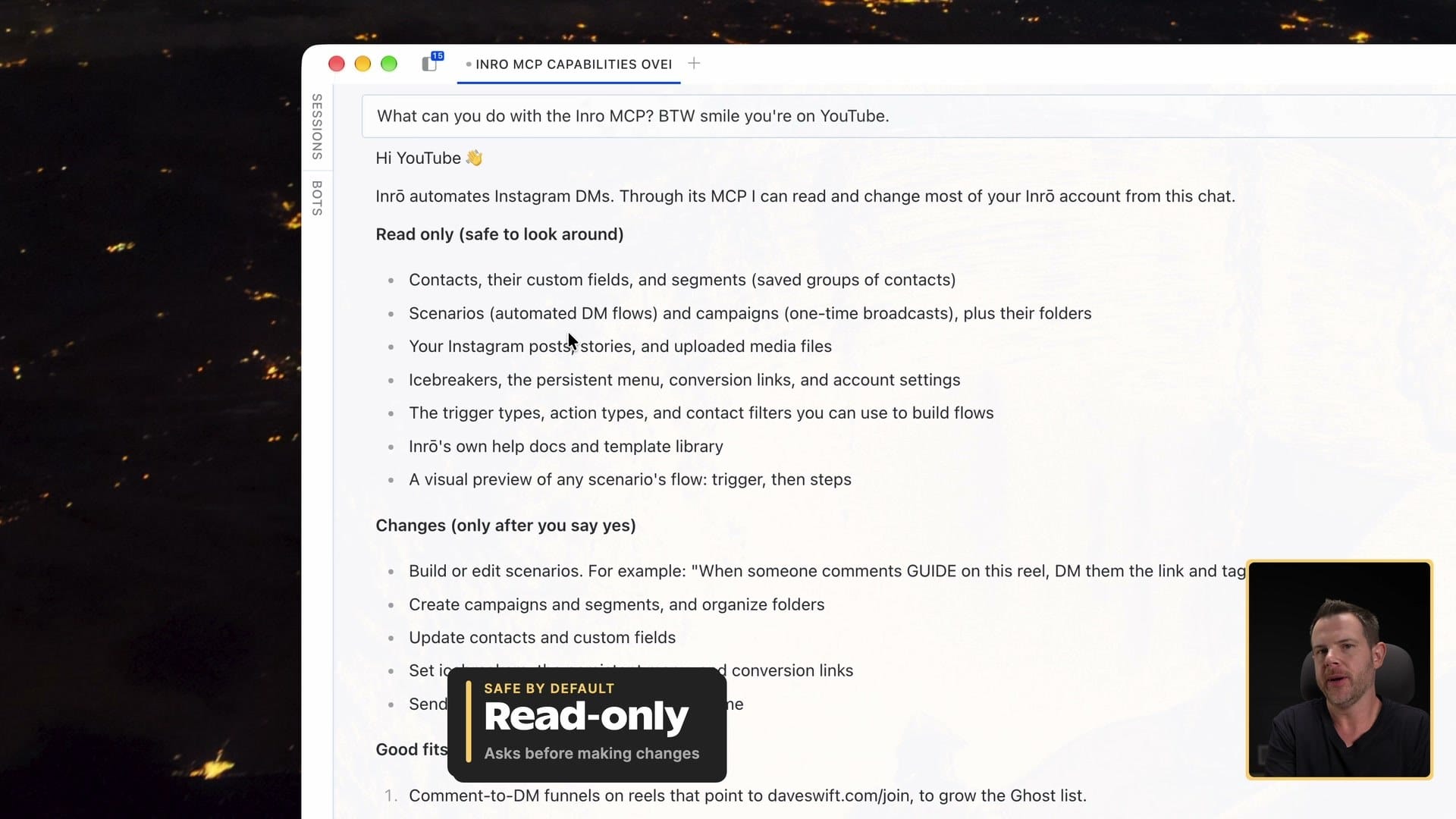
First, it was on read-only. That was the agent's own choice: it wasn't going to change anything until I said it was okay, and it said it would ask permission before making changes. From there it could see basically the whole app: contacts, custom fields and segments, my scenarios, my posts, stories and uploaded media, icebreakers, persistent menus, conversion links, account settings, the trigger and action types you use to build flows, the help docs and template library, and a visual preview of any scenario.
So if you're more comfortable talking through things with your agent than poking around another app, you can run Inrō that way. Very, very cool.
Should you get it?
If you're already getting comments and DMs and you want them to turn into leads, contacts and conversations without living in the Instagram app, Inrō is worth a look. Scenarios and the AI connection are what I like most.
Go in knowing the two catches: test your DM buttons on your phone, not on the web, and if a post sits in draft, check the format, because Inrō won't tell you what's wrong.
Sponsored by AppSumo. If you want Inrō, this is my link: daveswift.link/inro. It's a lifetime deal starting at $59 for one Instagram account. If you run several accounts or want to bring your own OpenAI key, look at the higher plans before you buy.
If you try it, tell me what you build first. Leave a comment or reply and let me know.
Inrō
Turns Instagram comments and DMs into automated conversations, saves people as contacts, sends DM campaigns, and adds an AI agent for your DMs. You can also run it from your own AI agent over MCP.
Creators and businesses who already get comments and DMs on Instagram and want them to turn into leads without answering every one by hand.
Answering every comment and DM yourself in the Instagram app
$59 to $799 one-time on AppSumo (5 plans, 1 to 20 Instagram accounts)
Get Dave's Toolbox
The tools I actually use, every Tuesday. Free. No spam.
No cost. No spam. Unsubscribe anytime.