

Notch Review: Google Docs Meets Notion Meets DocuSign
Notch blends Google Docs, Notion, and DocuSign features into a single client-facing workspace. This review tests document editing, e-signatures, and collaboration tools. Covers real agency use and whether one tool can replace your separate docs and signing workflow.

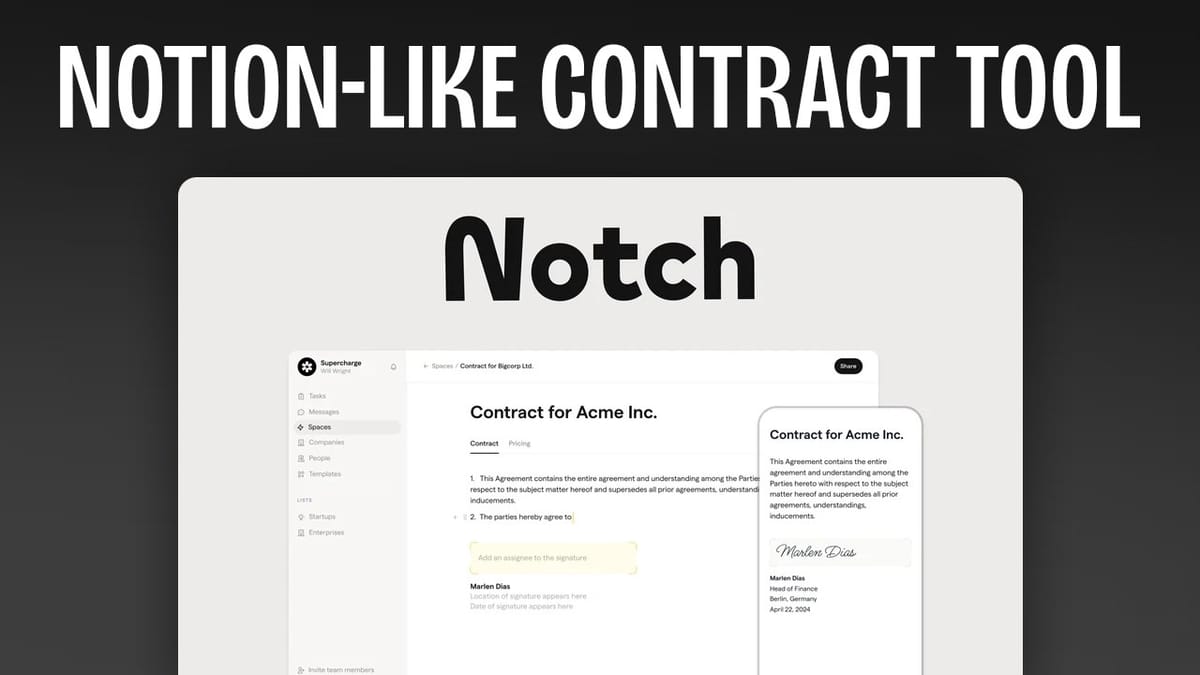
As a tech-savvy entrepreneur, you’re always on the lookout for tools that can streamline your workflow and boost productivity. Today, I’m excited to share my review of Notch, a new tool that’s making waves in the document management space. Imagine if Google Docs, Notion, and DocuSign were combined into one powerful app – that’s essentially what Notch offers.
Notch
All-in-one document management combining Google Docs, Notion, and DocuSign features for proposals, contracts, and client collaboration.
Freelancers, agencies, and small businesses that create client proposals and need document signing.
Proposify, PandaDoc, Notion
Introduction
Notch is currently available as a lifetime deal on AppSumo, and I’ve spent considerable time exploring its features. While there was a slight learning curve, once I got the hang of it, I found Notch to be an incredibly useful tool.
Before we look at the details, it’s worth noting that this deal is part of AppSumo’s new release strategy. Like other recent deals, Notch will be on sale for one week, after which the price will increase. Additionally, until September 30th, Notch is exclusively available to AppSumo Plus members.
If you’re not familiar with AppSumo Plus, it’s a membership that offers several benefits:
- 10% discount on all purchases
- Early access to deals like Notch
- Extended buyer protection policy (12 months instead of 6)
For frequent AppSumo shoppers, Plus can be a great investment. Now, let’s explore what Notch has to offer.
Get Notch
Lists
The foundation of Notch’s organizational structure is the “list.” Think of a list as a container for your documents and projects. You can have both private and shared lists:
- Private lists: Accessible only to you
- Shared lists: Visible to your team
Switching between private and shared is simple. Just click the three dots next to your list, go to access settings, and toggle the “list is visible to team” switch.
Spaces
Within each list, you’ll find “spaces.” These are like hubs or homepages for your projects. A space contains links to all the individual documents within that project.
Here’s how to set up a space:
- Create a new space or open an existing one
- Customize the banner (color or image)
- Add your logo and client’s logo (if applicable)
- Create pages within the space
One neat feature is the “brand fetch” option. By entering a website URL, Notch can automatically pull in relevant branding elements. This is great for quickly setting up client-specific spaces.
Pages
Pages are where you’ll create and edit your actual content. You can add multiple pages to a space, each serving a different purpose. The editor is intuitive, using slash commands to add various elements like headings, lists, or media.
To create a new page:
- Click “new page” within your space
- Choose to start from scratch or use a template
- Begin editing using the slash command menu
Document Signing
One of Notch’s standout features is its built-in document signing capability. Here’s how it works:
- Type “/sign” in the editor
- A signature line appears
- Assign the signature to a specific person
- Add multiple signature lines if needed
This feature eliminates the need for a separate e-signature tool, streamlining your document workflow.
Templates
Notch offers a wide variety of templates to help you get started quickly. These range from business contracts to creative agreements. Here’s how to use them:
- Go to the templates section
- Browse categories or search for specific templates
- Preview and select the desired template
- The template will be added as a new page in your current space
You can then edit the template to fit your needs using the intuitive editor. The ability to save your own custom templates is also available, allowing you to create a library of frequently used documents.
Publishing & Sharing
Once your document is ready, you can easily share it with clients or team members:
- Click the “Publish” button to make the document public
- Use the “Share” button to add specific recipients
- Enable chat functionality for direct communication (available in higher tiers)
If you have the right AppSumo plan, you can even use a custom domain for a more professional look.
Chat
For AppSumo tier 3 and above, Notch includes a chat feature. This allows you to communicate directly with clients within the platform. While the chat is fairly basic, it does include file sharing capabilities, which can be quite useful for quick exchanges.
Content Library
The content library is a central repository for all the assets you upload to Notch. This includes images, documents, and other files (up to 100MB per file). The library makes it easy to reuse assets across different spaces and pages.
Key features of the content library:
- Search functionality
- Sorting by file type
- Easy access when creating new documents
While it won’t replace your Google Drive, it’s a convenient feature for managing document-related assets.
Activity
Every space in Notch has its own analytics section, called “Activity.” This feature provides insights into how your documents are being used:
- Login frequency
- Document views
- Comments
- Task completions
You can also view and respond to comments directly from the Activity section. Note that this feature is only available from tier 2 and above.
Elements
Notch offers a variety of elements (or “cards”) that you can add to your documents. These include:
- Text elements: Headings, lists, quotes, mentions
- Proposal elements: Welcome sections, summaries, value propositions
- Progress elements: Timelines, tasks
- Offer elements: Pricing tables, invoices
- Media elements: Image uploads, file uploads, embeds
There’s also support for layouts like accordions and tables, as well as dedicated embeds for services like YouTube, Loom, Calendly, Typeform, and Canva.
Settings
In the settings section, you can customize various aspects of your Notch experience:
- Team name and URL
- Branding (logos, colors, button styles)
- Custom domain setup (tier 3 and above)
- Team member management
- Integrations with HubSpot, Salesforce, and Slack
Plans & Pricing
Notch is currently available on AppSumo with several tier options:
- Tier 1 ($49): 3 users, unlimited spaces
- Tier 2 ($99): Adds analytics and future integrations
- Tier 3 ($149): 25 users, adds chat and white label features
- Tier 4 ($349): Unlimited users
I recommend at least tier 2 for most users, as the analytics are valuable for understanding client engagement. Tier 3 is likely the sweet spot for many small businesses and freelancers.
When compared to similar tools like Proposify, Notch offers significant value. Proposify’s basic plan ($70/month) limits you to 2 users and 5 documents, while their team plan ($50/user/month) caps at 30 documents. In contrast, Notch provides unlimited documents and spaces at a much lower price point.
Get Notch
Conclusion
After thoroughly testing Notch, I’m impressed with its capabilities and value proposition. It effectively combines document creation, signing, and sharing in a user-friendly package. While there’s a slight learning curve with concepts like “spaces,” once you grasp the structure, it’s an intuitive and powerful tool.
I’m giving Notch a score of 8.8 out of 10. It’s particularly well-suited for:
- Freelancers and small business owners who create client proposals
- Teams looking for a more structured alternative to Notion
- Anyone tired of juggling multiple tools for document creation, signing, and sharing
Notch strikes a good balance between the customizability of Notion and the simplicity of traditional document tools. At its current AppSumo pricing, it’s an excellent deal for those looking to streamline their document workflow.
Have you tried Notch? What are your thoughts? Let me know in the comments below!
If you found this review helpful, consider using my AppSumo link when making a purchase. It helps support the channel and allows me to continue bringing you in-depth reviews of the latest productivity tools.
Don’t forget to subscribe to my channel and newsletter at ClientAmp.com for more tech reviews and productivity tips!
Frequently Asked Questions
What is Notch best used for?
Notch is ideal for creating client proposals, contracts, and collaborative documents. It combines document creation, e-signatures, and sharing in one platform, making it a strong fit for freelancers and agencies.
Does Notch support document signing?
Yes, Notch has built-in e-signature capabilities. You can add signature lines directly in the editor using the /sign command and assign them to specific people.
Can I use Notch with a custom domain?
Yes, custom domain support is available from tier 3 and above on the AppSumo plan, allowing you to maintain a professional appearance when sharing documents.
How does Notch compare to Proposify?
Notch offers unlimited documents and spaces at a one-time cost, while Proposify charges $70/month for just 2 users and 5 documents. Notch provides significantly more value, especially at its AppSumo pricing.
What integrations does Notch support?
Notch integrates with HubSpot, Salesforce, and Slack. These integrations help connect your document workflow with your existing CRM and communication tools.
Get Dave's Toolbox
The tools I actually use, every Tuesday. Free. No spam.
No cost. No spam. Unsubscribe anytime.


