I Vibe Coded an Internal Tool My Company Can Actually Use
How I built a sponsor CRM in Softr without code: deal pipeline, publishing calendar, sponsor-only logins, then edited it from Claude with MCP.

If you need an internal tool for your business, try building it in Softr before you pay for another piece of software or vibe code something from scratch.
I just did exactly that. I built a CRM for the sponsorships on my channel. It has a deal pipeline, a publishing calendar, and a login where a sponsor sees only their own videos and nothing else. It runs on a real database with real logins and permissions, and I didn't write any code. Then I connected Claude to it and had Claude change the app for me.
Quick heads up: Softr sponsored the video this post is based on. I've been making sponsored videos about Softr for a few years now, and it's a wonderful tool. If you sign up for Softr with my link, you get 200 free AI credits.
My problem: too many sponsor emails
My problem is pretty simple. I get a lot of inbound email about sponsorships. I know, boo-hoo is me. That's an awesome problem to have.
But it is actually a problem. Somebody has to sort through all of those emails, figure out which ones are worthwhile, and then try out the tools, because I only make sponsored videos about products I truly stand behind. Softr is a good example. I never would have found them if I hadn't gone through every single email by hand.
I'm tired of doing that, and I need a more organized way to do it. Paying for a CRM is expensive, even for a small company. So I decided to vibe code my own in Softr.
Why build it in Softr instead of from scratch
If you haven't tried Softr in a while, it has changed with the times. You can still start from a template, but now the main way to build an app is the same way you'd work in ChatGPT or Claude: you prompt it.
The upside of vibe coding in Softr, compared with vibe coding an app from scratch, is that you get Softr's time-tested, proven stack underneath. You get their database and their login system, and all of the controls are on screen and easy to change. You don't have to vibe code every individual change.
That answers the question I hear most when people push back on vibe-coded apps: "Yeah, but who's going to maintain it?" With Softr you get the best of both worlds:
- You can maintain it yourself in the traditional editor.
- You can ask the AI to maintain it for you.
- Softr maintains the stack. Security and the login process are handled by Softr. They aren't vibe coded every time you make a change.
Step 1: Describe the app in one prompt
Start in your Softr dashboard with the AI Co-Builder. (If you want a closer look at the Co-Builder itself, I wrote a full Softr AI Co-Builder walkthrough.) Here's what I asked for, in plain English:
I run a YouTube channel with sponsors. I need a CRM to track sponsors, deals, and deliverables (videos and their publish dates). Admins see everything. Sponsors log in and see only their own deliverables, and can approve a script and upload assets.
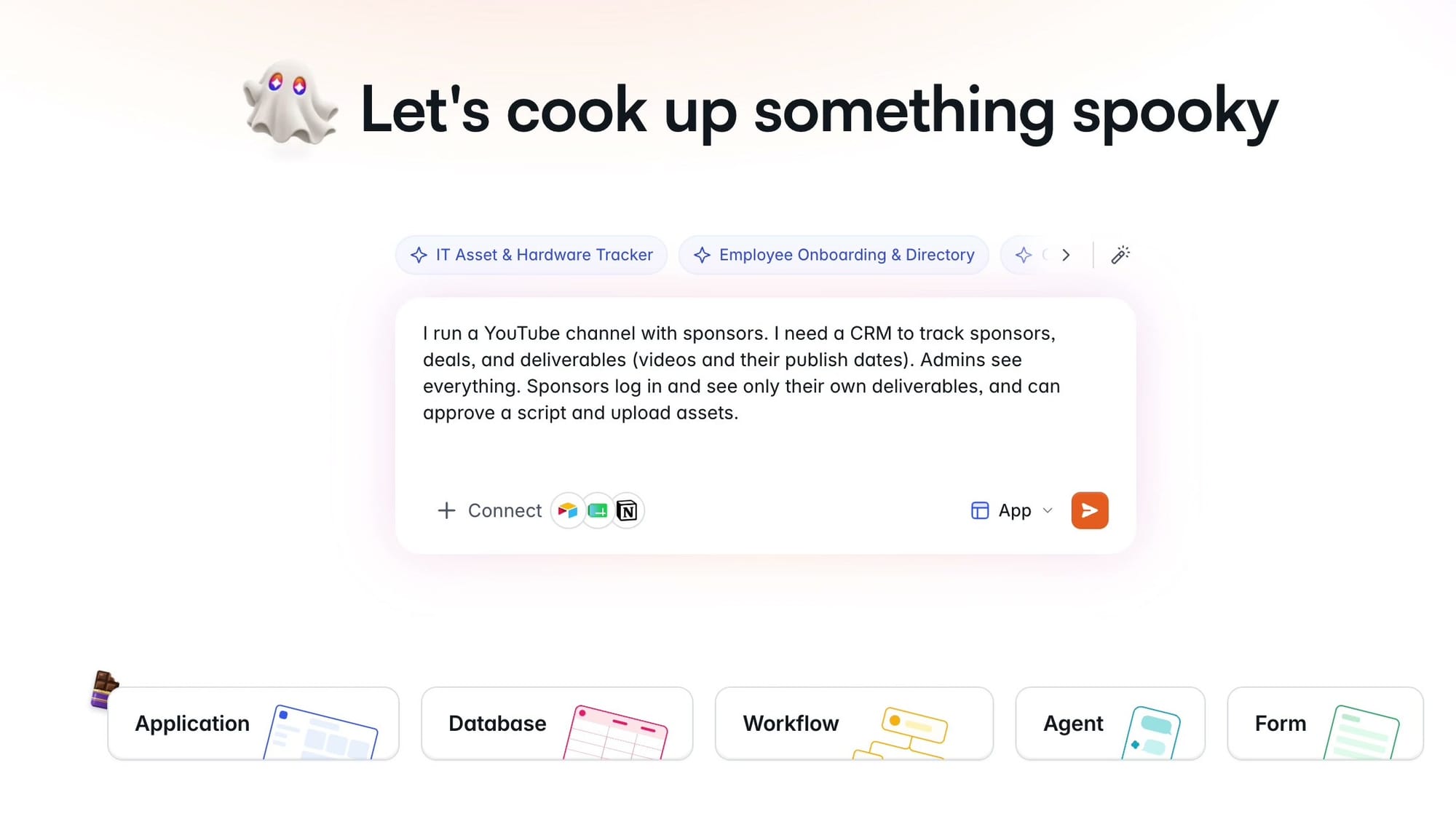
You don't have to be Shakespeare to prompt this. Say what you want, hit the button, and it starts building.
Step 2: Answer the setup questions
The Co-Builder peppers you with a few questions first, but nothing too intense. Here's what it asked me and what I picked.
How should sponsors approve scripts and upload assets? A self-service portal, email links sent to them, or both. I chose both.
How do people log in? Email, Google, or single sign-on. I'm a big fan of email. You can turn on social sign-ons if you want, but I tend to avoid them.
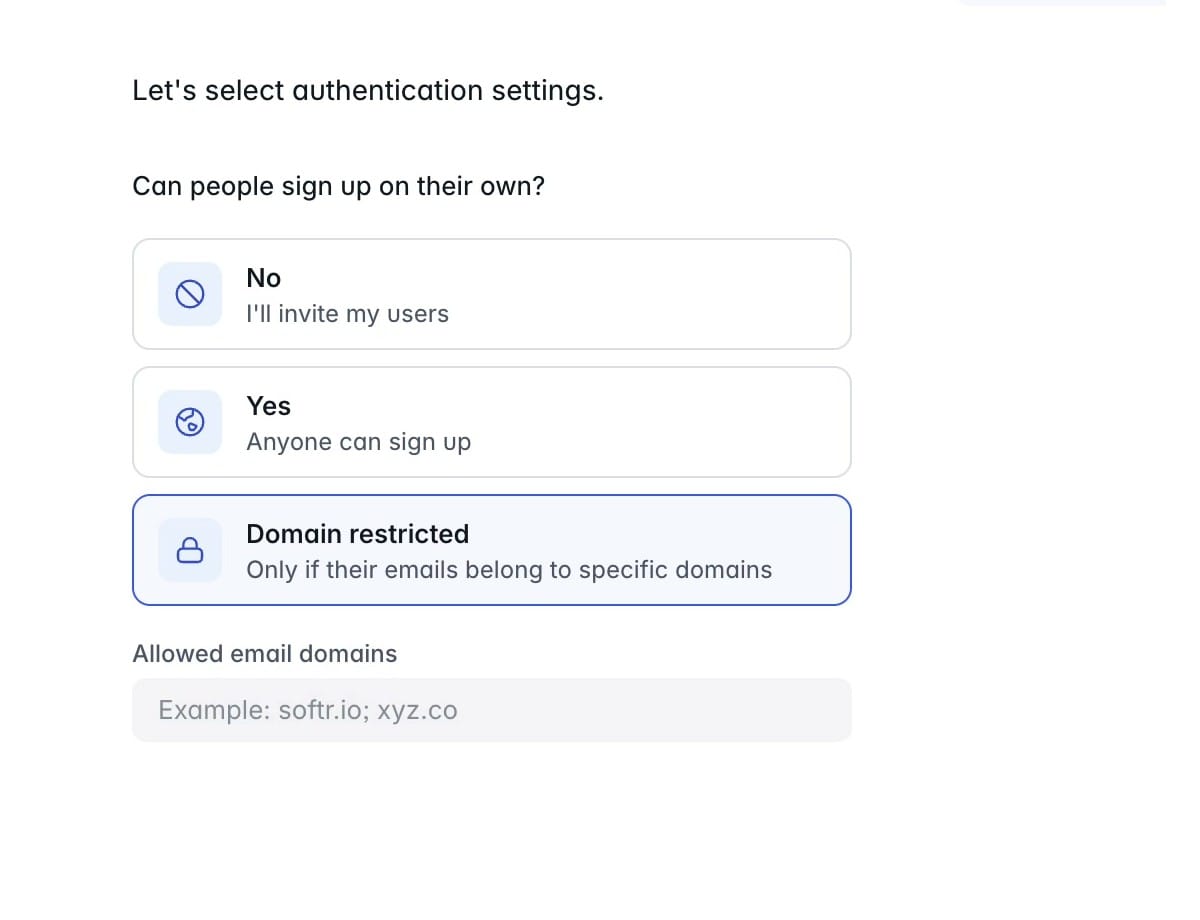
Can people sign up on their own? I said no. If you're building an app you want to make public, you can open it to everybody. If you're building a purely internal tool, the domain-restricted option is worth a look: you enter your company's domain name, and only people with an email address at that domain can sign up. For my CRM, I went with invite only.
Navigation. You probably wouldn't think about this until much later, but it asks whether you want navigation on the side, on the top, or both, plus a separate setting for mobile. I like the defaults. On the desktop I want navigation on the side, and on mobile I want it on the bottom, because that's where my thumbs are. You can change it later.
Colors. Pick the theme closest to what you want and watch the preview on the right. There's a clean professional one, a more "AI" purple-gradient look, dark mode, and a lot more. You can set a brand color too. I went with orange and hit Create App. (I probably should have chosen red. That's the YouTube color.)
Step 3: Watch it build the database, then the app
Next, Softr builds the application, starting with placeholder data. Don't worry, it's easy to import your own data into the database later.
If you're new to databases, I love this part, because you watch the database get built right in front of you. Databases are usually hidden from users. You don't normally get to see one like this. Softr built a really nice interface around theirs, so even editing the database by hand is comfortable. If you want the basics first, read Softr Databases Explained.
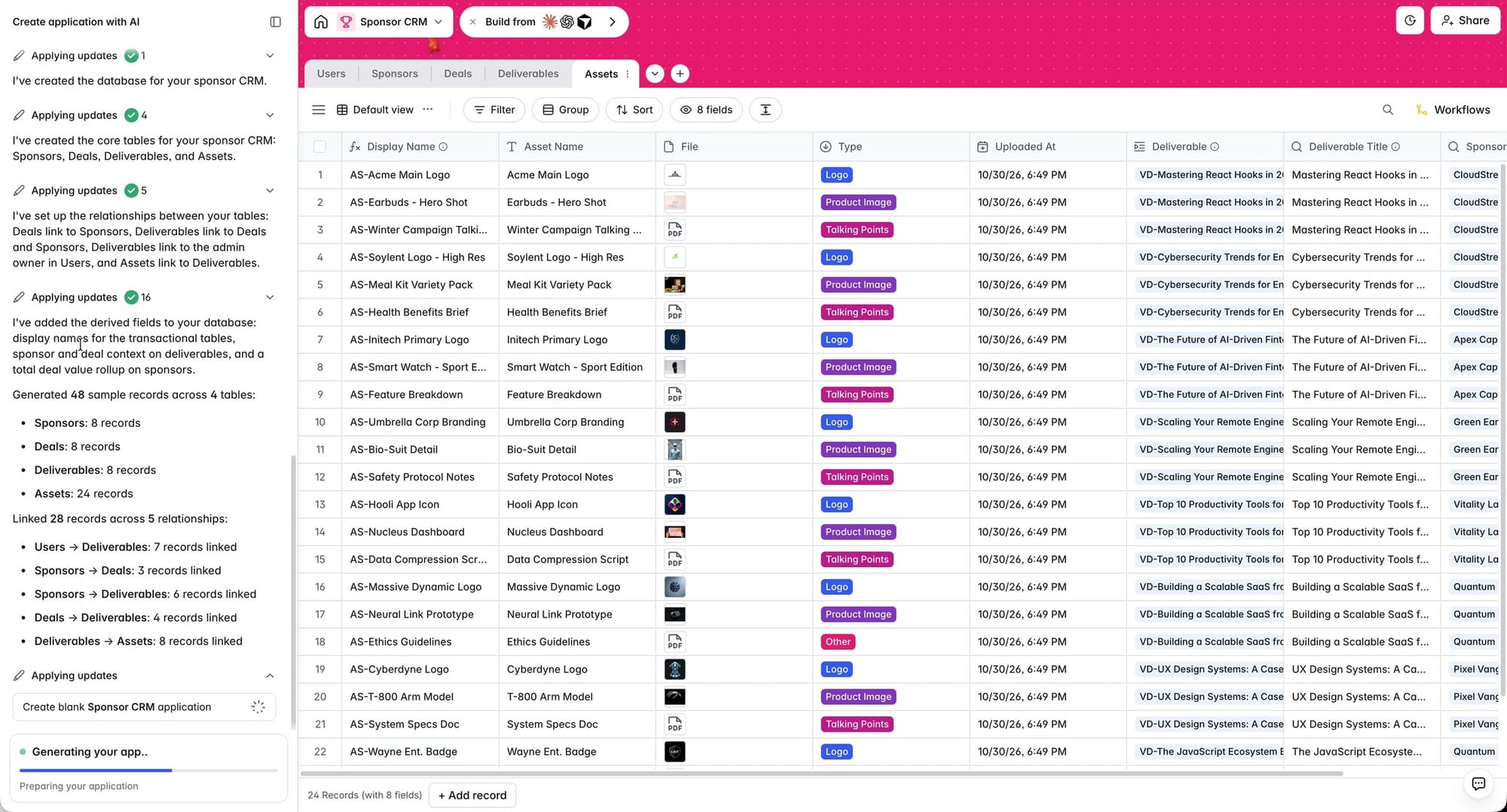
Then it moves on to the front end: what your users will actually see. That could be you, your customers, or your teammates. It moves quickly, and the result is functional and evenly spaced. How many vibe-coded apps have you tried where the spacing is just ridiculous? That's never a problem in Softr.
When it finishes, you can try the app right away or skip straight to the editor. Try it first. It would be a shame not to check out the work.
What the Co-Builder gave me
It took practically no time to get here. My sponsor CRM came with four screens:
- Home: an overview of all my sponsors, their current status and the last deal we did.
- Deliverables: the videos coming up, what's owed, and what I need to pay attention to.
- Sponsors: a dedicated CRM screen for my actual sponsors. Click one (the sample data had a sponsor called Apex Capital) and a panel slides out on the right with all the details, my contact there, and their deliverables in separate tabs.
- Deals: a list of every deal.
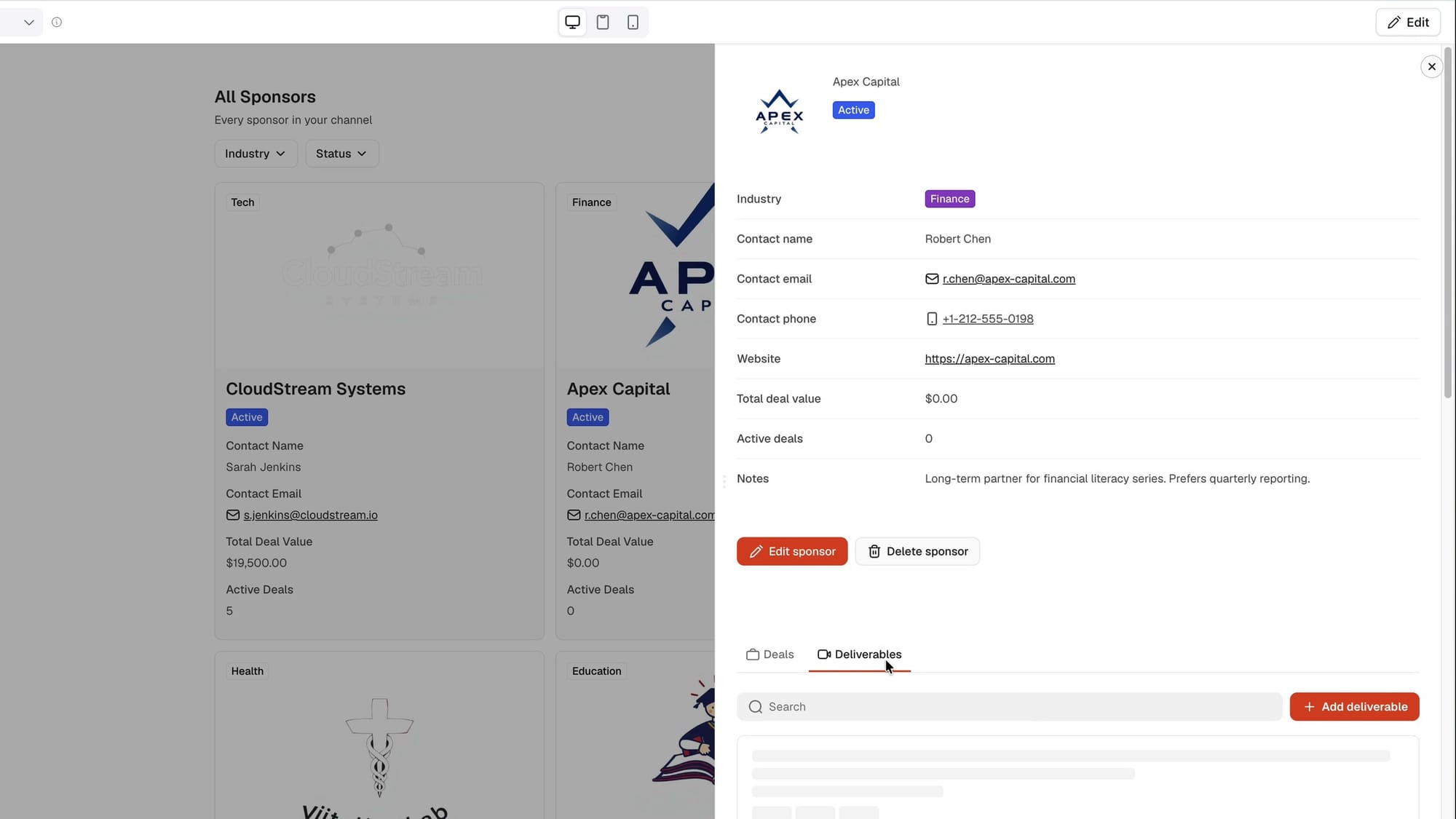
I didn't love the Deals screen. A list is fine, but I wanted a kanban board so I could see where every deal stands. That's the first thing I changed.
Step 4: Add a Vibe Coding block for a deal pipeline
Click Edit to open the editor. The Co-Builder chat is still in the sidebar, and you can keep prompting there. But there's also a dedicated Vibe Coding block you can drop onto any page.
I'm not going to cover every feature of the editor here. I've made a lot of content about Softr, so if you want to become an absolute Softr pro, binge my Softr playlist. Softr Tutorials playlist
Here's how to add the block:
- In the editor, click Pages and open the page you want to change. (I hid the AI sidebar first with the little close button on the Co-Builder.) I opened Deals.
- You could fix the page the old-fashioned way by changing how the data is displayed in the sidebar. I didn't want to do that.
- Find the plus symbols on the page. Anywhere you see one, you can add a block. A plus above the current content adds the block above it, and one below adds it below. I added mine at the top.
- Choose AI Vibe Coding block. It's the first block in the list.
- Choose Connect Data Source, then Softr database, then your database (mine is called Sponsor CRM), then the table. I picked Deals.
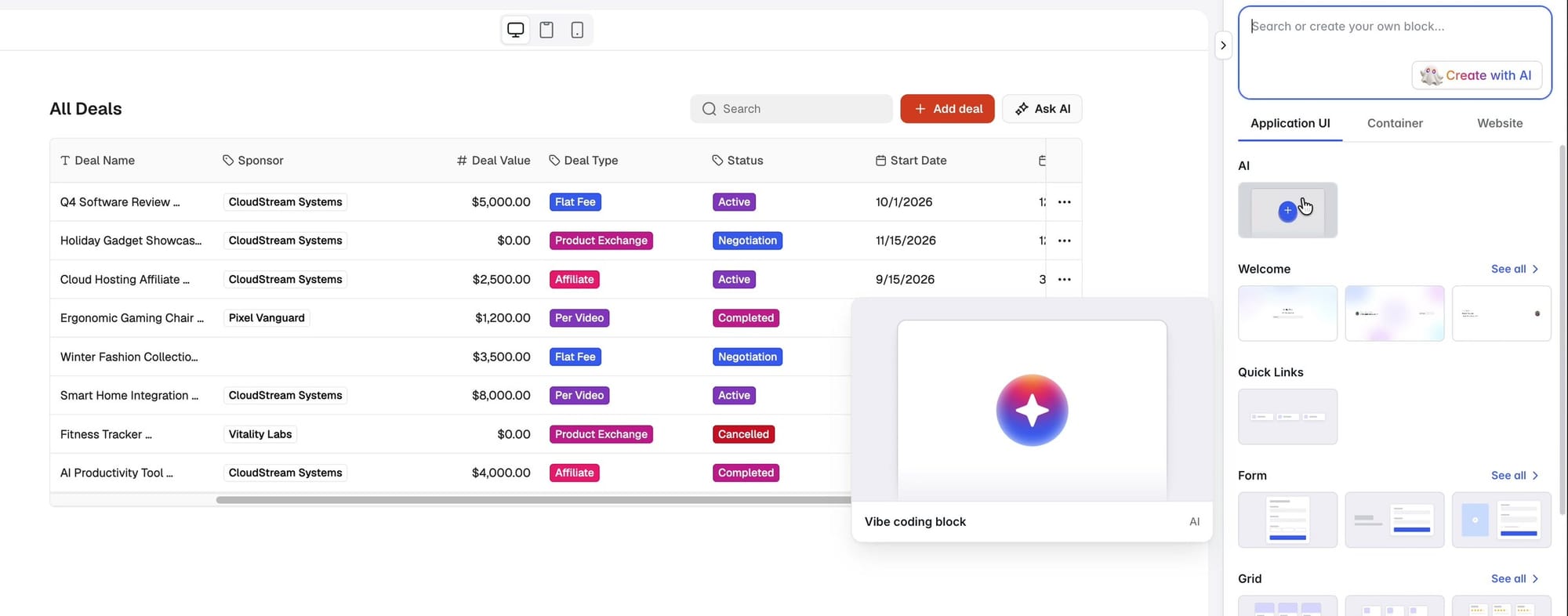
A quick word about the database. You're editing the interface here, but you can also open the database itself and change it just like a spreadsheet. I don't recommend that for daily use. While you're setting up the app, though, it's a good way to see how the information is laid out and fix it if needed.
With the data source connected, go back to the chat and send a prompt. Here's mine:
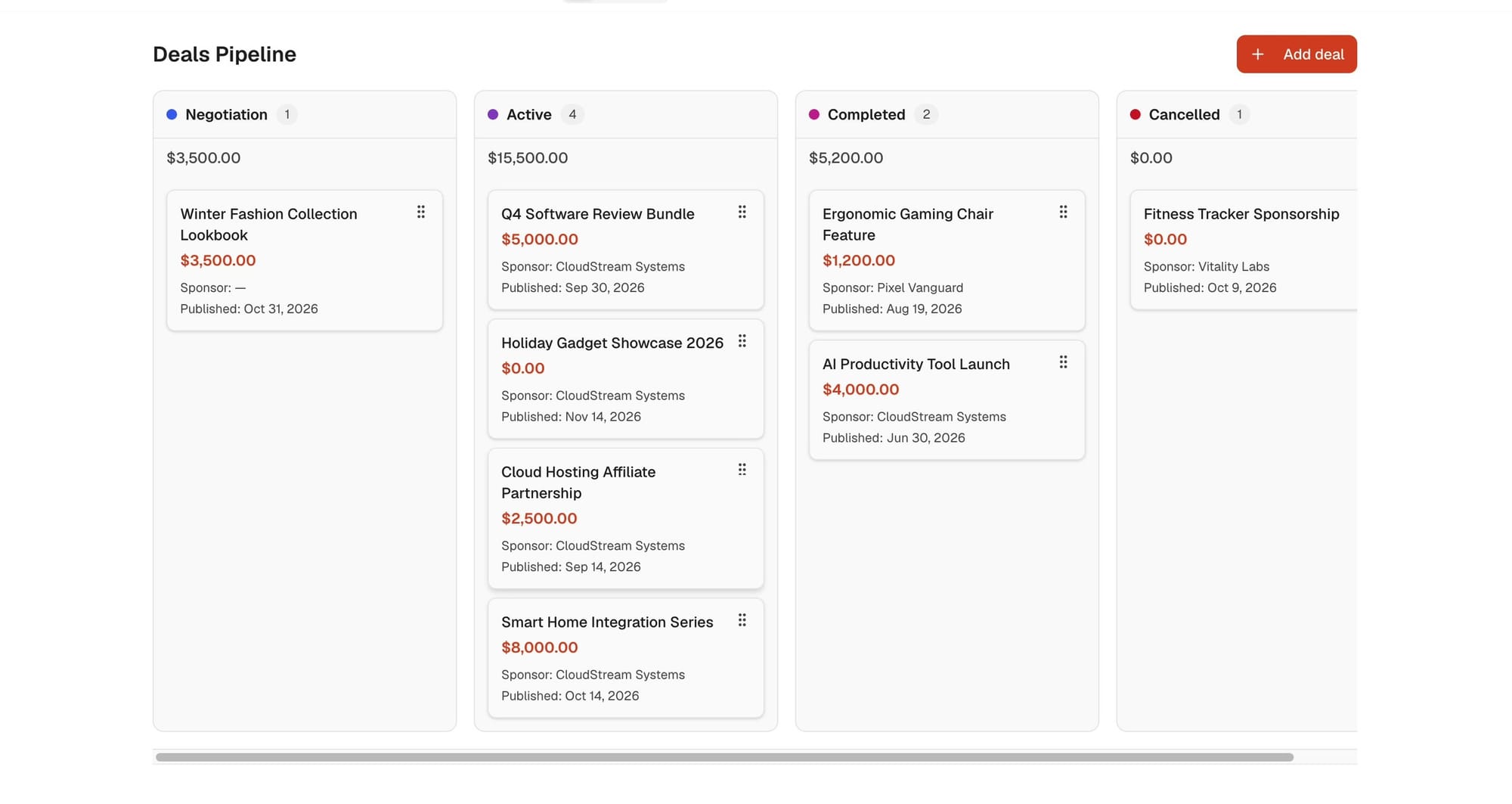
Add a kanban board of Deals grouped by Stage, with the total deal value at the top of each column. Each card shows sponsor name, value and publish date. Add an "Add deal" button and a way to move a deal to another stage.
It thought for a moment and built exactly what I asked for: the stages, the totals, and the Add deal button. It looked perfect. Then I tested it in Preview:
- Dragging a card to another stage worked perfectly.
- Add deal opened a form for the deal name, value, starting stage and publish date.
These are real records. Move a card and the database changes.
Step 5: Add a publishing calendar
Next up was the Deliverables page. It only had a kanban view, which is fine, but I also want to know when stuff is due at a glance. For me there's no better way to see that than a calendar.
Same steps as before:
- Click Edit, and make sure you're on the right page (Deliverables).
- Add a new block, and choose the AI Vibe Coding block again.
- Connect the data source the same way, but choose the Deliverables table.
- Send the prompt.
Mine was:
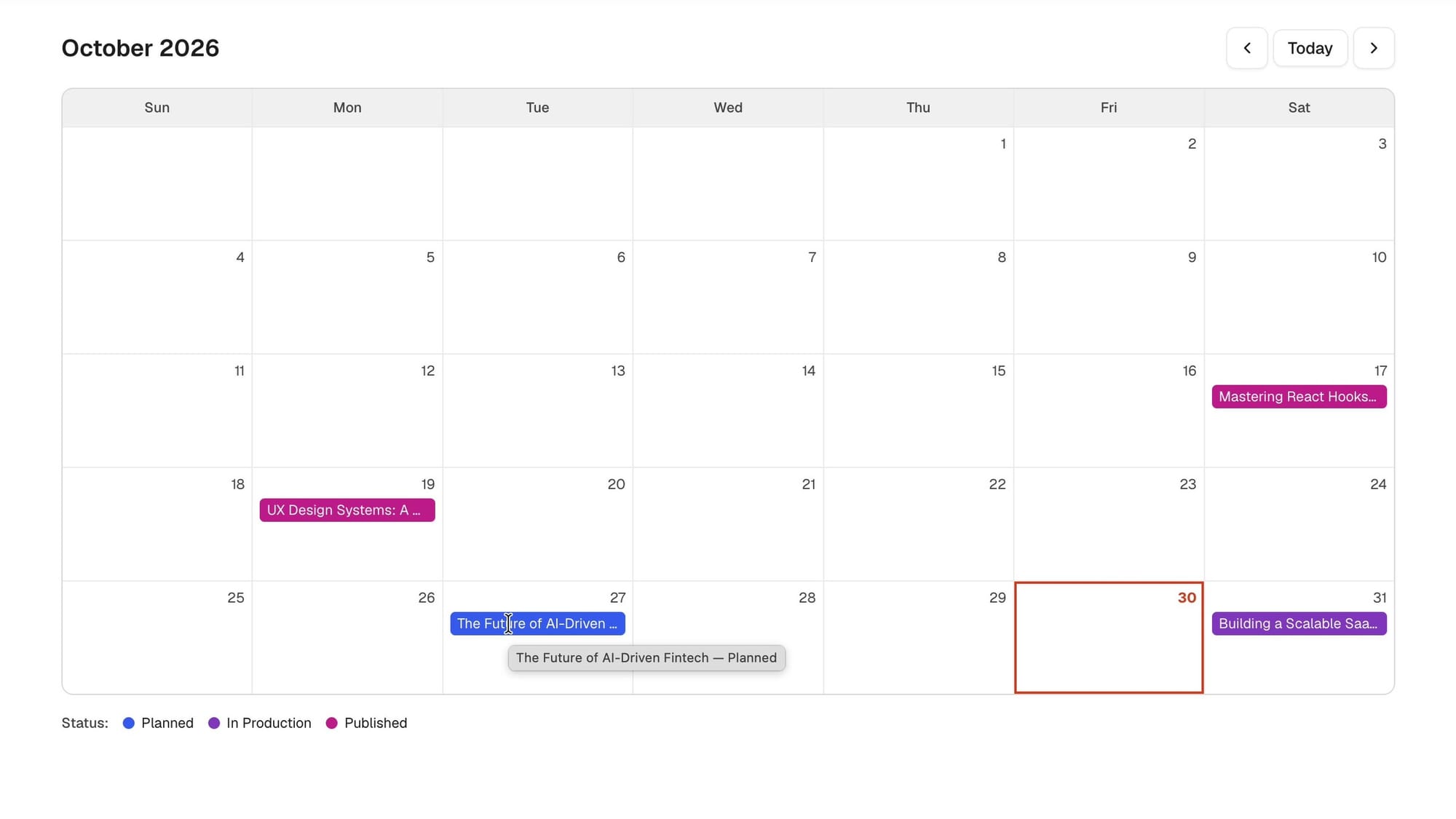
Add a monthly publishing calendar of Deliverables, colored by status (Scripting, Recording, Editing, Published).
This is the part I find so cool. Think of every CRM you've used where you thought, "It would be really good to see this data here," and you just couldn't figure out how to do it, if it was possible at all. Now you can have that idea while you're using the tool ("I need a calendar on this page") and a few seconds later you've got one.
When it came back, I honestly didn't have words. It was perfect. It had the status colors, today's date outlined, and what's coming up (I had one due the next day). It even has tooltips, so hovering over an item shows the full title and its status.
Step 6: Test the app as a sponsor (my first prompt didn't work)
So far, everything I'd tested was as the administrator. But I also wanted sponsors to log in and see what I'm working on for them and the status of each video.
Softr makes this easy to test. At the top of Preview, you can choose a different user. I was on my own account as an administrator, so I switched to Sophia, one of the sample sponsors the Co-Builder made, to see exactly what she sees.
Problem: Permission denied. Sophia couldn't see that page, and it turned out she couldn't see anything in the whole CRM. My first prompt didn't work perfectly.
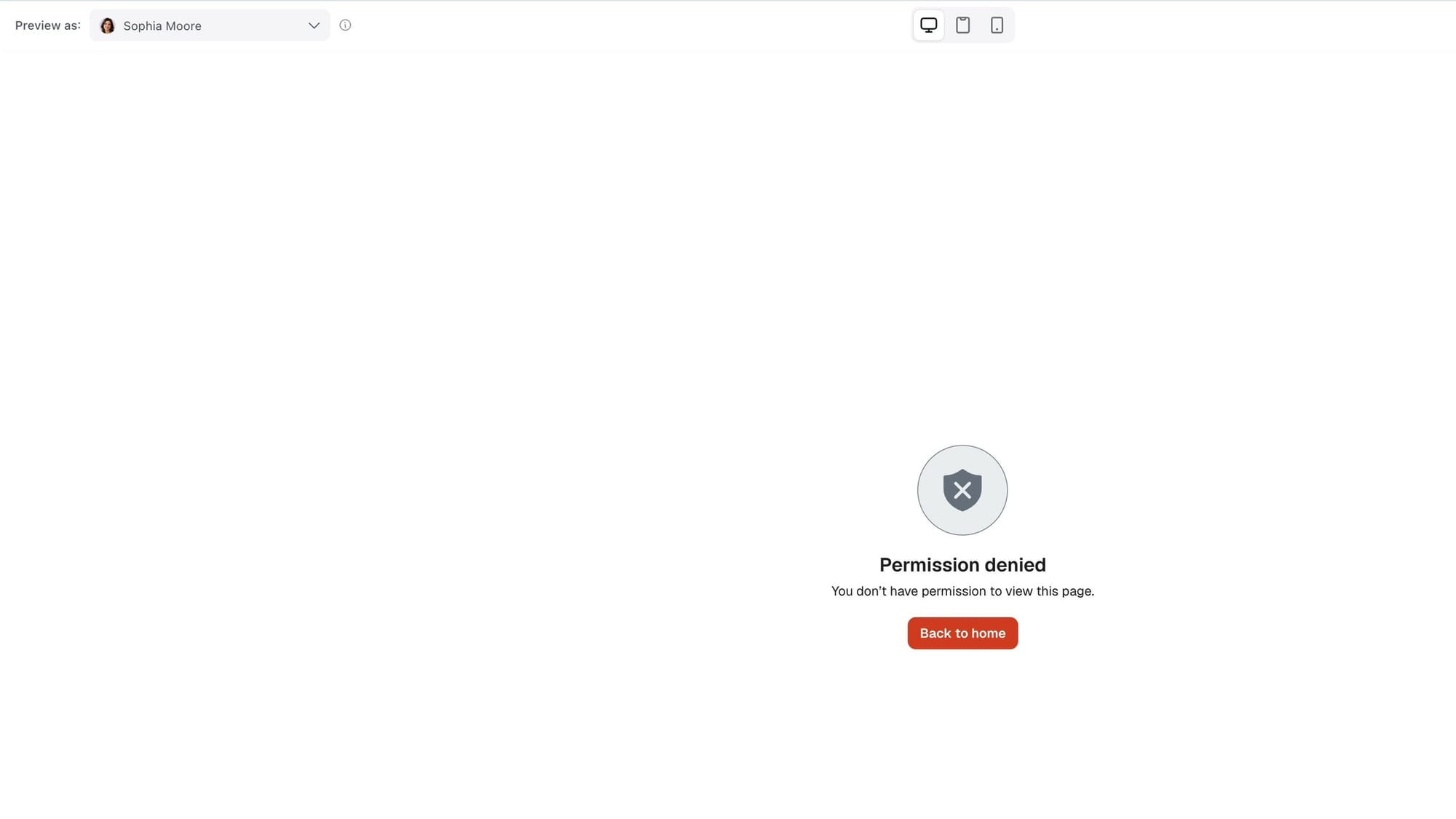
That's okay. I'm showing you this on purpose, because with any AI (Softr included) some things won't work the first time. Getting it right on the first try is so rare that people have a name for it: one-shotting it. My CRM wasn't one-shotted, but it got pretty darn close, and it's easy to fix.
Here's how I fixed it:
- Reopen the AI Co-Builder (Command-K toggles it at any time).
- It was scoped to the homepage. Remove that so it works on the entire app.
- Tell it what's broken and what the sponsor side should do.
Here's the exact prompt I sent. If your sponsor side breaks the same way, you can copy it:
Sponsor users can't see anything. Please fix it so the sponsor side works:
- Link each Sponsor record to a user account by email, and create a test sponsor user for one of the sample sponsors.
- Add a "My Deliverables" page that only the Sponsor user group can see, and add it to their navigation.
- On that page, show a list of Deliverables filtered to only the logged-in user's sponsor.
- Each deliverable should open a detail view where the sponsor can approve the script (a button that sets Script Status to Approved) and upload files to an Assets field.
- Make sure the sample deliverables are linked to sponsors so the test sponsor has data to see.
Keep all admin pages admin-only.
Who sees what: block and page visibility
While the AI worked, I kept working in the editor. I love that. It really feels like a coworker. (You can also follow along in the block chat and see it vibe code individual blocks.)
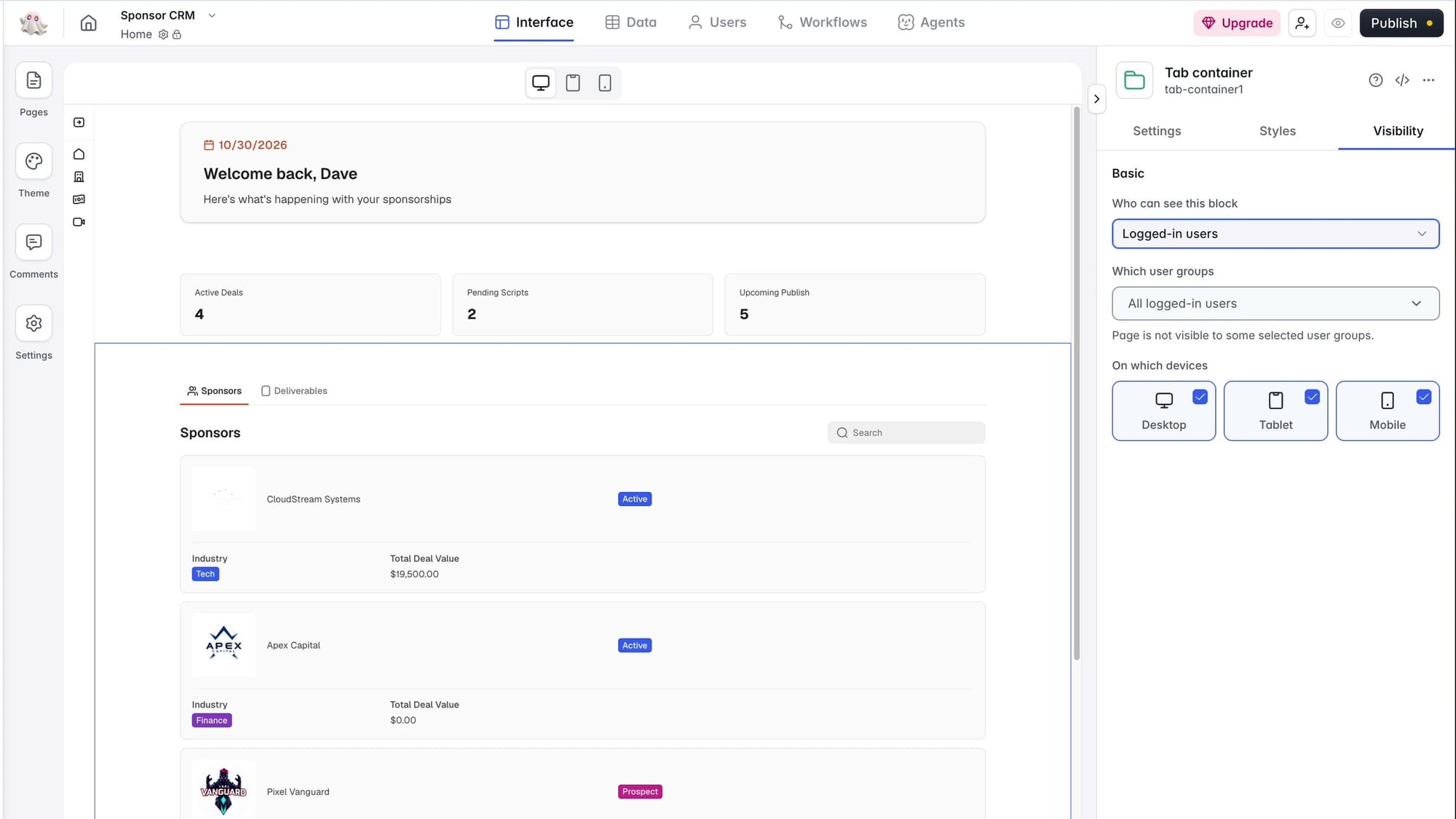
This is the setting that matters most for an app like this, so it's worth knowing even if the AI sets it up for you. There are two levels:
- Block visibility. Select a block and open Visibility. Mine was set to everybody. You can restrict it to logged-in users, or to logged-in users in a specific group like administrators or sponsors. A small padlock shows on restricted blocks.
- Page visibility. Under Pages, open a page's Settings. There's a similar visibility setting that controls which users can see the whole page.
When the Co-Builder finished, I had a new Deliverables page for sponsors. Click a deliverable and it opens a separate Deliverable Details page that fills in that video's details.
Then I switched to Sophia again in Preview. This time she had her own My Deliverables page. Clicking one opens a side panel with the assets, and there's an Add Asset button so she can upload new ones.
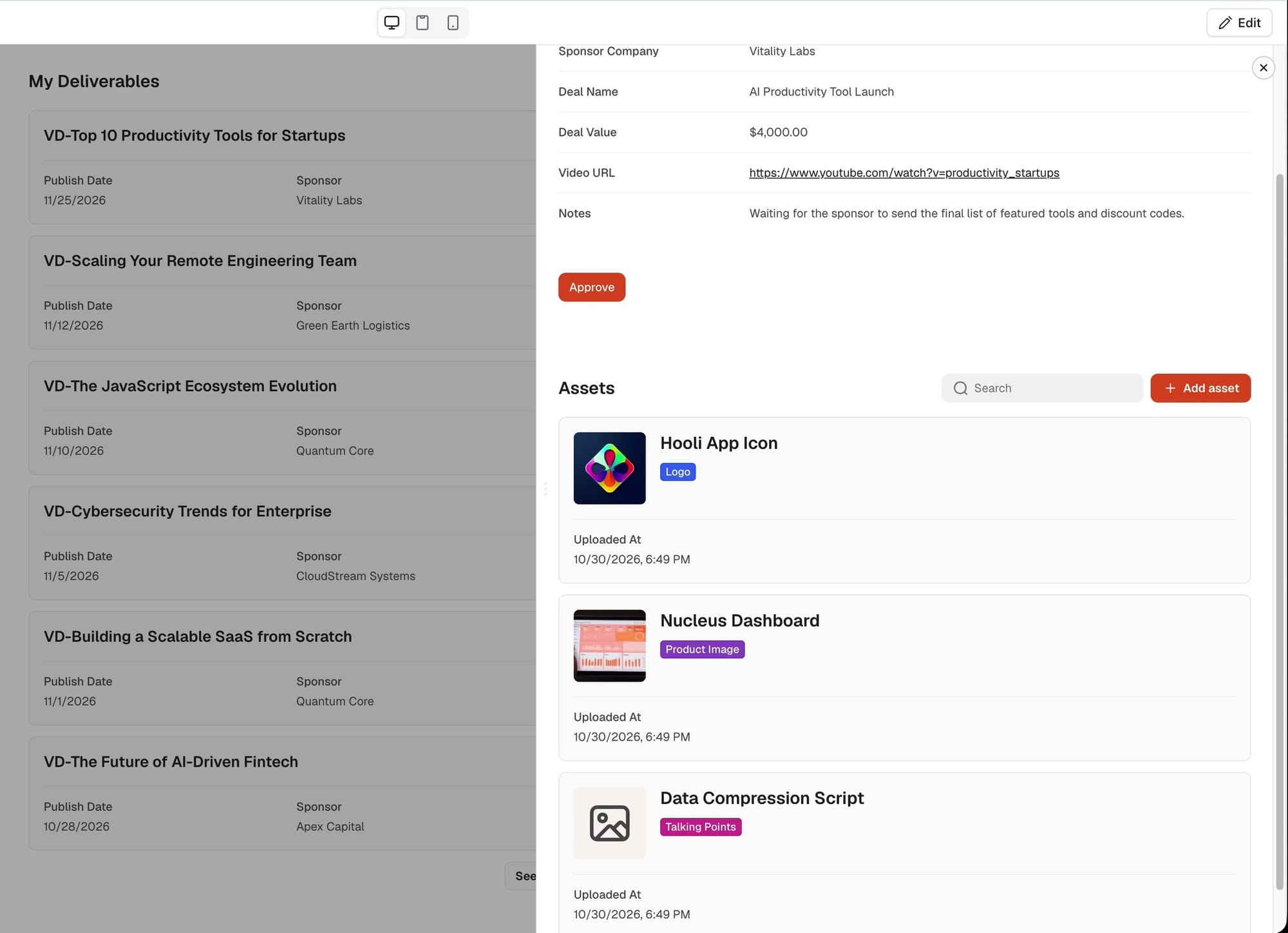
That's the sponsor side I asked for in the first prompt: each sponsor sees only their own videos, with an Approve button and a place to upload assets.
Step 7: Use the app as an MCP
All of this is great, but to be honest, I kind of live inside my AI agent right now. It'd be great to update my CRM, or just get information out of it, without leaving the agent.
Softr has two pieces for that, both in your app's Settings.
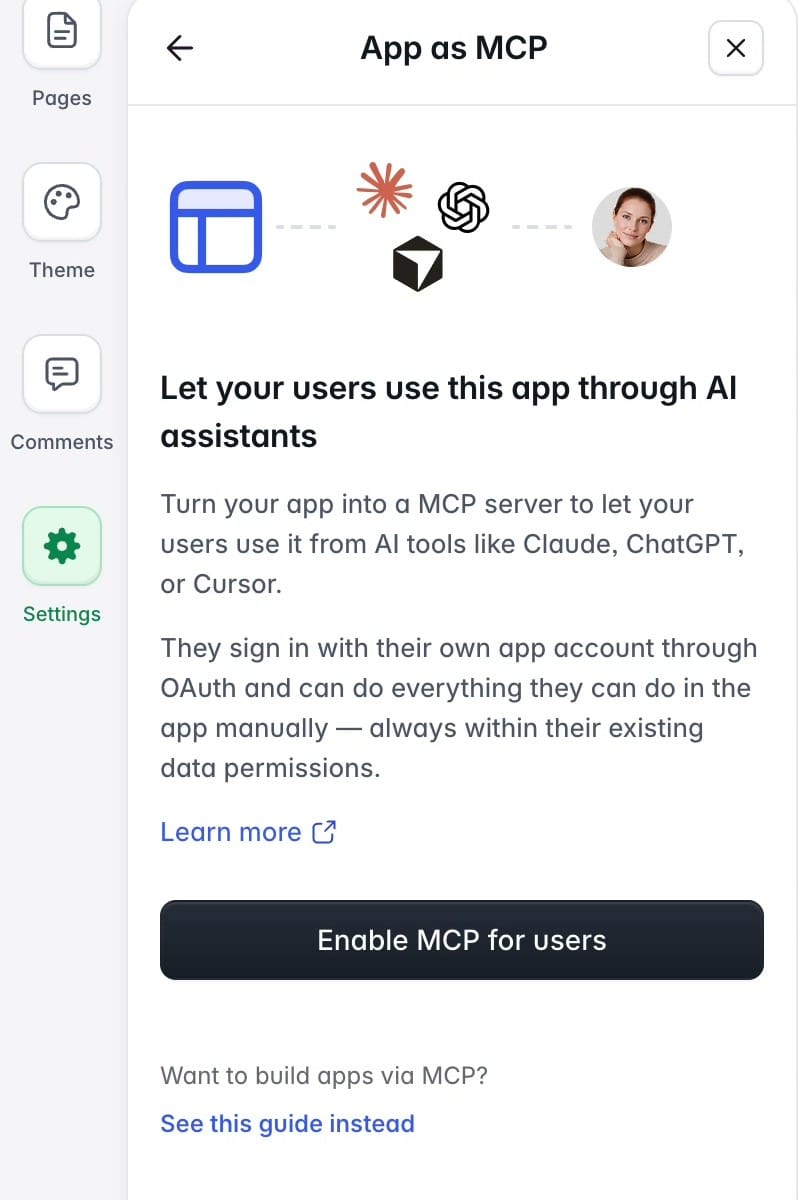
The first lets you use the app as an MCP. MCP is the standard way AI assistants like Claude connect to other apps, and this one is for your app's users. Want to know what's going on with a deal? Ask your agent and it can tell you. If I gave a client MCP access, they could ask their own agent for the status of their projects in my CRM.
Clients wouldn't get the keys to everything, either. Softr's App as MCP panel says users sign in with their own app account, and their agent can only do what they could already do in the app by hand, within their existing data permissions. So a client using it only sees what their login allows.
Step 8: Connect Claude and build from a chat
The second piece goes the other direction: your agent builds the app. Softr's MCP connector works with Claude, ChatGPT, Cursor or any tool you want (you'll notice mentions of them around the Softr interface). In your settings there's a ready-made prompt you can hand to whichever one you use so it can control Softr for you.
In Claude, I did it like this:
- Open Customize, then Connectors.
- Search for Softr and click the plus button to connect your Softr account.
- Choose what kind of access Claude should have, and approve it. Once you see "authorization successful," Claude and Softr can talk to each other.
Then I tested it with a deliberately silly prompt:
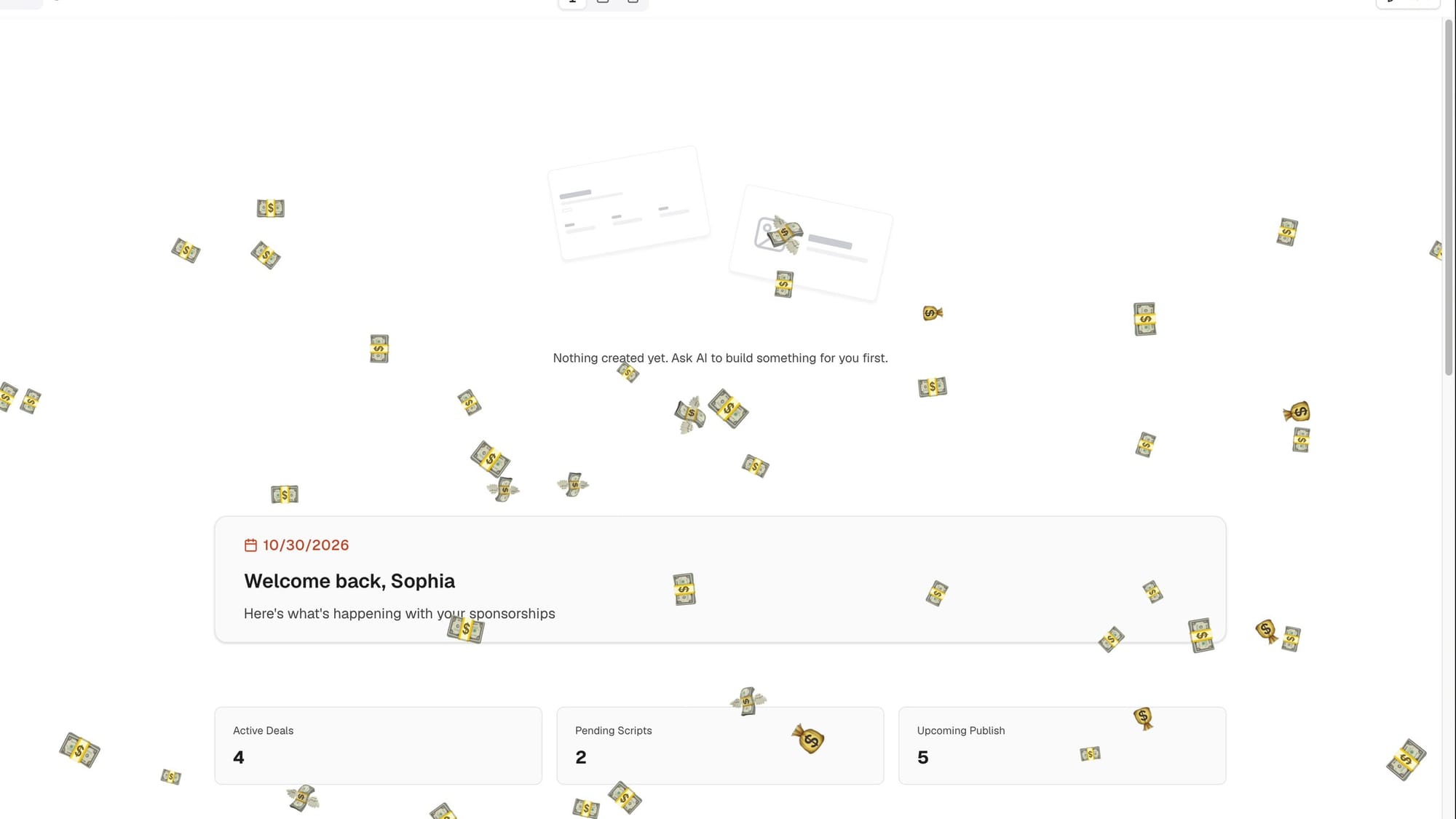
Add an animation so that when I look at the homepage of my Softr sponsor CRM, it rains money for 3 seconds.
Obviously you'd do something more practical. I just wanted to prove Claude was really connected to Softr and that I could vibe code from inside Claude. It found the Sponsor CRM homepage, added a custom code block for the animation, asked for a permission (I granted it), and finished. Claude was even nice enough to offer a preview link.
Boom, cash raining down on my homepage.
So now I have options. I can make future changes inside Softr, or I can do it from Claude. And with the app MCP on, I can ask for my latest deal statuses, and even share that information with my clients.
Wow, the future is here.
What it costs
Softr has a totally free plan, and you can do almost everything I showed you in this video on it. You can even connect to Softr's MCP and edit your app right inside your favorite AI tool. The free plan comes with 5 AI credits a month and up to 5 app users.
When you're ready to upgrade, the paid plans are super affordable. Basic is $19 a month billed monthly, and that's not per user. It's one plan for your workspace that covers a builder, up to 5 teammates on your company's email domain, and 5 client users. That's a huge upgrade over the way CRMs are usually priced.
Before you build a client portal like mine on Basic, check the plan. The sponsor-only pages depend on permissions and visibility settings, and Softr lists granular permissions and visibility on the Pro plan ($99 a month billed monthly). Softr says Pro is where to start if you want custom role-based permissions. Prices are as of November 2026, and paying yearly takes 2 months off. The current details are on Softr's pricing page.
Build one tool this week
Pick the one spreadsheet or inbox your business is drowning in, and describe the app you wish you had to the Softr AI Co-Builder. Then test it as each type of user before you invite anyone. That's where my first version broke, and it took one prompt to fix.
If you sign up for Softr with my link, you'll get 200 free AI credits. It also lets Softr know you came from me, which helps me make more Softr videos like this one.
Questions about building your own internal tool? Hit me up in the comments on the video.
Get Dave's Toolbox
The tools I actually use, every Tuesday. Free. No spam.
No cost. No spam. Unsubscribe anytime.