TidyCal + My AI Agent: Teams, Paid Bookings and the API
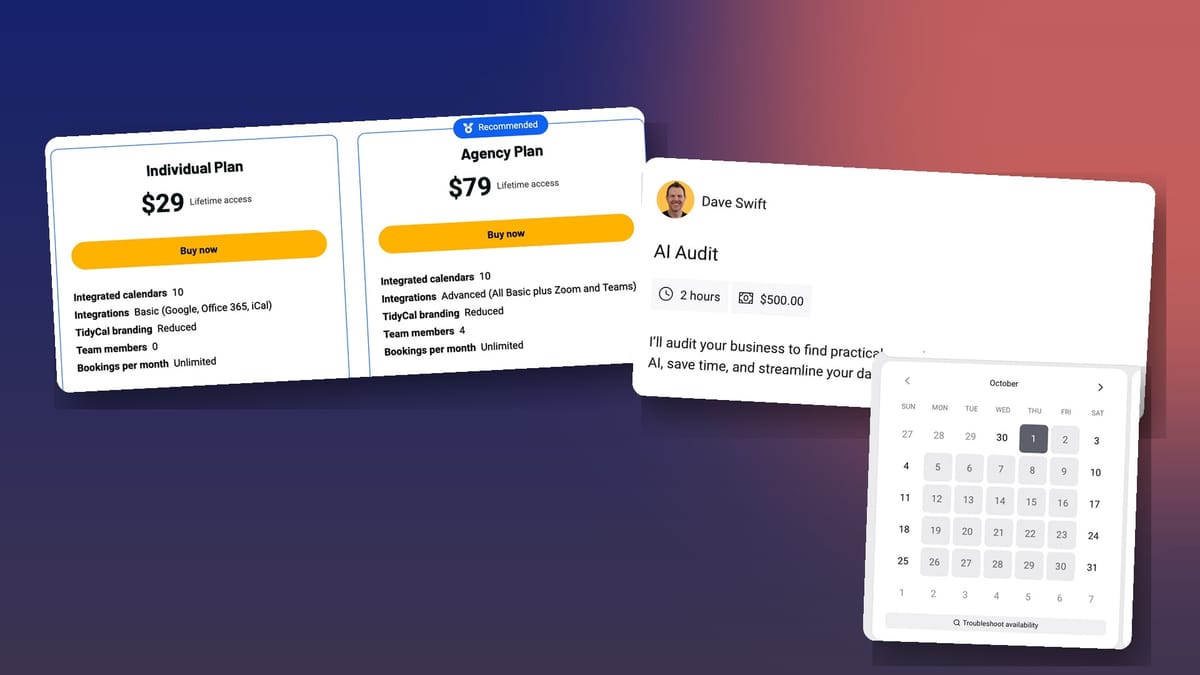
TidyCal's new Agency plan adds teams, SMS reminders, collective and round robin meetings. Here's which plan to buy and how my AI agent creates paid booking types for me.

TidyCal
Booking pages, paid appointments, calendar sync and team scheduling for a one-time price.
Freelancers, consultants and small teams who want Calendly-style booking without a monthly bill.
Calendly, Cal.com
$29 Individual or $79 Agency, one-time on AppSumo
A few years ago I made a video about TidyCal. I've used it ever since, so when AppSumo offered to sponsor an update, I was happy to do it. A lot has changed. There's a new Agency plan, and I've connected TidyCal to my AI agent, so these days I barely open the interface.
What TidyCal is (the quick version)
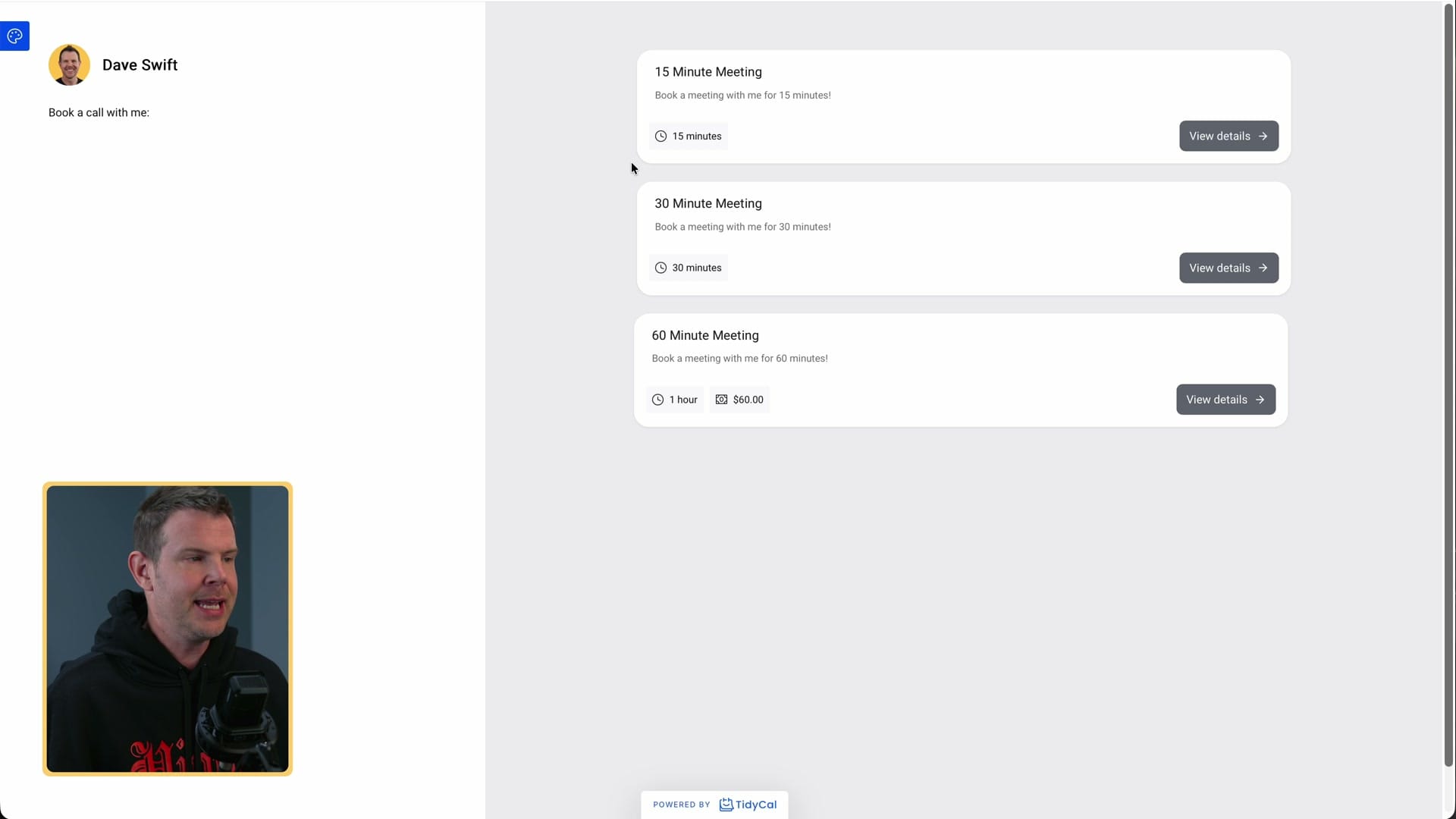
TidyCal is a booking tool in the same family as Calendly. You get a booking page, people pick a time, and you can charge for the meeting if you want. Meetings can happen in person or over Zoom, Google Meet or Microsoft Teams, and TidyCal syncs with your calendar so you never get double booked.
The big difference is the price. TidyCal is $29 once on AppSumo, not a monthly subscription. If you've been paying for a scheduling tool every month just to share a booking link, that's the main reason to look at it.
Setting it up takes three steps
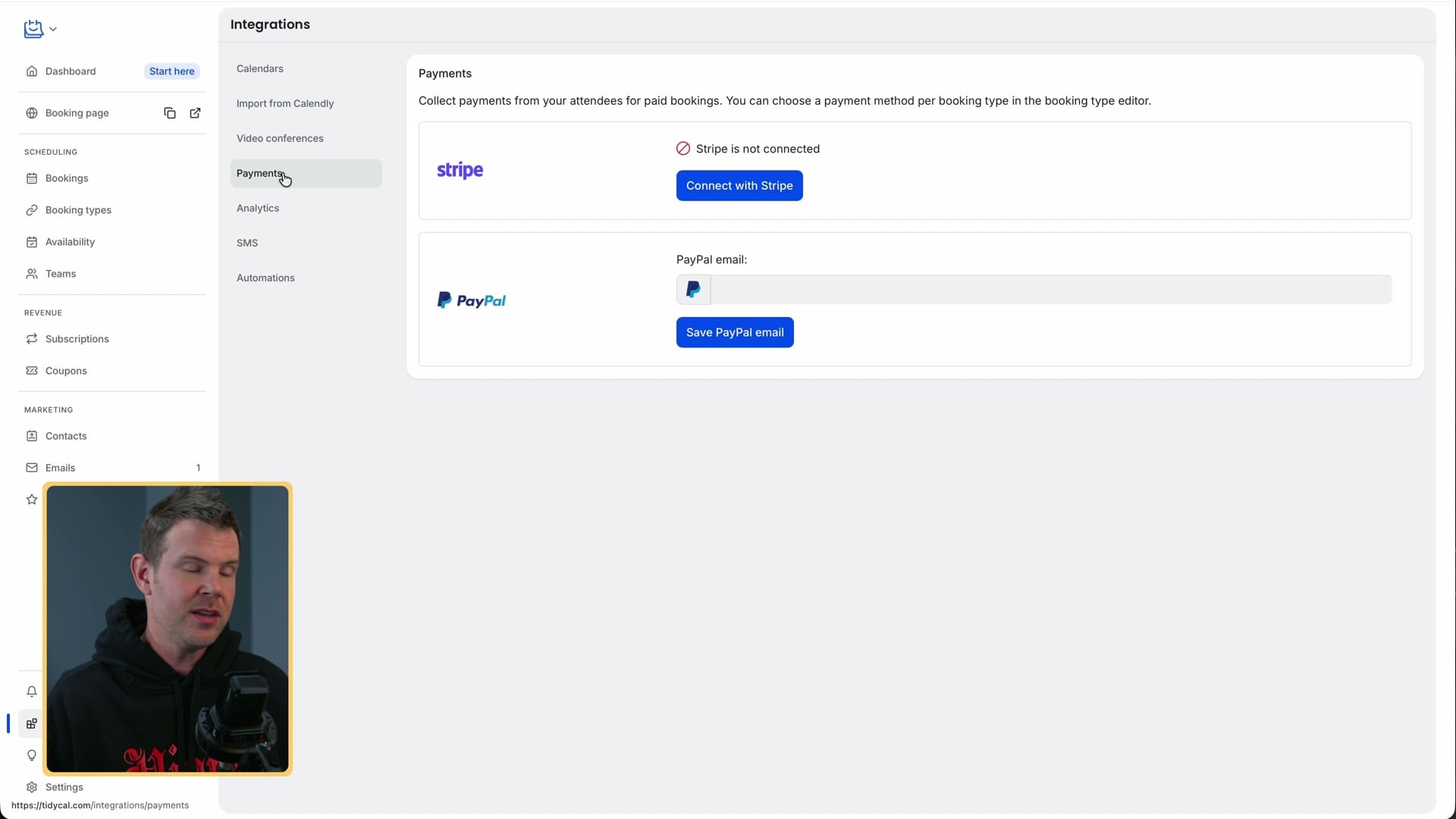
I made a brand new account for this video and had it working in a few minutes. After you buy, you do three things:
- Connect your calendar. I used Google. Microsoft 365 and Apple calendars work too.
- Connect a video link. Google Meet connected automatically because I used Google for my calendar. You can add Zoom or Microsoft Teams instead. TidyCal then adds a meeting URL to every booking invite, or you can turn that off if you meet in person.
- Connect a payment provider. You only need this if you charge for meetings. TidyCal works with Stripe and PayPal.
The onboarding walks you through all three, and you can change them later under Integrations. If you're moving from Calendly, there's an import tool that brings your booking types over.
TidyCal also creates 15, 30 and 60-minute booking types for you, so you have something to share straight away. I covered booking types and payments in detail in my original TidyCal video. Honestly, you may not need it. The app is easy to find your way around: subscriptions live in the Subscriptions pane, team members live under Teams. I've tried a lot of tools like this, including a self-hosted Cal.com, and they're not all this simple.
Individual or Agency plan?
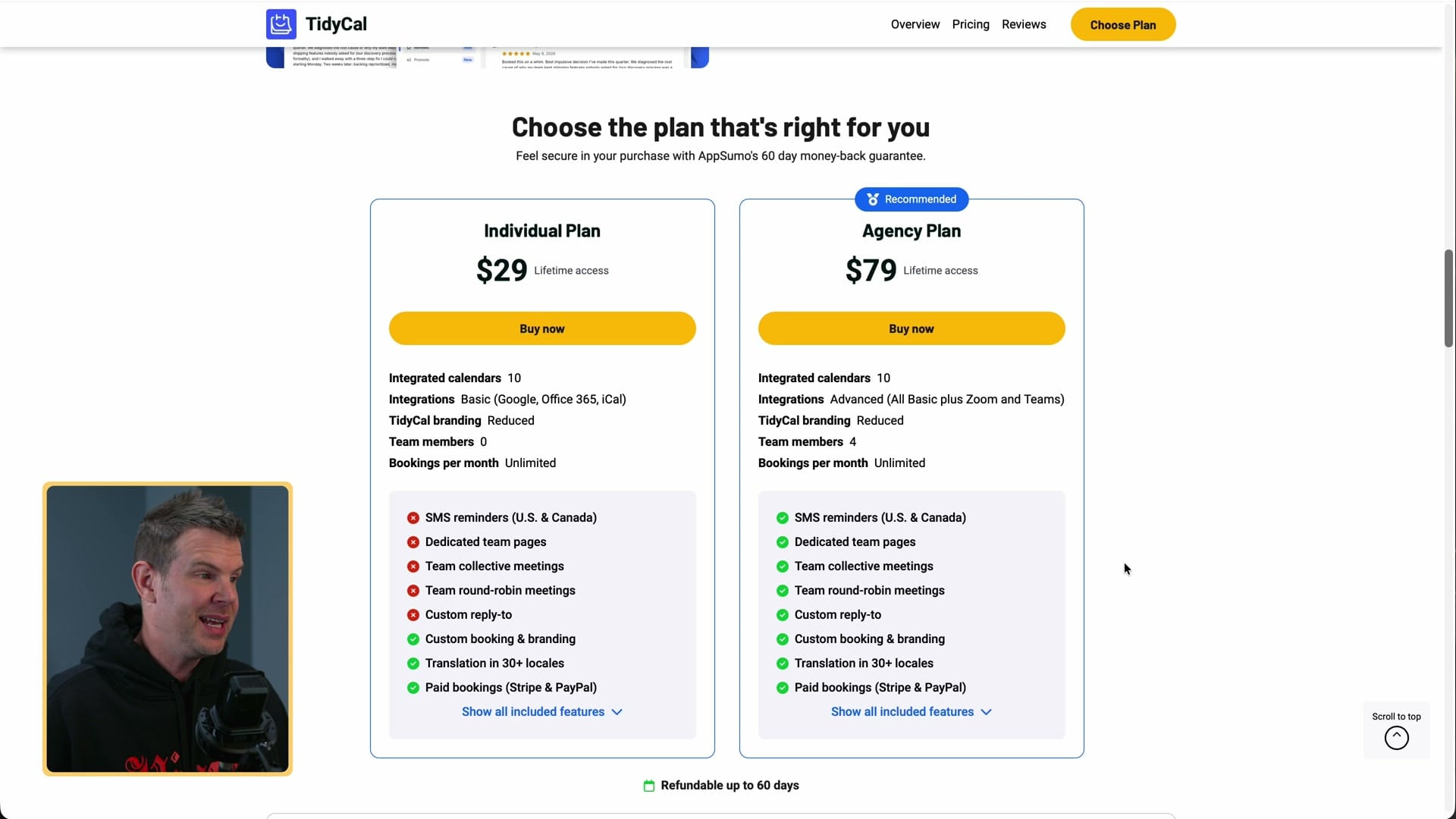
The Individual plan is $29 and the Agency plan is $79. A $50 jump feels like a lot when the base plan is that cheap, but I think most people would be happier on Agency, even solo users. Here's what the extra money gets you.
SMS reminders
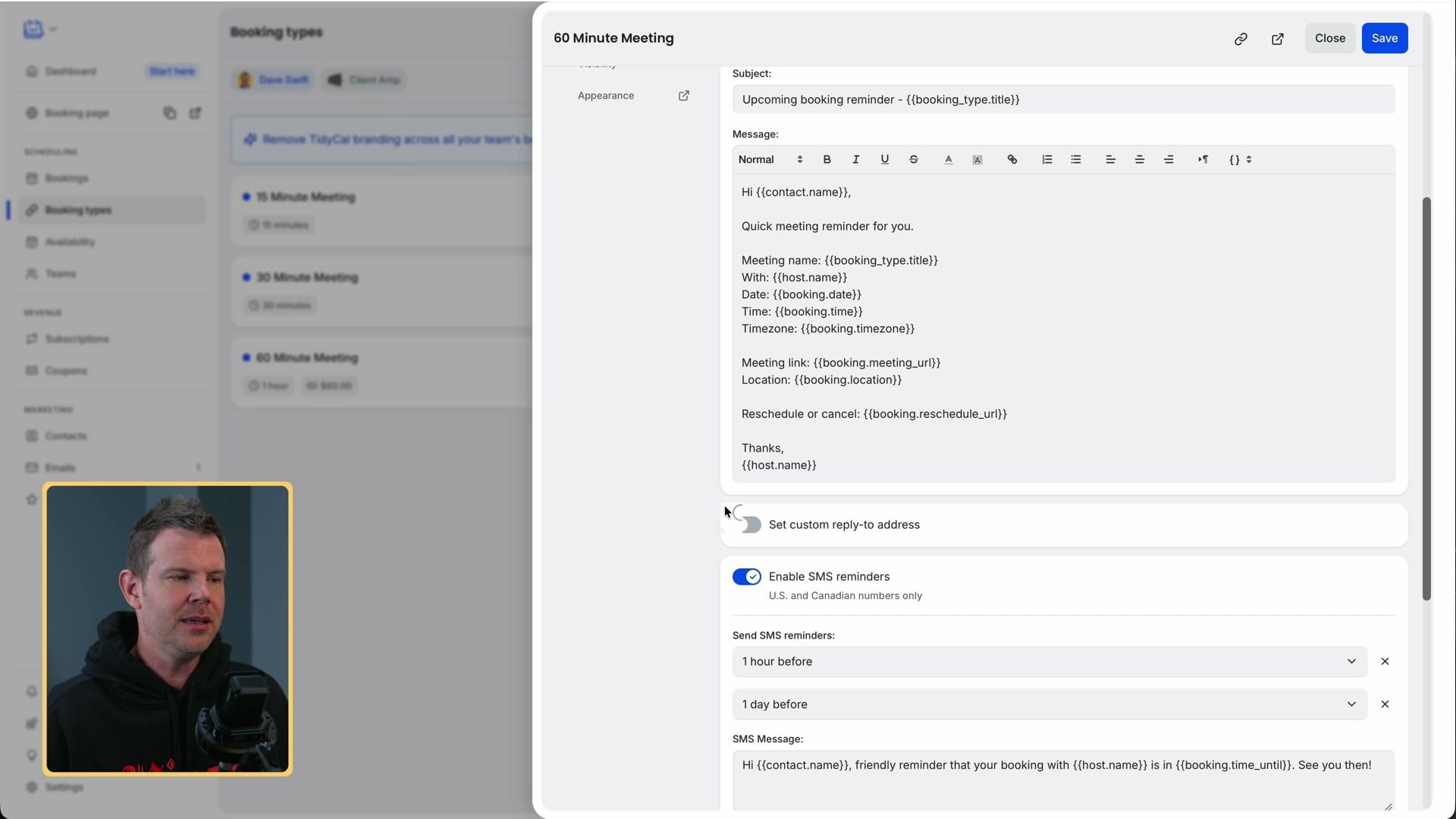
You get 10 SMS credits a month. That's not many, but I don't book many meetings, and a text reminder is useful for paid calls where you want people to actually show up. You turn reminders on per booking type (Edit, then Advanced, then Notifications), and each booking type can send up to two, for example one day before and one hour before. Tokens personalise the message. One catch for international viewers: SMS reminders only work with US and Canadian numbers.
Custom reply-to addresses
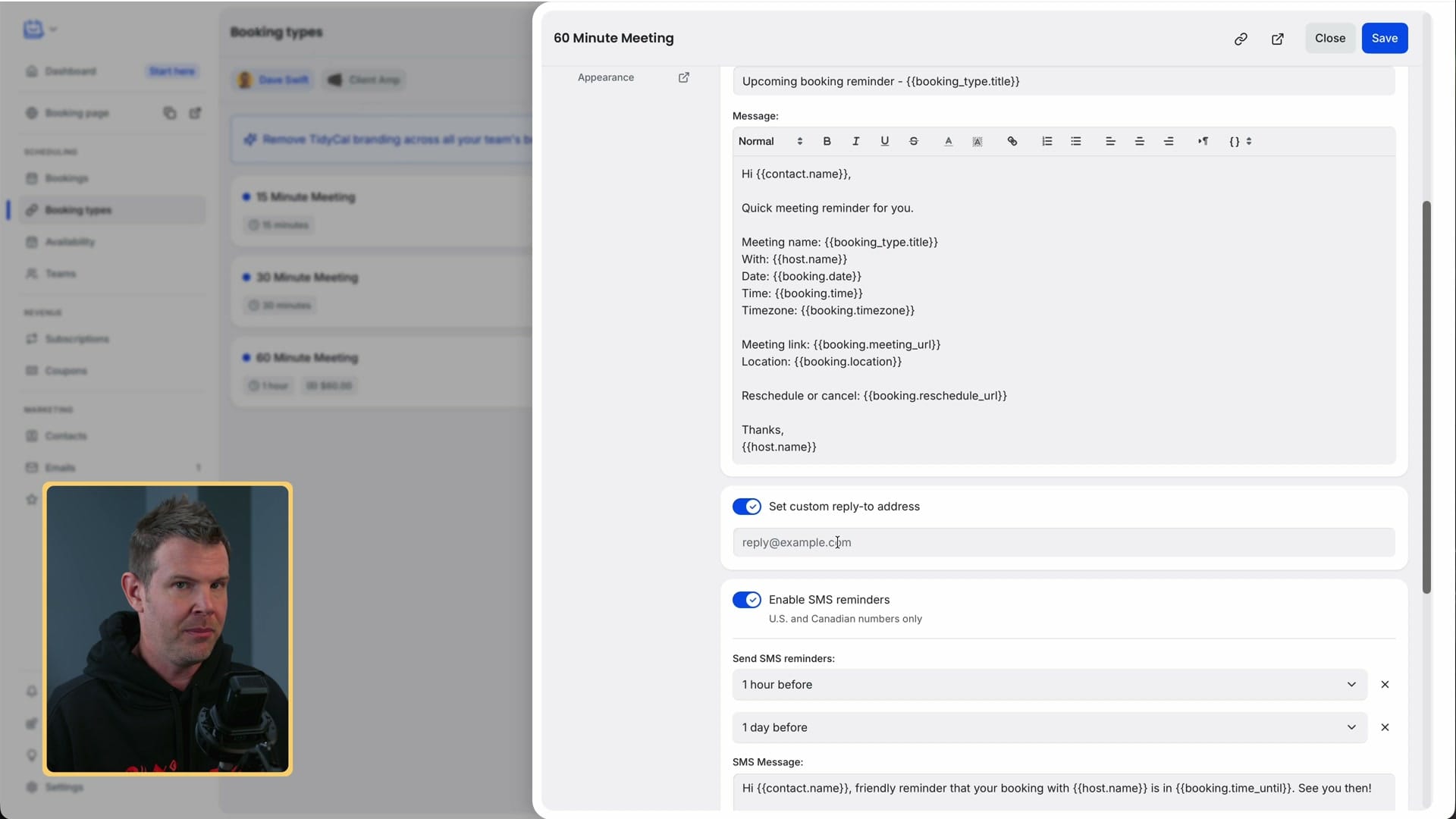
In the same notifications screen, Agency users can set a custom reply-to address for each booking type. When someone replies to a reminder email, it goes to the right person instead of a general inbox.
Teams
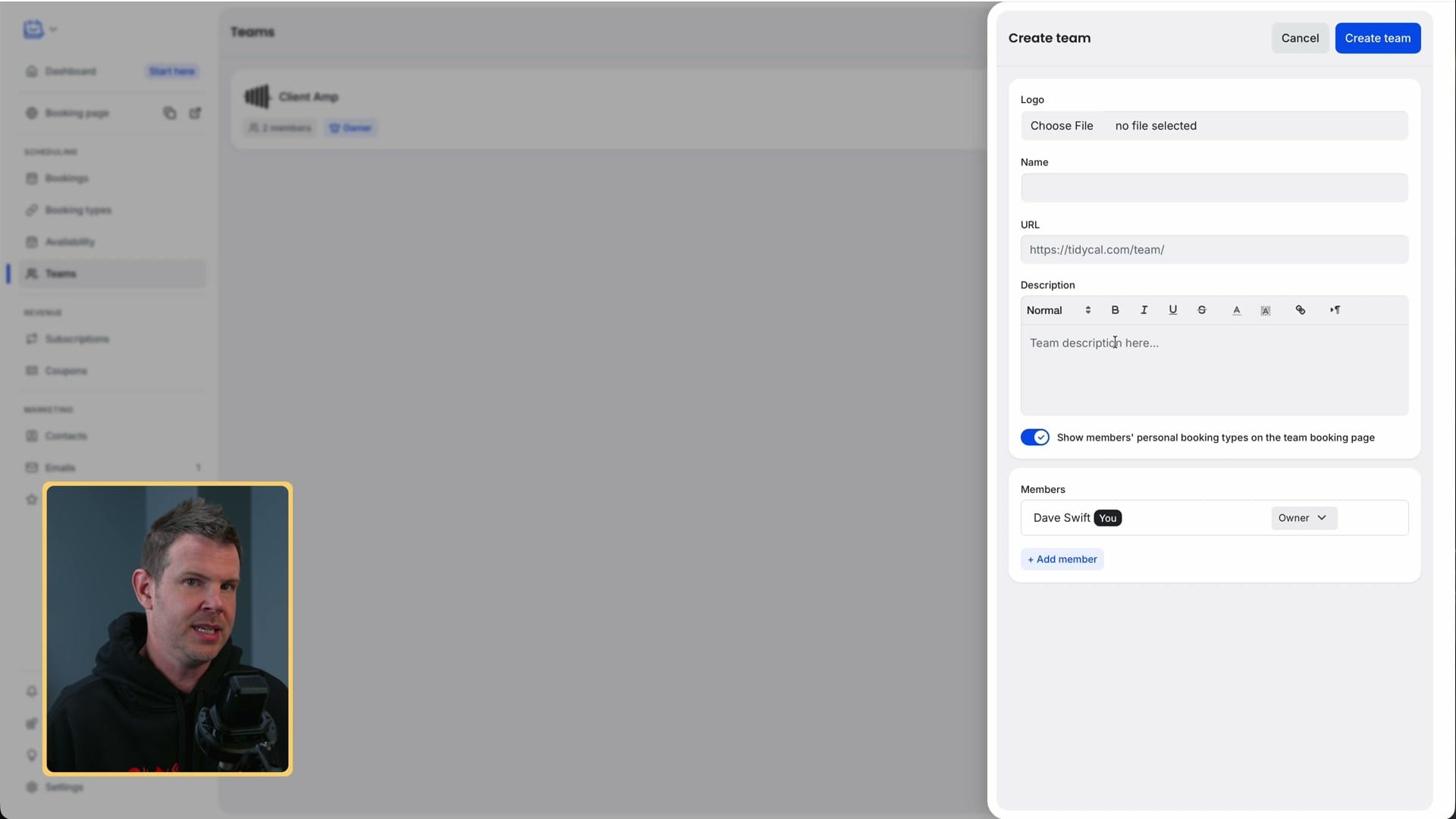
Agency adds a Teams menu with up to four team members. Each team gets its own booking page, so you could have one for sales and one for support. A team booking page shows the team's booking types, and each member still keeps their own personal booking page.
Team links are useful because more than one person can cover them. If two of us take discovery calls, the booker just sees they're meeting with the company. If the person they booked can't make it, I can reassign the host from the Bookings page, or add myself so we both attend.
Collective meetings
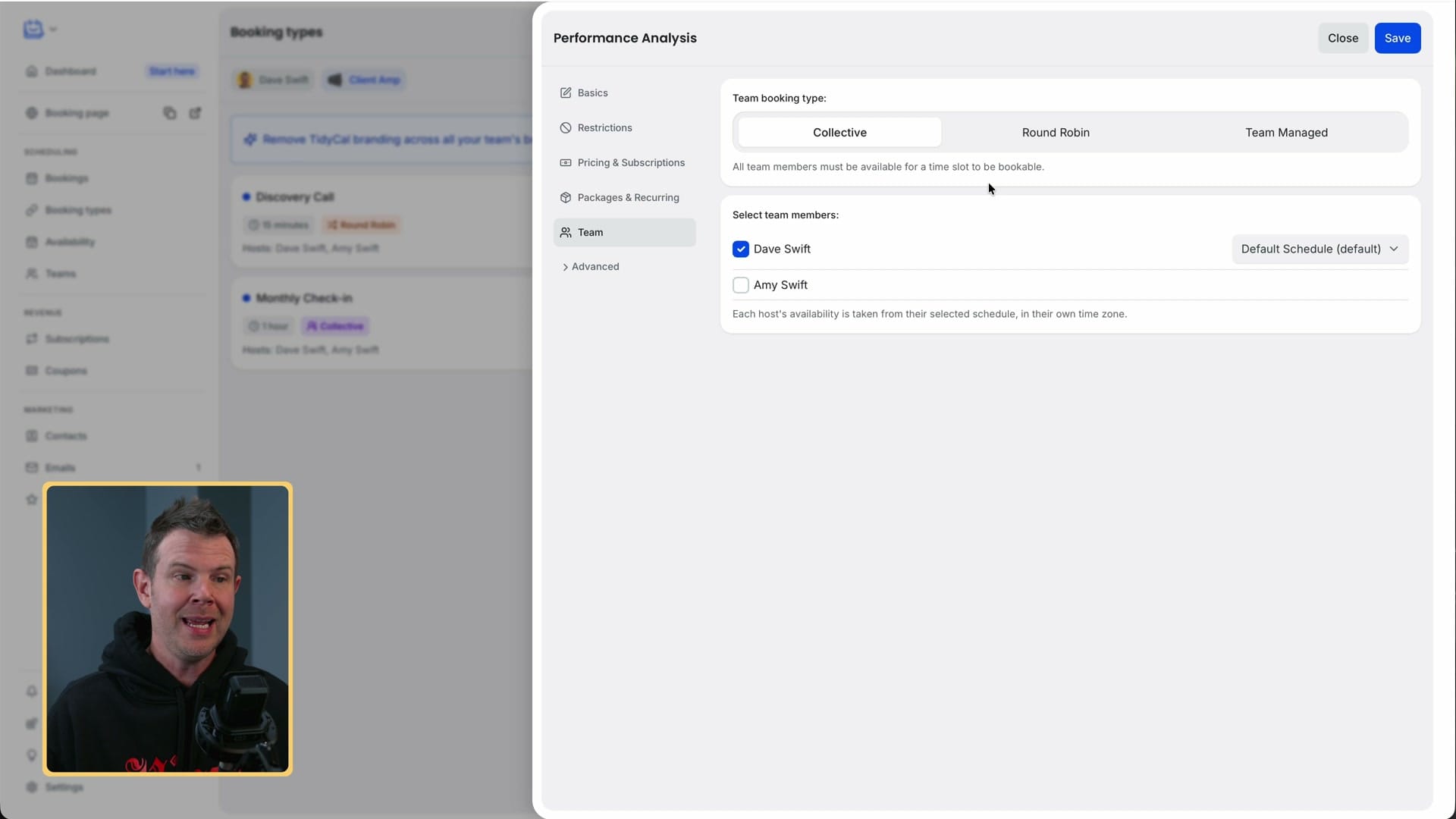
A collective booking type only offers times when every selected team member is free. It's handy for internal meetings, such as getting sales and design together to work on a landing page.
Round robin meetings
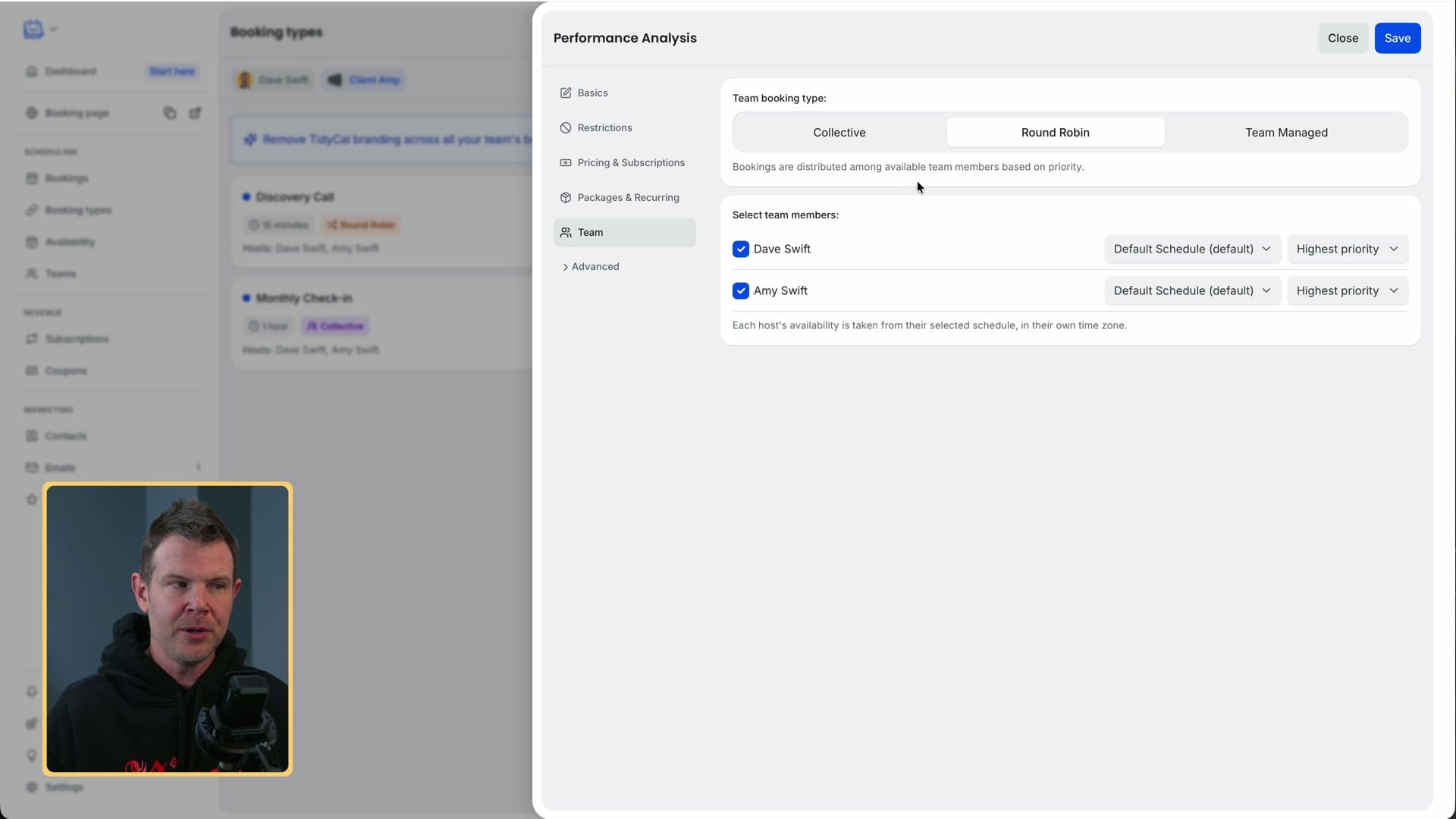
Round robin sends each booking to the best available person, based on the priority you set. Picture a sales team: if Amy closes more deals than Dave, set Amy to highest priority and Dave to high. New sales calls go to Amy first and fall back to Dave when she's busy. It's a thoughtful feature, and you can tell the TidyCal team has done sales calls themselves.
Connecting TidyCal to my AI agent
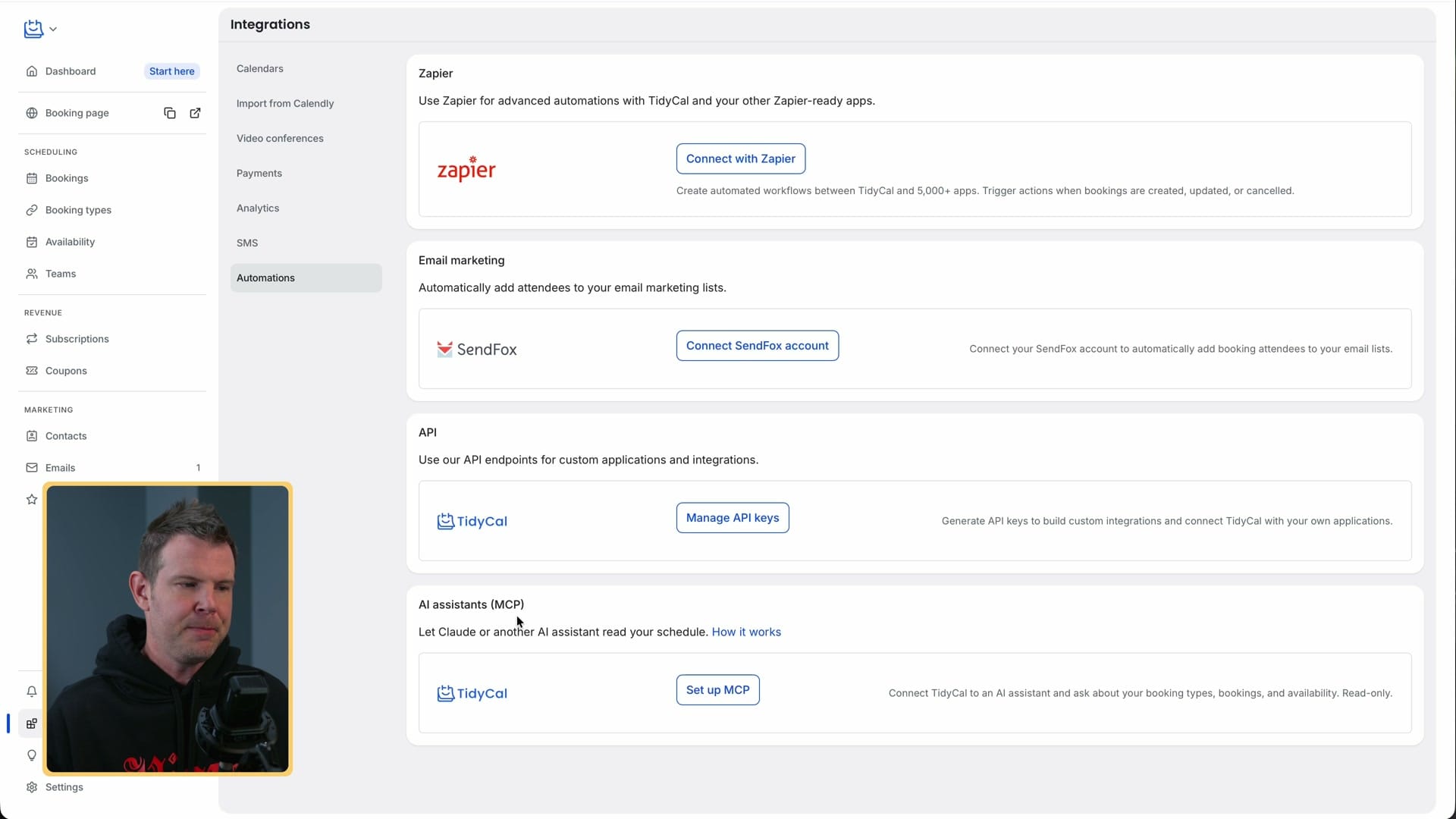
This is where I differ from what AppSumo recommends.
Under Integrations you'll find an MCP connector, and it's the obvious place to start if you use an AI assistant. But it's read-only. It can tell you what's on today or next week, but it can't create booking types or cancel meetings.
For full control I use the API instead. It's riskier, because you're removing a safety net that was probably put there for a good reason. But with a personal API token, your agent can do almost everything for you. You create the token under Integrations, give it a name and hit Create.
I gave the key to my agent (I use Hermes Agent, but others should work much the same) and used this prompt:
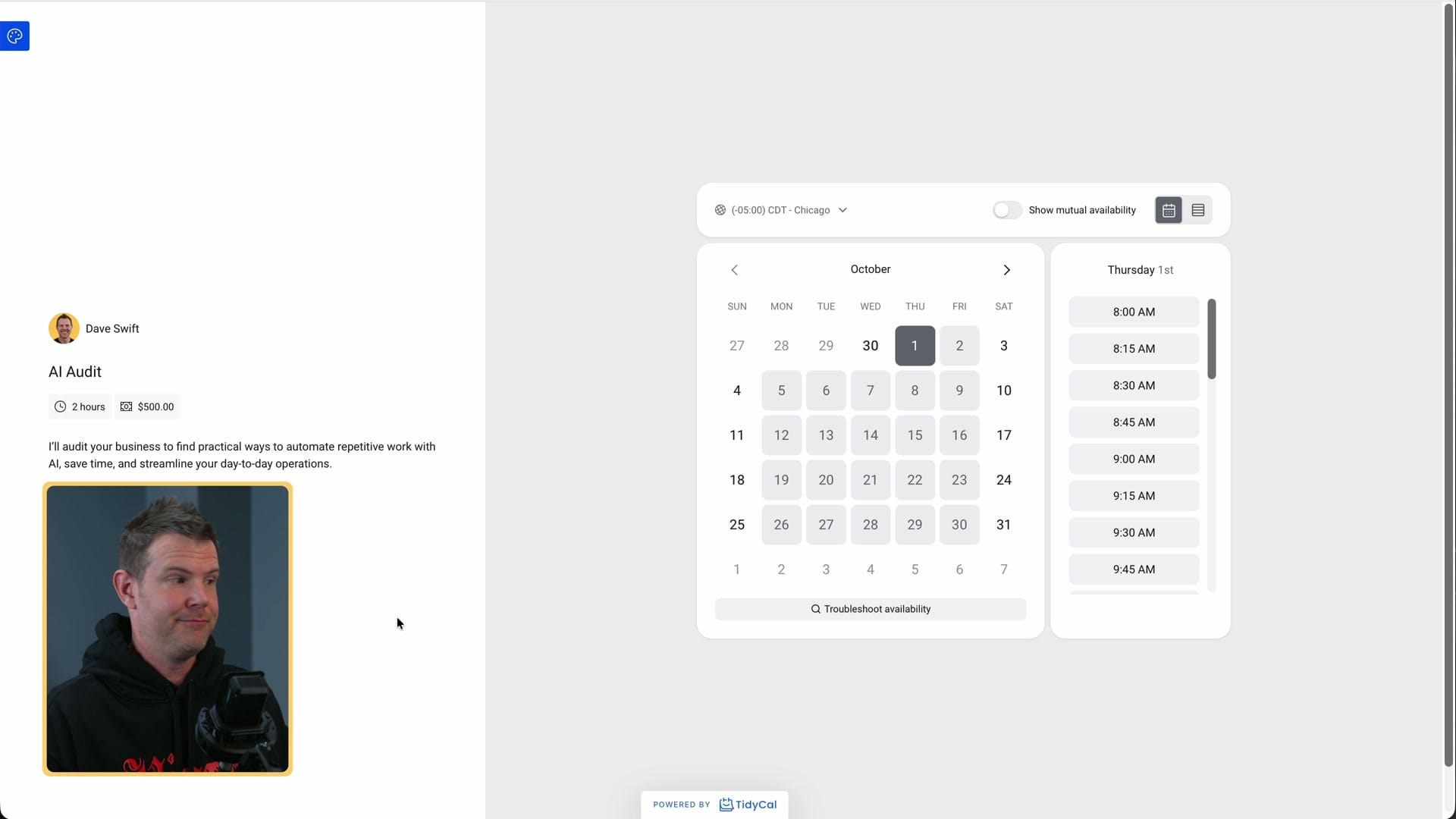
Create a booking type called AI Audit. Give it a description about me auditing your business to find places to automate with AI. Make it last 120 minutes and cost $500.
The first try failed for a useful reason: paid booking types need a connected payment provider, and I hadn't connected Stripe. The agent told me exactly that and linked me to the setup page. I connected PayPal instead and told it to use that, and it worked straight away. It created a two-hour, $500 AI Audit with the description filled in and gave me the booking link.
What else the API can do (and what it can't)
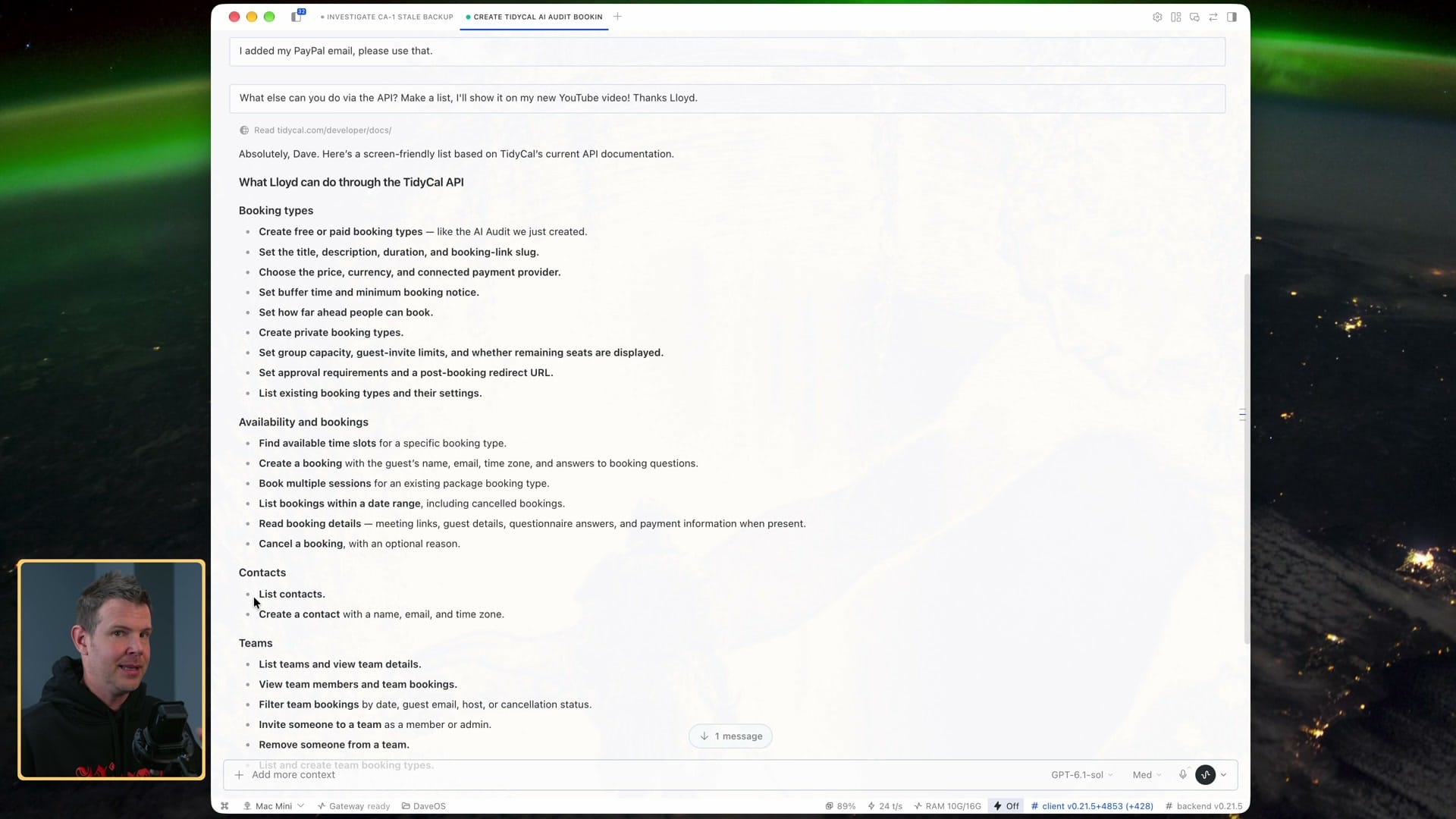
I asked my agent to list what else it could do. Through the API it can:
- Booking types: create free or paid ones, and set the title, description, duration, price and buffer time
- Availability: find open slots, so it can set up meetings for you when someone messages you
- Contacts: list and create them, so "who was that person I talked to three months ago?" is one question instead of a search
- Teams: list teams, view members and bookings, and manage team booking types
- Account: read your account details
The limits:
- You can't edit or delete existing booking types through the API.
- Paid booking types need a payment provider already connected.
- The API needs a paid plan. It works on the $29 Individual plan, so you don't need Agency for it.
- The built-in MCP connector stays read-only. The REST API is what handles creating things.
Final thoughts
That's why I still use TidyCal. It's easy to use, it's a one-time payment, and the Agency plan now covers what a small team needs. With my agent connected, when I need a new booking type for a landing page, I just ask for one. Even an easy app is easier when someone else does the clicking.
TidyCal
Booking pages, paid appointments, calendar sync and team scheduling for a one-time price.
Freelancers, consultants and small teams who want Calendly-style booking without a monthly bill.
Calendly, Cal.com
$29 Individual or $79 Agency, one-time on AppSumo
Get Dave's Toolbox
The tools I actually use, every Tuesday. Free. No spam.
No cost. No spam. Unsubscribe anytime.