

Topical Map AI Review: SEO Planning on AppSumo
In this Topical Map AI review, I test the AppSumo SEO tool for sitemap analysis, topical authority planning, content briefs, exports, and AI content generation. The planning features are useful, but the UX and writing tools still need refinement.


Topical Map AI is available on AppSumo as a lifetime deal. AppSumo sponsored the video, but did not control or preview the review.
Topical Map AI
Creates SEO topical maps, keyword clusters, content briefs, calendars, SERP analysis, and exports based on your niche and sitemap.
Site owners, content marketers, SEO consultants, and entrepreneurs who want a content strategy roadmap they can execute in other tools.
NeuronWriter, keyword research tools, content planning spreadsheets, and DIY topical authority workflows.
What TopicalMap.ai Is Trying to Do
TopicalMap.ai is built around one of the more useful ideas in modern SEO: becoming a clear authority on a focused subject. Instead of publishing random articles and hoping Google connects the dots, you build a topical map with a central hub topic and a network of supporting subtopics around it.
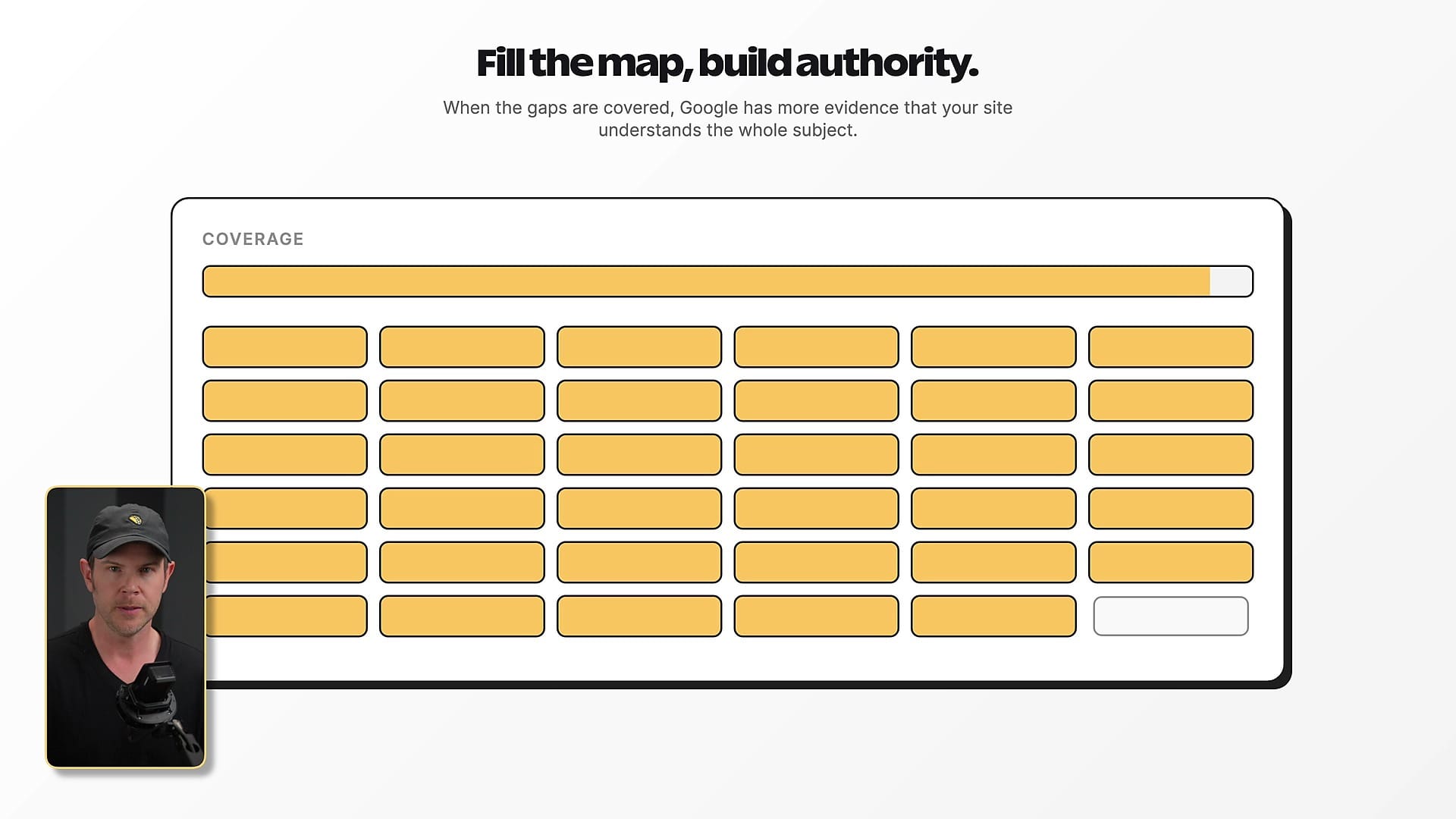
In practical terms, the tool looks at your niche, optionally looks at your existing sitemap, and tries to produce the topics, keywords, briefs, and publishing schedule you need to fill the gaps. That is a genuinely useful promise, especially for site owners who know they need content but do not know what should come next.
This review is not just a quick tour of the dashboard. I wanted to see whether TopicalMap.ai could fit into a real SEO workflow: planning topics, checking existing content, exporting useful data, and helping you execute without trapping you inside the app.
The Best Starting Point Is Your Sitemap
If you are going to use TopicalMap.ai, I would start by adding your sitemap before creating your first map. That gives the tool a view of the content already published on your site, which is the difference between a generic SEO brainstorm and something that can actually help you find gaps.
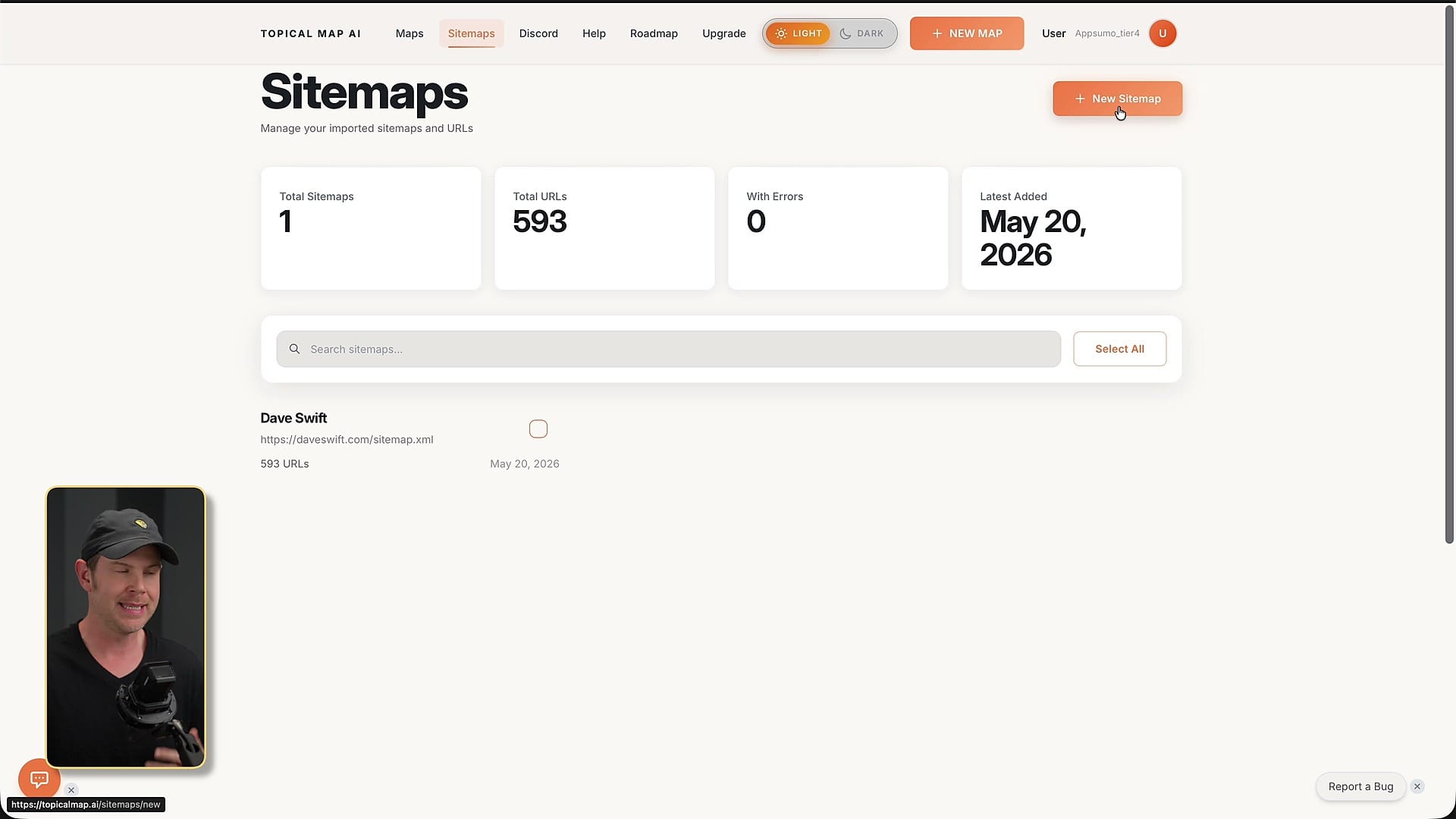
For my DaveSwift.com example, the sitemap pulled in nearly 600 pages. There is not much to inspect inside that sitemap area by itself; it mainly feeds the AI system. The value shows up later when you generate a map and ask the tool to compare the recommended content against what already exists.
That setup matters because topical authority is not just about making a big keyword list. It is about understanding which parts of the topic you have already covered, which ones are weak, and which supporting articles should be created next.
Creating a Map: Good Controls, One Big Bug
The new map flow is straightforward at first. You choose the SEO map option, name the map, describe your niche, and then use advanced settings for industry, target audience, primary goal, language, country, sitemap selection, and topic volume.
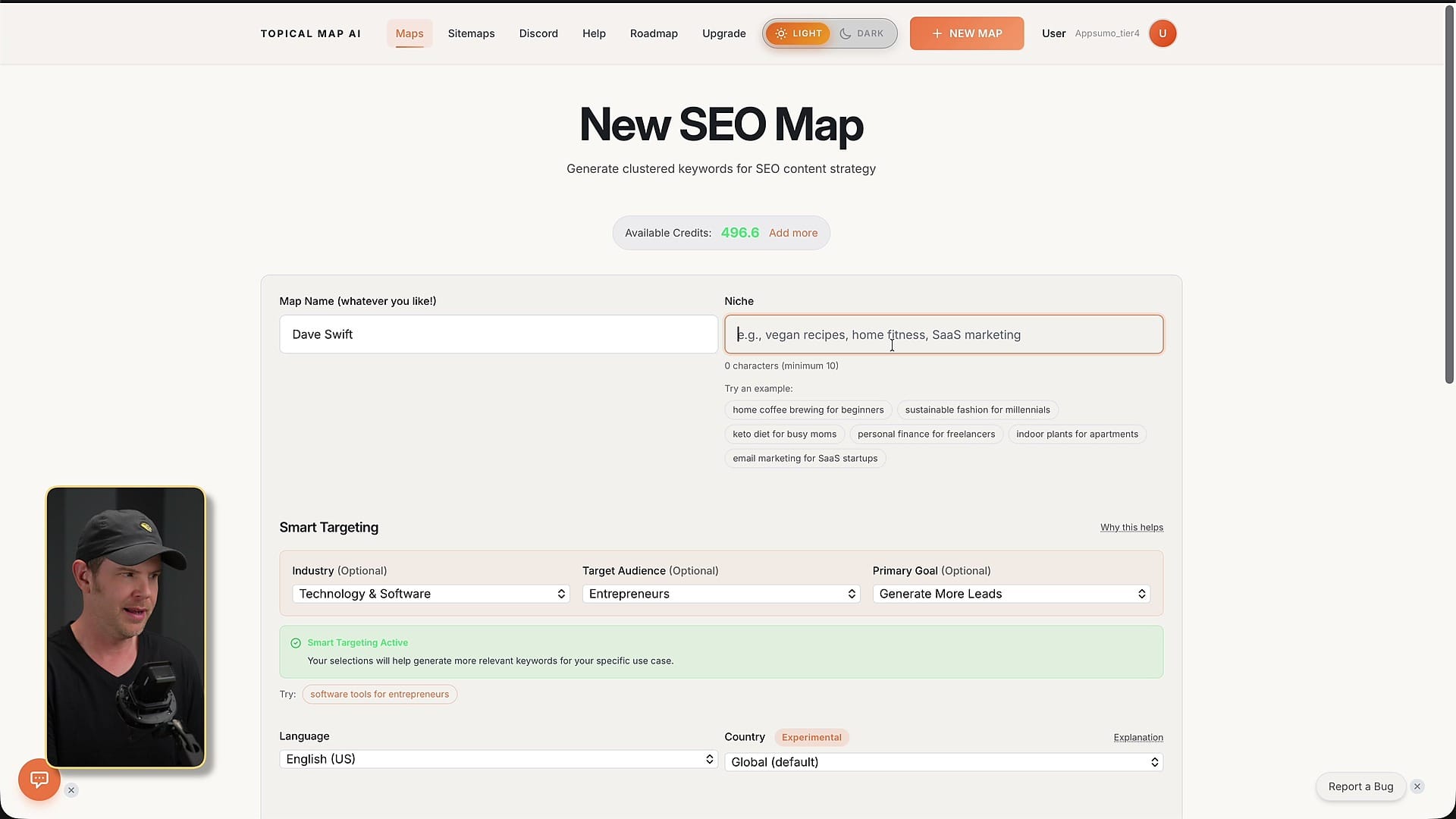
The controls themselves are useful. I like that you can choose the model, and for this kind of planning work I would rather spend a few more credits on a stronger model like Claude Sonnet than save a tiny amount and get a weaker map. If the map is the foundation for months of content, it is worth doing well.
But there is a glaring bug in this setup screen: editing the niche can overwrite the map name. That sounds small until you are actually using the product. It is obvious, annoying, and the kind of issue that makes the whole app feel earlier-stage than it should.
Where the Workflow Starts to Break Down
Once the map is generated, TopicalMap.ai gives you a lot of information: buyer keywords, subtopics, primary keywords, micro topics, cluster tables, topic lists, briefs, content tools, calendar views, SERP analysis, and internal link suggestions. The problem is not that there is too little here. The problem is that the pieces do not always feel connected.
Several screens show similar or overlapping information, and some tools live in side menus while others appear in top menus that change depending on where you are. Sometimes you click something expecting an action and instead land in another view where you have to select the item again.
That is the biggest product issue for me. The underlying SEO workflow could be strong, but the app needs a clearer path from 'I want to rank for this topic' to 'here are the articles I should create, in this order, with this data behind the recommendation.'
Content Briefs Are More Useful Than Content Generation
The content brief feature is one of the better pieces of the product. For a chosen keyword, TopicalMap.ai can generate a structured outline, internal link ideas, FAQs, People Also Ask style questions, competitor gaps, calls to action, and even generative engine optimization suggestions.
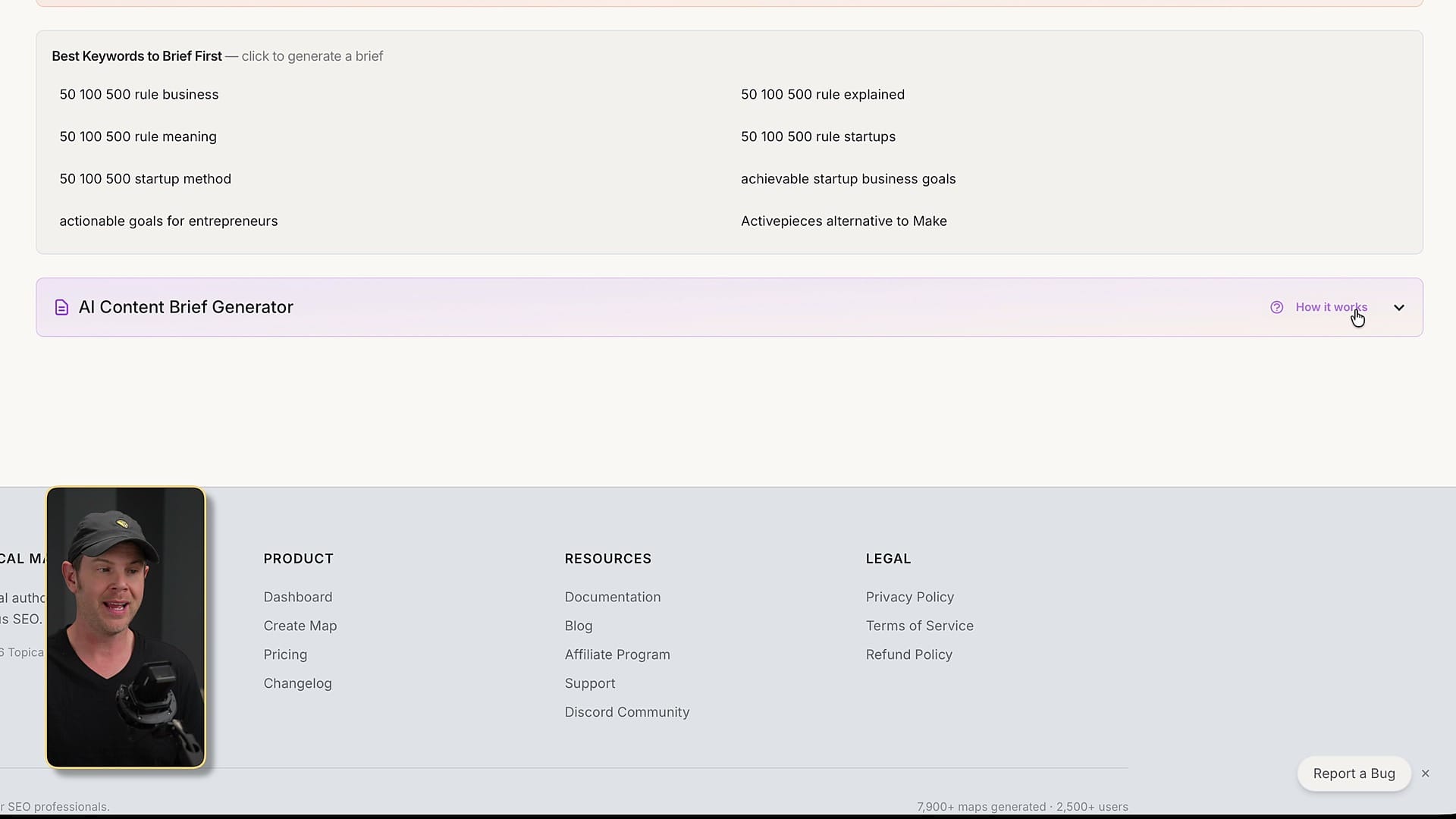
Those briefs are useful because they give you a starting point for writing in another tool. I can imagine exporting a brief and using it with Claude, ChatGPT, NeuronWriter, or a more developed content workflow where the article actually gets shaped into something worth publishing.
The built-in content generation is much weaker. In my tests, asking for longer articles did not reliably produce better or longer content. One generated article came out thin, and when I increased the target word count, the next version was even shorter. I would use TopicalMap.ai for planning and briefs, not as my final writing platform.
The Content Calendar Is a Standout Feature
One of my favorite parts of TopicalMap.ai is the content calendar. Instead of giving you only a giant list of possible articles, it can lay out a publishing schedule and prioritize what to create first. For a busy site owner, that is often more useful than another spreadsheet of keywords.
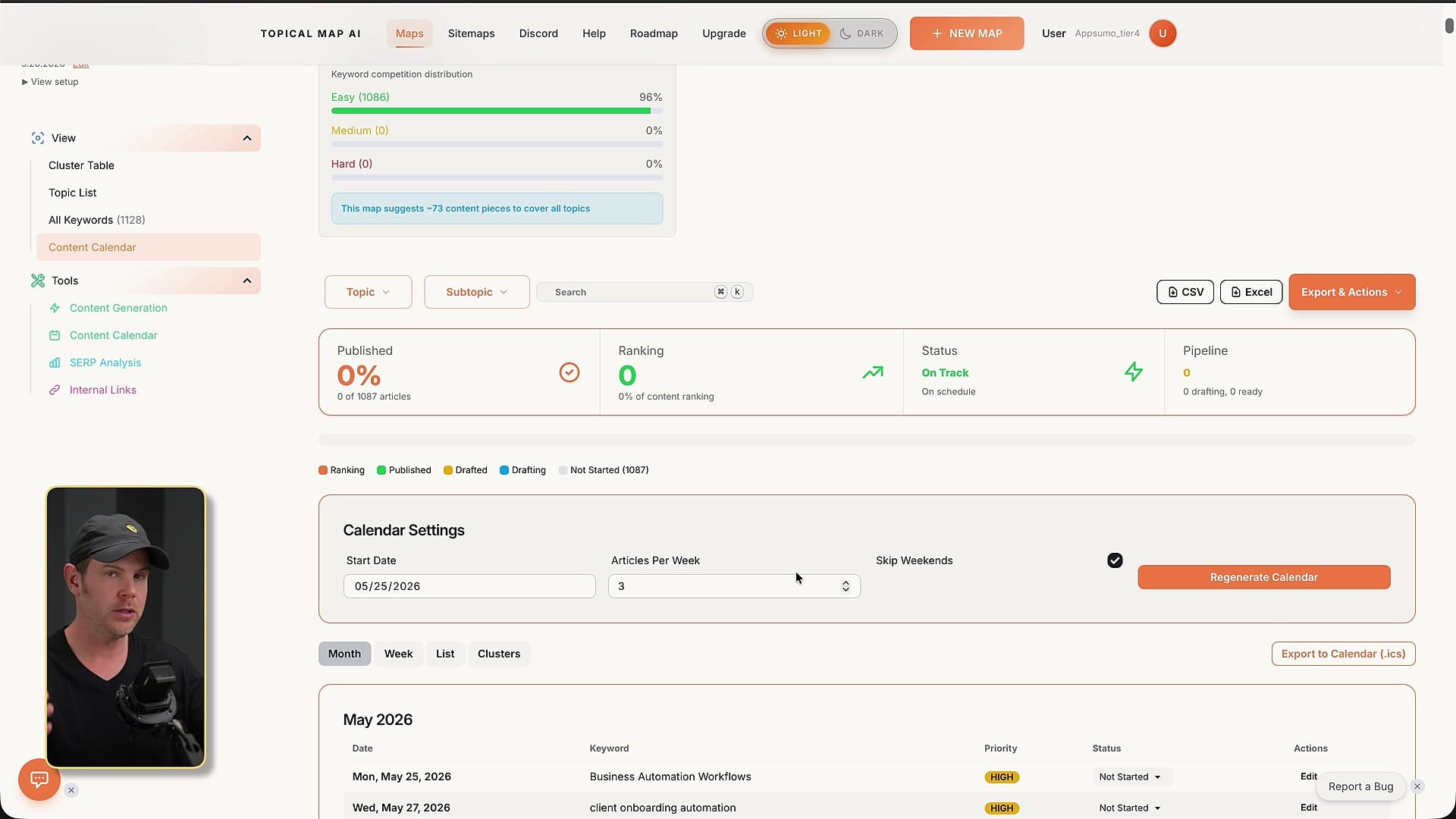
The calendar can also be exported as an ICS file, which means you can bring it into a real calendar app and turn the plan into an actual publishing cadence. That is the kind of practical feature I like: it helps move the work out of the SEO tool and into the system where you manage your week.
There is a second calendar-like queue elsewhere in the app, and that is where the UX confusion shows up again. The good news is that the idea is strong. The product just needs to consolidate the workflow so the calendar, queue, priorities, and content generation all feel like one system.
Exports Are a Major Strength
TopicalMap.ai deserves credit for making exports a core part of the product. You can export data for AI tools, micro topics, markdown files, Notion, and Claude Projects. For me, that matters a lot because I do not want an SEO app to become the only place where my strategy lives.
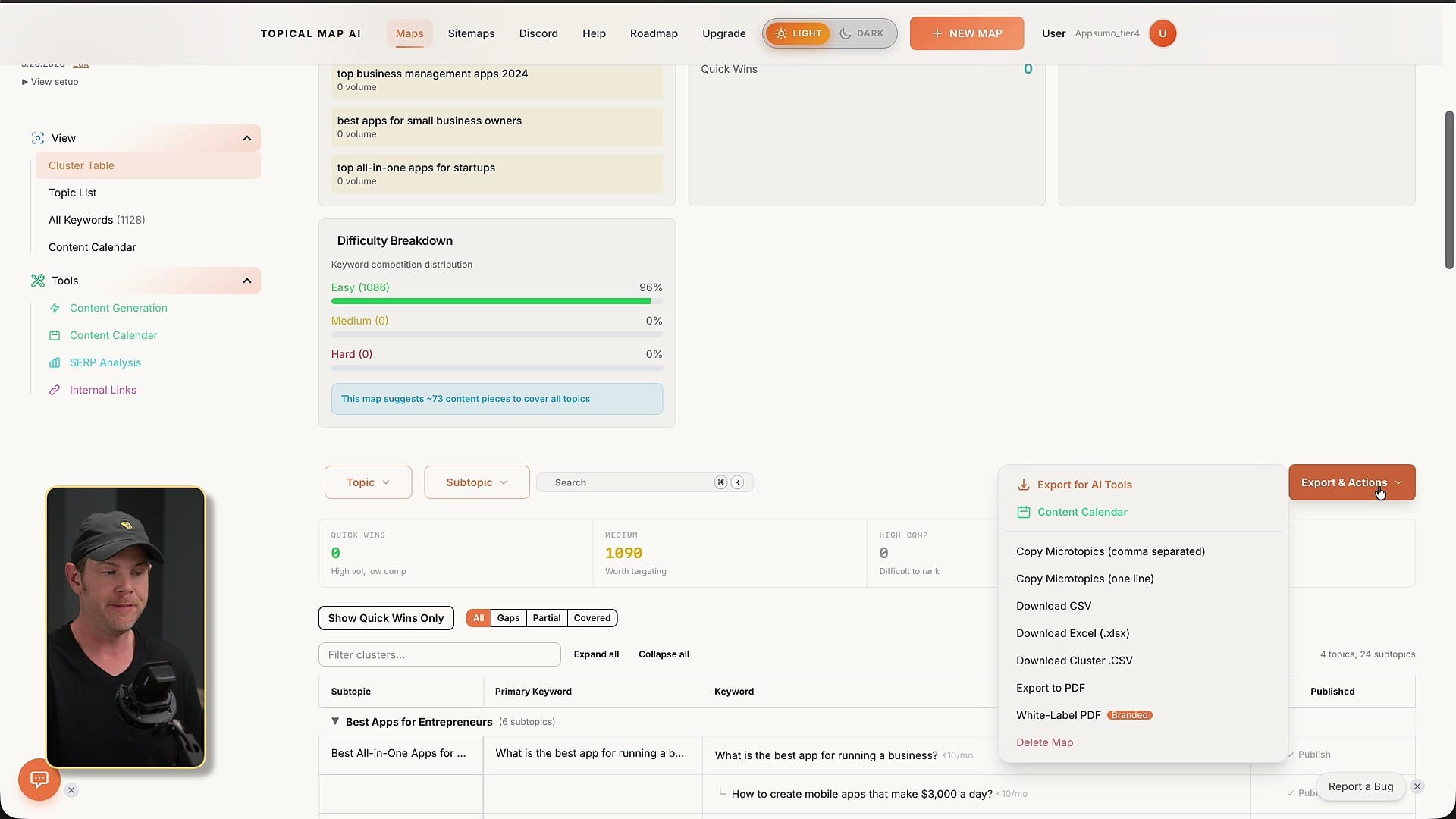
The Claude Projects export is especially interesting. If you are already using Claude to help plan or draft content, having a preconfigured project with topical-map context could be a useful bridge between SEO planning and actual execution.
This is where I think TopicalMap.ai fits best right now. Use it to generate and organize the plan, export the pieces, and then execute in the writing, editing, and publishing system you already trust.
SERP Analysis Has Useful Data in the Wrong Place
The SERP analysis feature can tell you whether a keyword looks easy, medium, or hard, and it can surface opportunities like featured snippets, low domain diversity, and content gaps. That is valuable information before you commit to writing an article.
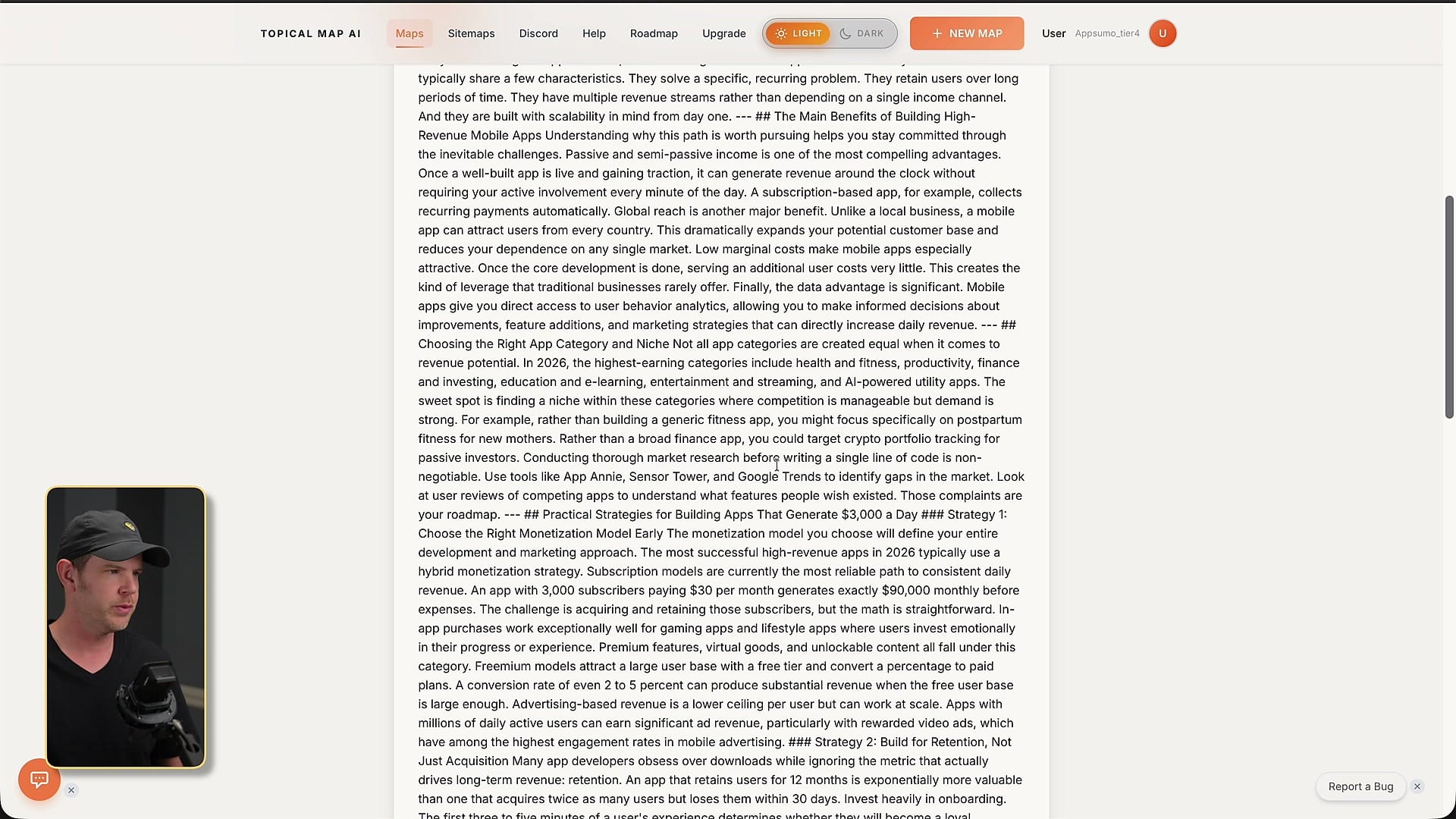
My frustration is that it feels disconnected from the creation process. If I am choosing which articles to publish, SERP difficulty and opportunity data should be right in the decision flow. I should see it before generating the brief or adding the topic to the queue.
The interface also has some readability issues. Some of the text contrast is weak enough that it is harder to read than it should be. That does not kill the feature, but it reinforces the larger point: the product has good building blocks, but the experience needs polish.
Integrations Keep Costs Down, But Need Clearer Messaging
TopicalMap.ai integrates with Google Search Console, SEMrush, Ahrefs, DataForSEO, OpenAI, and Anthropic. I actually like this approach. SEO data is expensive, so letting users bring existing data providers or cheaper services like DataForSEO can make the AppSumo pricing more realistic.
The downside is that the app does not always make those dependencies clear. If keyword volume is missing because you have not connected a provider, the product should say that directly at the point where the blank data appears.
Google Search Console support is a plus, but I ran into setup friction there too. A dashboard link led to a 404, the account page did not load normally from the profile link, and only manually typing the account URL got me where I needed to go. You can currently connect one Search Console property at a time, which may be limiting for agencies or people managing multiple brands.
Pricing and Buyer Fit
The starting price on AppSumo is $69, and in the SEO world that is inexpensive. A lot of SEO software gets expensive quickly because keyword data, SERP data, and content planning all have real costs behind them.
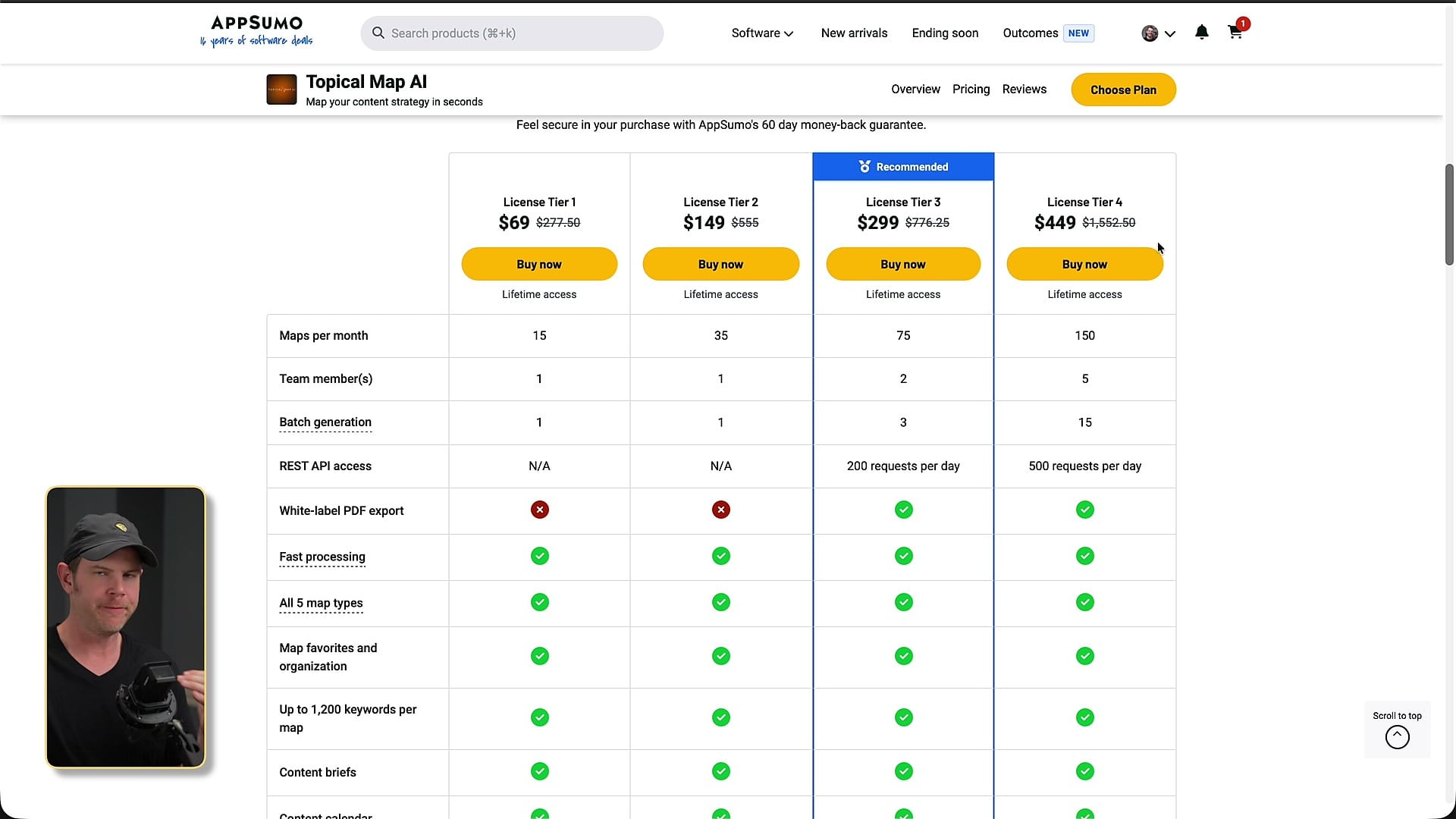
The tiers mostly come down to usage, API access, and white-label reporting. Tier 1 and Tier 2 do not include API access or white-label exports. Higher tiers give you more maps and more credits per month. I have Tier 4, which shows 500 recurring credits per month and 150 maps per month.
The right buyer is someone who wants help planning topical authority and is comfortable executing elsewhere. If you expect this to be an end-to-end SEO content machine, you will probably be disappointed. If you want a planning layer that exports well, it is much more compelling.
My Recommended Workflow
I would not use TopicalMap.ai as the place where content goes from idea to finished article. Instead, I would use it as the first step in a larger system: add your sitemap, generate the map with a strong model, review or edit subtopics, generate briefs for the most important keywords, and export the data.
From there, bring the briefs into your writing workflow. That might be Claude, ChatGPT, NeuronWriter, WordPress, or an automation system like an agent workflow. The important thing is that the final article still needs editorial judgment, examples, screenshots, internal links, and a real point of view.
Used that way, TopicalMap.ai can save time and give you a better starting point. Used as a one-click content factory, it is not there yet.
Final Verdict: Useful SEO Planning, Rough Execution
Topical Map AI is a good idea with several genuinely useful pieces. The sitemap analysis, topical map generation, content calendar, briefs, exports, and third-party integrations make sense for someone trying to build topical authority without starting from a blank page.
The reason I cannot rate it higher is the overall polish. The map-name bug, confusing navigation, disconnected tools, thin content generation, and account/settings issues make it feel like an early-stage product that still needs refinement.
My recommendation: buy it if you want an inexpensive SEO planning and export tool and you are comfortable doing the actual writing elsewhere. Do not buy it expecting a polished end-to-end content machine. My score is 6.6 out of 10.
Frequently Asked Questions
What is Topical Map AI?
Topical Map AI is an SEO planning tool that creates topical maps, keyword clusters, content briefs, and publishing calendars. It can use your sitemap to understand existing content and suggest gaps to fill.
Is Topical Map AI good for writing complete articles?
Not as a final writing tool. The briefs are useful, but the generated articles in my test were thin and did not reliably match the requested word count.
Does Topical Map AI connect to Google Search Console?
Yes, it supports Google Search Console, though I ran into setup friction and it currently appears to connect one property at a time.
Why does keyword volume show as zero or blank?
Topical Map AI relies on third-party keyword data providers like DataForSEO, SEMrush, or Ahrefs for search volume. If you have not connected one, the tool should make that clearer.
Who should buy Topical Map AI?
It is best for people who want an affordable planning layer for topical authority and are comfortable exporting data to other tools for writing, editing, and publishing.
What are the strongest features?
The strongest features are sitemap-informed planning, content briefs, the content calendar, and export options for markdown, Notion, Claude Projects, and other workflows.
What are the biggest drawbacks?
The biggest drawbacks are rough UX, disconnected menus and tools, a map-name bug in the setup flow, thin content generation, and some integration/account setup friction.
Get Dave's Toolbox
The tools I actually use, every Tuesday. Free. No spam.
No cost. No spam. Unsubscribe anytime.


