

Omarchify your Mac! -- Dave's Toolbox, September 15, 2026
Keyboard-first window control, a launcher that opens tools by job, and the capture and clipboard apps I reach for every day.

Welcome to Dave's Toolbox!
I love the passion and excitement for computers that David Heinemeier Hansson (DHH) has when he talks about Omarchy Quattro.
If you're not familiar, Omarchy is a Linux distribution built around keyboard-first use, and it's getting a lot of attention from influencers lately.
Now, I'm not switching to a Linux desktop as my daily driver anytime soon, but if you have been curious about Linux, this is a great opportunity to try it and see whether it fits you. I’m cheering you (& DHH) on.
If you already love your Mac but want some productivity boosts, or to use your Mac more like you see the influencers using Omarchy, there are simple things (often free) that you can do.
Move around with AeroSpace
 nikitabobko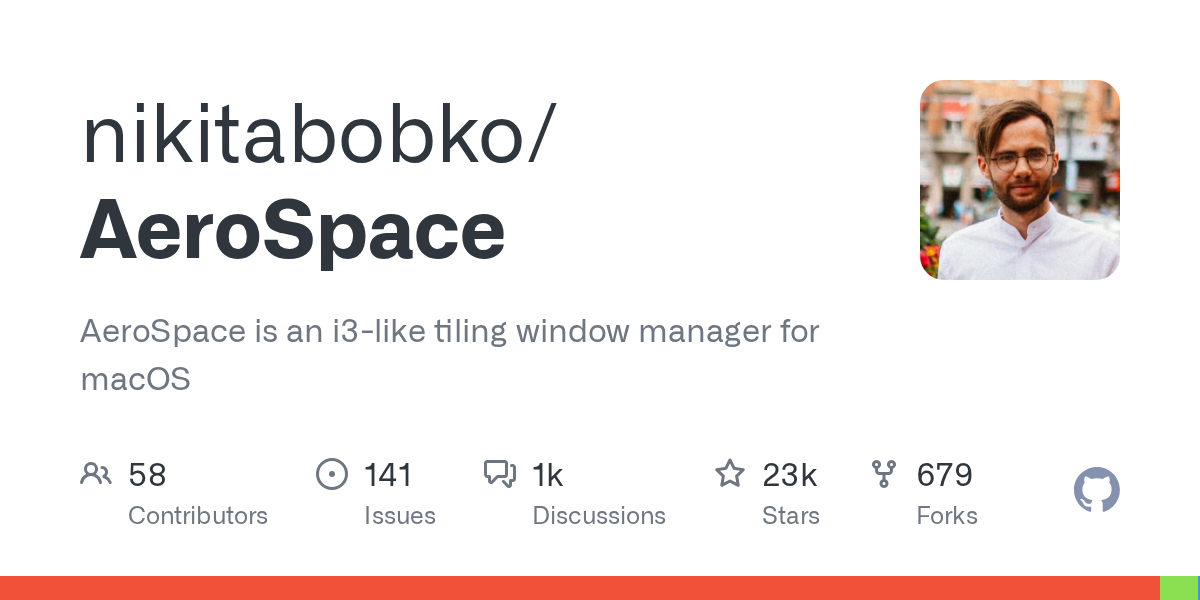
Probably the biggest features in Omarchy (or at least the ones gathering the most attention) are automatic window tiling and multiple workspaces.
Tiling means new windows arrange themselves into a layout instead of stacking on top of each other.
Workspaces are separate desktops you can switch between with the keyboard, so you don’t have to hunt through a pile of windows.
AeroSpace is a free, MIT-licensed tiling window manager for macOS. It is not identical to Hyprland on Omarchy, but it delivers the window-management benefits I care about every day.
I keep Hermes, my AI agent, in workspace 2. That gives me near-instant access to my agent to do anything I want, including modifying my Mac.
When I want to change my AeroSpace setup, I ask Hermes to take care of it. It can modify the configuration and deploy it across my Macs (I use three regularly; I'm an edge case), taking into account the difference between my 27-inch 5K display and my 15-inch MacBook Air.
Omarchy users talk a lot about an AI-first approach to their OS, but you might be surprised how much you can customize by asking an agent that has access to your system.
AeroSpace gets me most of the way to the keyboard-driven window workflow I like in Omarchy, without changing operating systems.
Open tools by the job with Alfred


Once I have my windows under control, I want to get to my tools without digging through menus.
Alfred is a launcher I use to replace Apple's built-in Spotlight. First, it's FAST. Way faster than Spotlight. Even the new Spotlight in macOS 27.
I type a few characters to open an app or find a file instead of hunting through the Dock. Its workflows can connect several actions, so a single keyword or keyboard shortcut starts a routine.
To more closely match Omarchy's launcher, I use my own custom commands to get to the tools I need quickly. My AI agent actually added them to my config for me and named them “DaveOS verbs.”
If you are picking two tools to try first, make it AeroSpace and Alfred.
Alfred’s core is free. Workflows require the Powerpack, starting at £34.
Capture and mark up the screen with CleanShot X
 Jason Fried
Omarchy has a very nice screenshot and screen-recording tool built in. DHH demos it in his video. Not going to lie, it looks good, but it's not CleanShot.
CleanShot X has been my app for screenshots, quick annotations, and screen recordings for years. If I need to point something out, I can capture it and add an arrow or a note. Its OCR feature extracts text from an image or video when I can’t select and copy it normally. I actually use CleanShot for all my YouTube screen recordings as well.
I walked through my setup in this video. Cost is $35 once with one year of updates; the app keeps working afterward if you skip renewal. You can also pay more to get video hosting and share your screen recording like you would on Loom, but without having to use Loom.
If you buy CleanShot X, this is my link.
See your clipboard with Paste

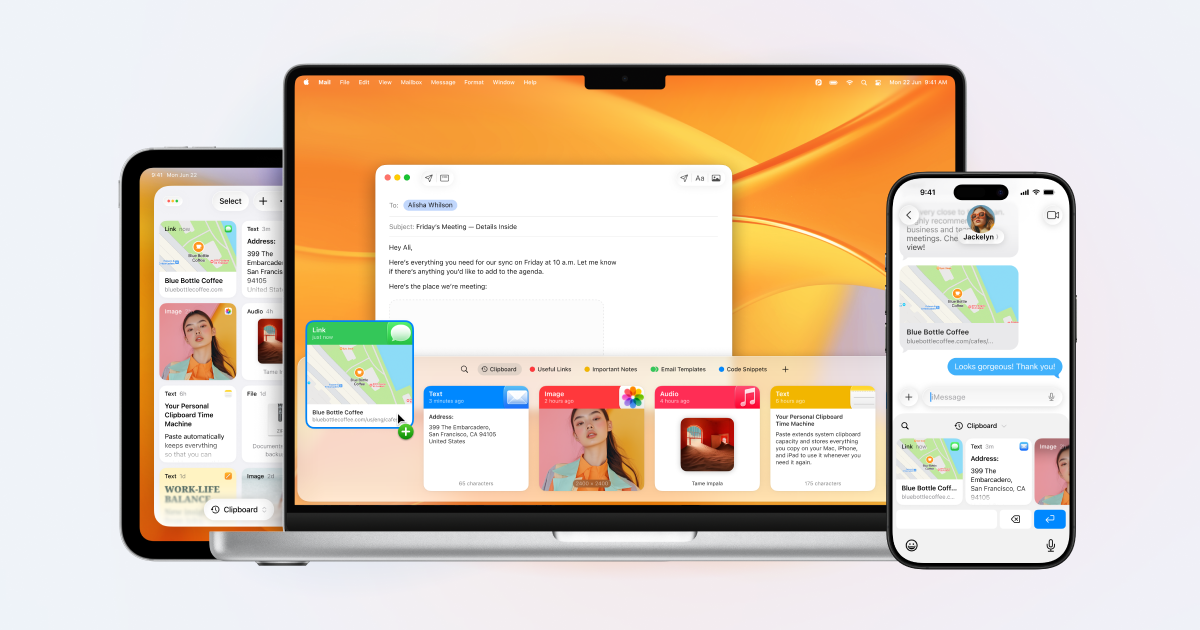
Paste is the clipboard manager that I can't live without.
To be clear, you don't need this. Apple's Spotlight has a basic clipboard manager now. And Alfred’s Powerpack includes clipboard history, but I prefer Paste’s visual approach and a power-user feature called Paste Stack that makes life so much better.
Paste Stack lets me copy several things on one page, then paste them back sequentially. Press Shift-Command-C to start the stack, copy the items, then press Command-V for each item you want to paste. I don’t have to keep switching back and forth between the source and destination.
Paste also has an MCP connection, which lets an AI agent work with the app. My clipboard history syncs through iCloud to the Mac I have for my Hermes agent. Hermes connects to Paste there, so it can search for something I copied on my laptop. Great for sharing bits of code or text. Did your agent help you revise that email draft? The changes are already on your clipboard.
Paste is also a beautiful, excellently executed app. And as DHH often opines, we don’t have to make excuses for wanting beautiful things or striving for excellence.
Paste is $29.99 per year for Mac, iPhone, and iPad. A lifetime option is available as well.
Talk into text fields with MacWhisper


MacWhisper does more than transcribe recordings. Its dictation feature lets me press a keyboard shortcut and speak into the text field I’m using, whether that’s a message, a document, or a prompt for my agent.
For dictation, get the direct-download version, rather than the Mac App Store version. I made a video showing how I use MacWhisper, with the dictation walkthrough starting at 4:28.
If you pick up MacWhisper, this is my link.
Now, if you want to go ahead and try Omarchy, do it! It runs on any old "potato". You don't need a fast machine, but keep in mind it is still Linux, and you will probably miss out on some apps you are using right now. DHH keeps a Mac around for Adobe Lightroom. You can enjoy Linux and still keep another computer for the apps you need.
If you make the switch, or try any of the "power user" tools I mentioned above, be sure to hit reply and let me know how it's going for you.
If you read this on the web, join Dave’s Toolbox to get the next issue by email. Forward this to a Mac friend who might enjoy it, or share the web version. See you next Tuesday.
Get Dave's Toolbox
The tools I actually use, every Tuesday. Free. No spam.
No cost. No spam. Unsubscribe anytime.


