

Hostinger Bundle: AI Agent, Hosting and Email for $44
The Hostinger Bundle on AppSumo gets you a year of three Hostinger tools for $44: managed hosting for an AI agent, unlimited websites and Reach email marketing. I set up all three in one sitting, and here's what worked and what to watch out for.

This video and post are sponsored by AppSumo. The Hostinger Bundle is $44 for one year of three Hostinger tools, and the price rises as each batch sells out.
Hostinger Bundle
One year of Hostinger Managed Apps (one AI agent), Unlimited hosting and Reach 500 email marketing.
New Hostinger customers starting a site, app or small business
Separate VPS, web hosting and Mailchimp-style email tools
Why I wanted this bundle
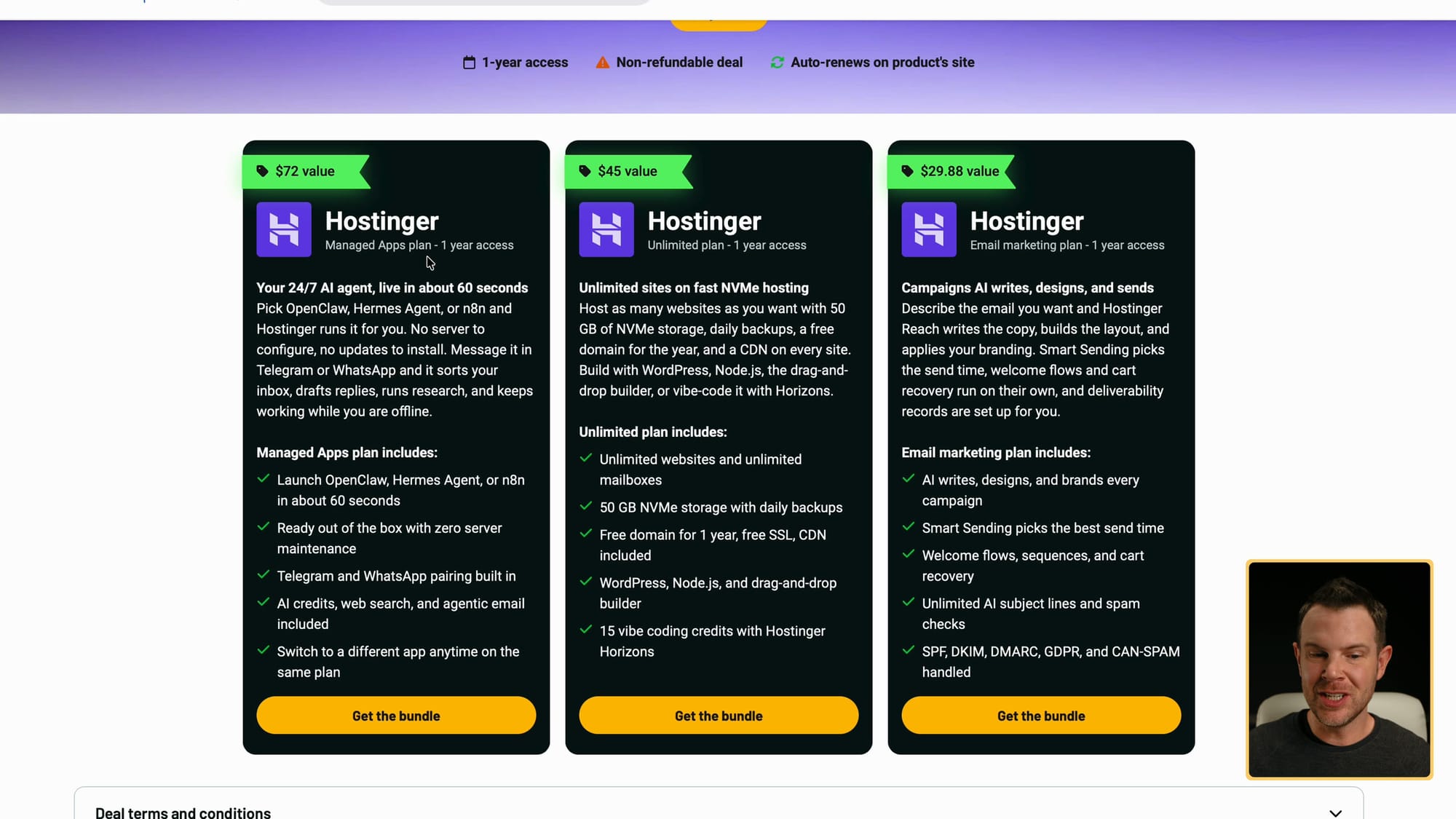
The three plans in the bundle: Managed Apps, Unlimited hosting and Reach email marketing
Hosting has been getting more expensive. Servers that used to cost me $20 a month now cost $30, $40 or even $50, and the specs haven't gotten better. So when AppSumo asked me to make a sponsored video about a new Hostinger bundle, I was genuinely interested.
The Hostinger Bundle on AppSumo is $44 for one year of three different Hostinger products: the Managed Apps plan for running your own AI agent, the Unlimited hosting plan for websites, and the Reach 500 email marketing plan. AppSumo lists the combined value at $147.
Put those three together and you have most of a small online business: a place to build your site or app, an AI agent to help with support and development, and an email tool to bring customers back. That's the part that got my attention. You don't have to stitch three vendors together to try an idea.
The terms you should know before you buy
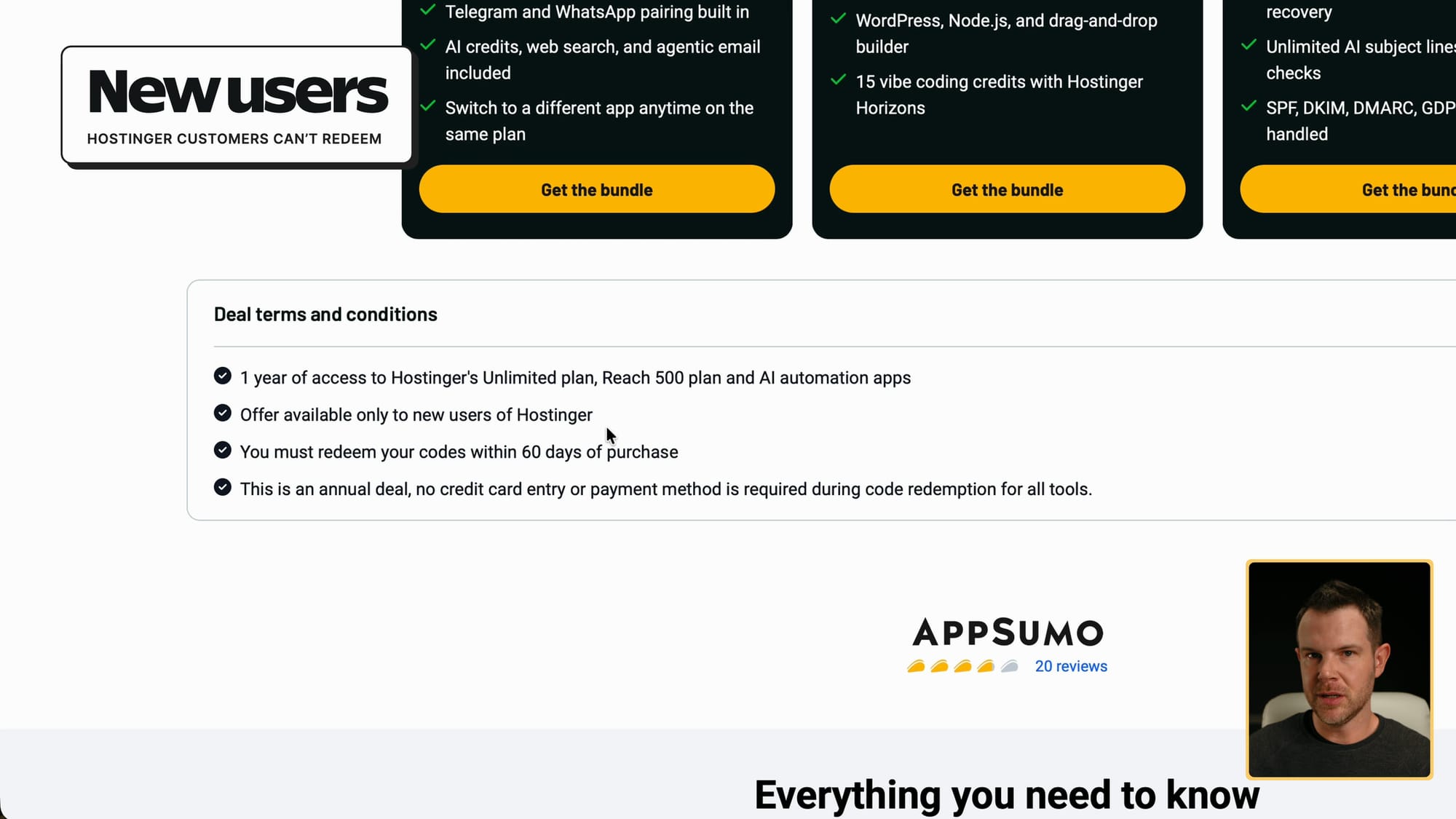
AppSumo's deal terms: one year, new Hostinger users only, redeem within 60 days, no credit card needed
This is one-year access, and it's non-refundable. Once you buy it, it's yours, but you won't get your money back. After the year, it auto-renews on Hostinger's side.
The good news is that you don't need to give Hostinger a credit card to redeem it. I didn't enter one at any point. Without a card on file, the auto-renewal can't surprise you with a bill.
Two more things. The deal is only for new Hostinger users, so if you already have an account you probably can't use it. And the price goes up as each batch sells out. It was $44 when I recorded, but AppSumo says right in the description that it will increase.
Redeeming it: the $185 cart fix
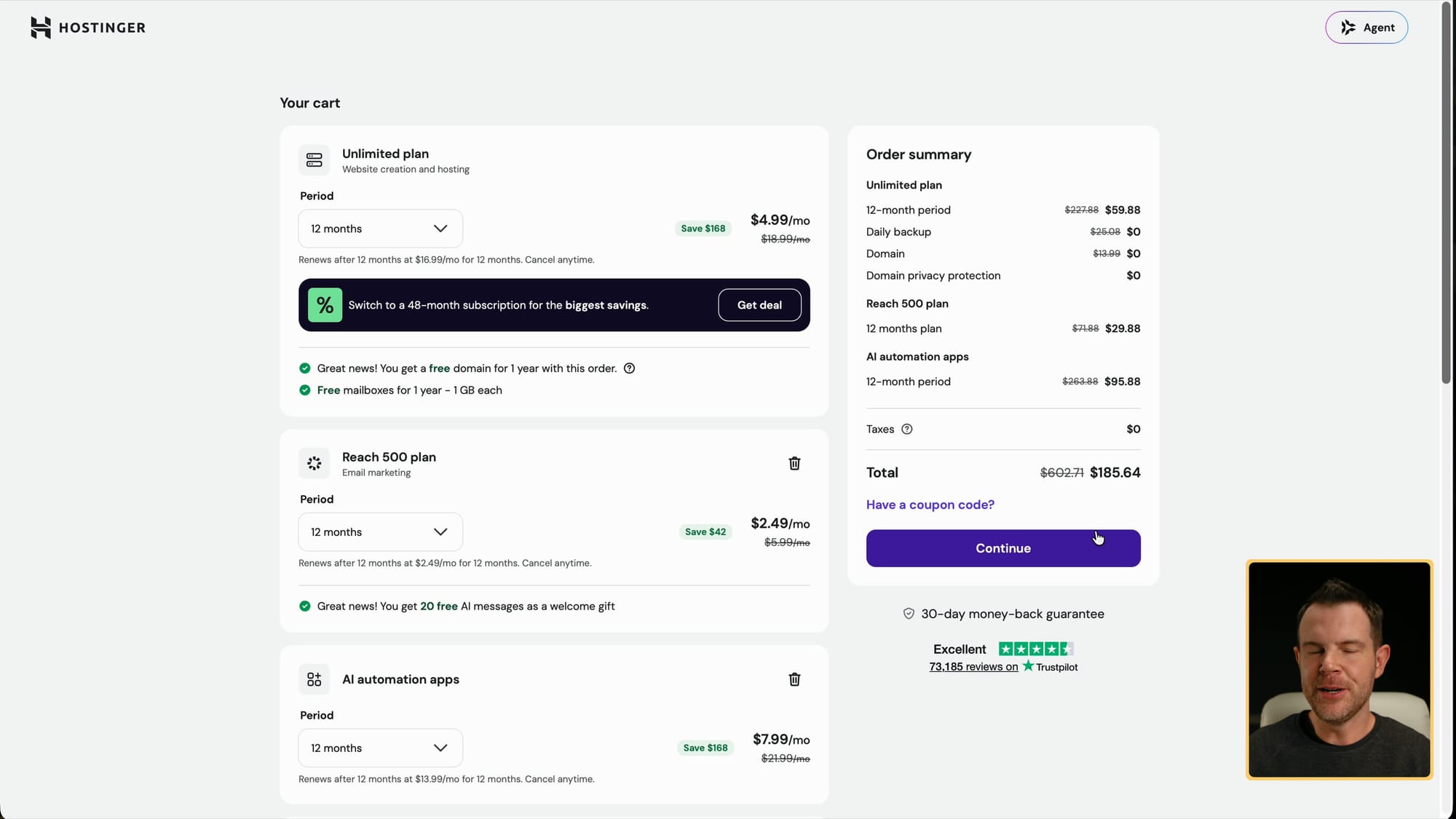
Hostinger's cart before re-applying the AppSumo code, showing about $185
There's one tricky step. When I clicked redeem from my AppSumo purchase, Hostinger's checkout page said it was going to charge me about $185, even though my AppSumo code was already applied.
The fix is simple: remove the code and paste it back in. As soon as I re-applied it, the total updated to $0, which is correct because you already paid AppSumo. Hostinger showed a savings total of $602.71. I'm not sure how they calculate that number, but $44 for all three is a good deal.
The cart lists everything you're getting: the Unlimited plan with daily backups and a domain, the Reach 500 email plan, and the AI automation apps. I hit continue, confirmed again that I wasn't being asked for payment, and submitted the $0 order.
Installing Hermes Agent on the Managed Apps plan
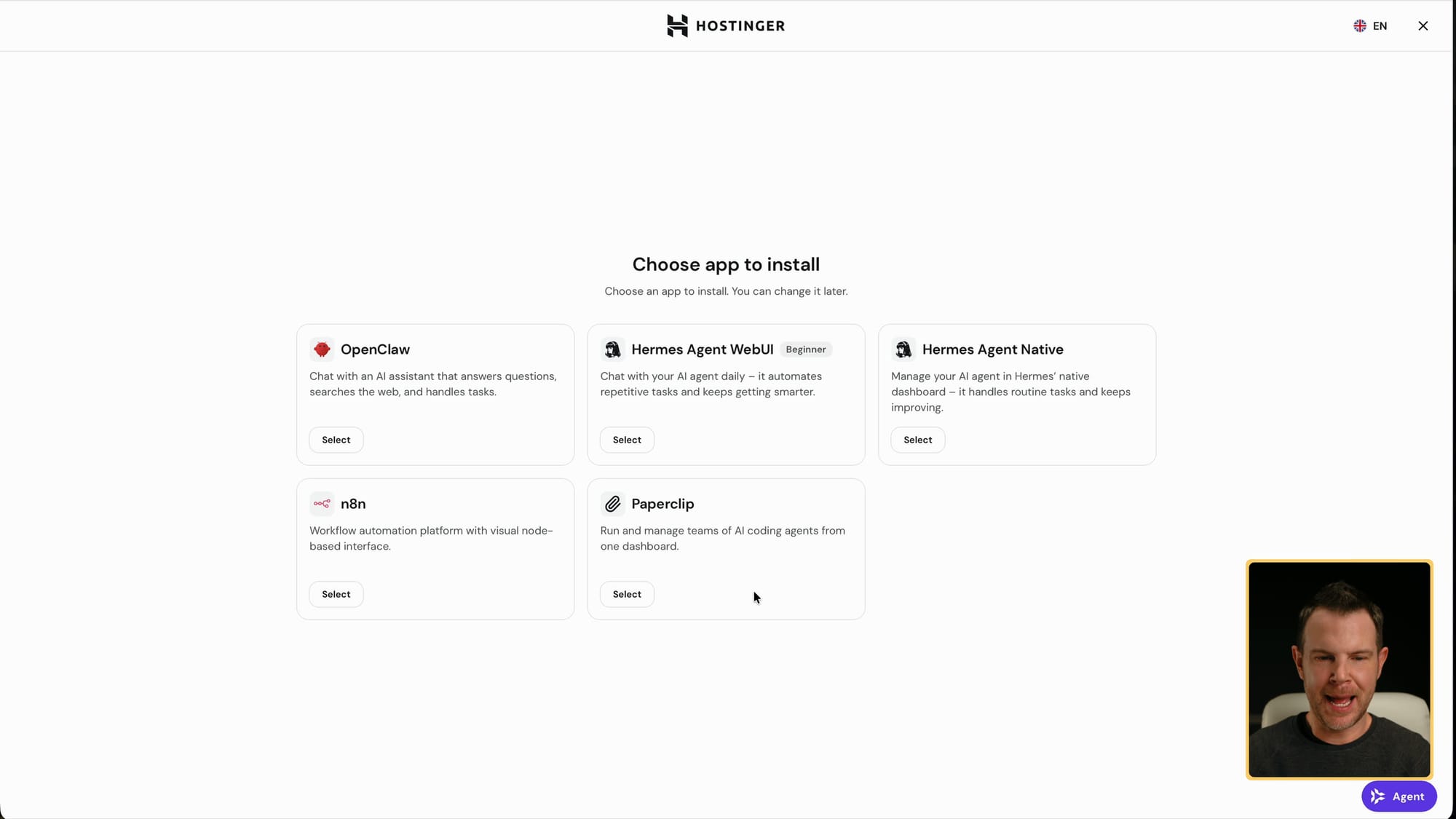
Choosing an app to install: OpenClaw, Hermes Agent WebUI or Native, n8n and Paperclip
After signing up, Hostinger dropped me straight into the AI apps area. You can pick OpenClaw, two versions of Hermes Agent (a beginner-friendly web UI or the native version), n8n for Zapier-style automations, or Paperclip.
Paperclip is the most advanced of these. I wouldn't start there if you're new to AI agents, but it's worth a look once you're comfortable running your own.
I went with Hermes Agent Native. It's the tool I use every day, and I've been using it since about March. Every agent you add gets its own memory, context and skills, so having another one running somewhere is genuinely useful to me.
Connecting ChatGPT (and where the 9-character code is)
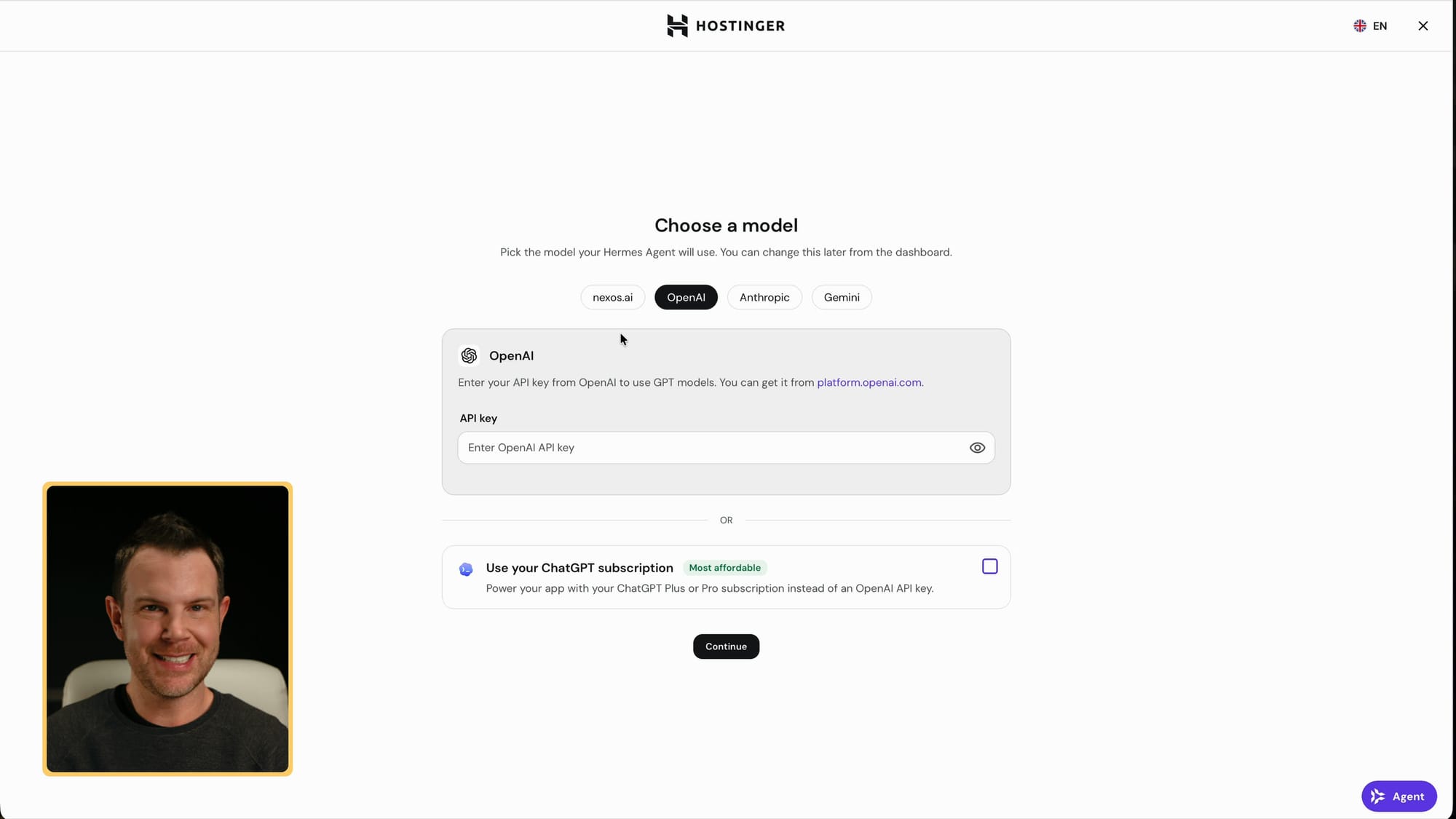
Picking the model for Hermes Agent: an OpenAI API key or a ChatGPT subscription
Hermes needs a model to think with. You can paste in an OpenAI API key, or sign in with your ChatGPT subscription, which is what I did.
Here's where I almost got stuck. The ChatGPT sign-in asked for a 9-character code from my terminal. Normally you'd run this on your own computer with a terminal open, but on Hostinger there isn't one in front of you. It turns out the Hostinger window you already had open reloads and shows the code. Copy it, paste it in, and you're done.
After that I picked my model and my agent was running. From the Hostinger dashboard you can see your agents, grab the password for the web UI, and configure it the same way you would a local install. I'd also recommend the Hermes desktop app for day-to-day use.
Only one AI agent is included
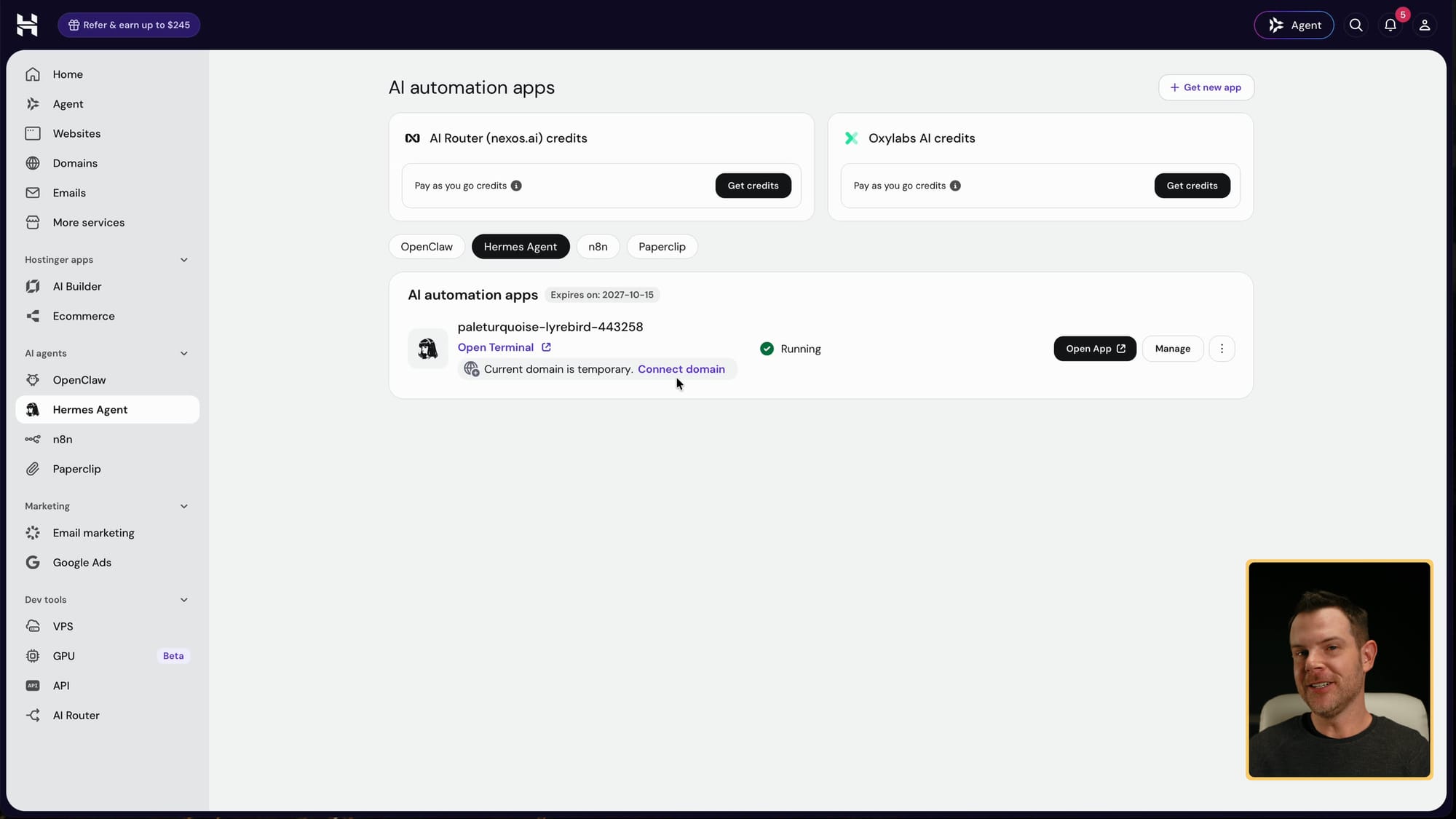
My Hermes Agent running in Hostinger's AI automation apps
The Hostinger control panel shows everything included in the bundle. My Hermes Agent page flagged that I should connect a domain, which is no problem because the bundle includes a free one.
Know this before you start clicking: the bundle includes one AI agent. If you want OpenClaw or n8n running alongside it, Hostinger asks you to buy another plan. When I tried, it came out to roughly $6 a month.
That's still not a bad price, but it is an extra cost, and I'd rather you know about it now than find out later.
Three ways to build a website
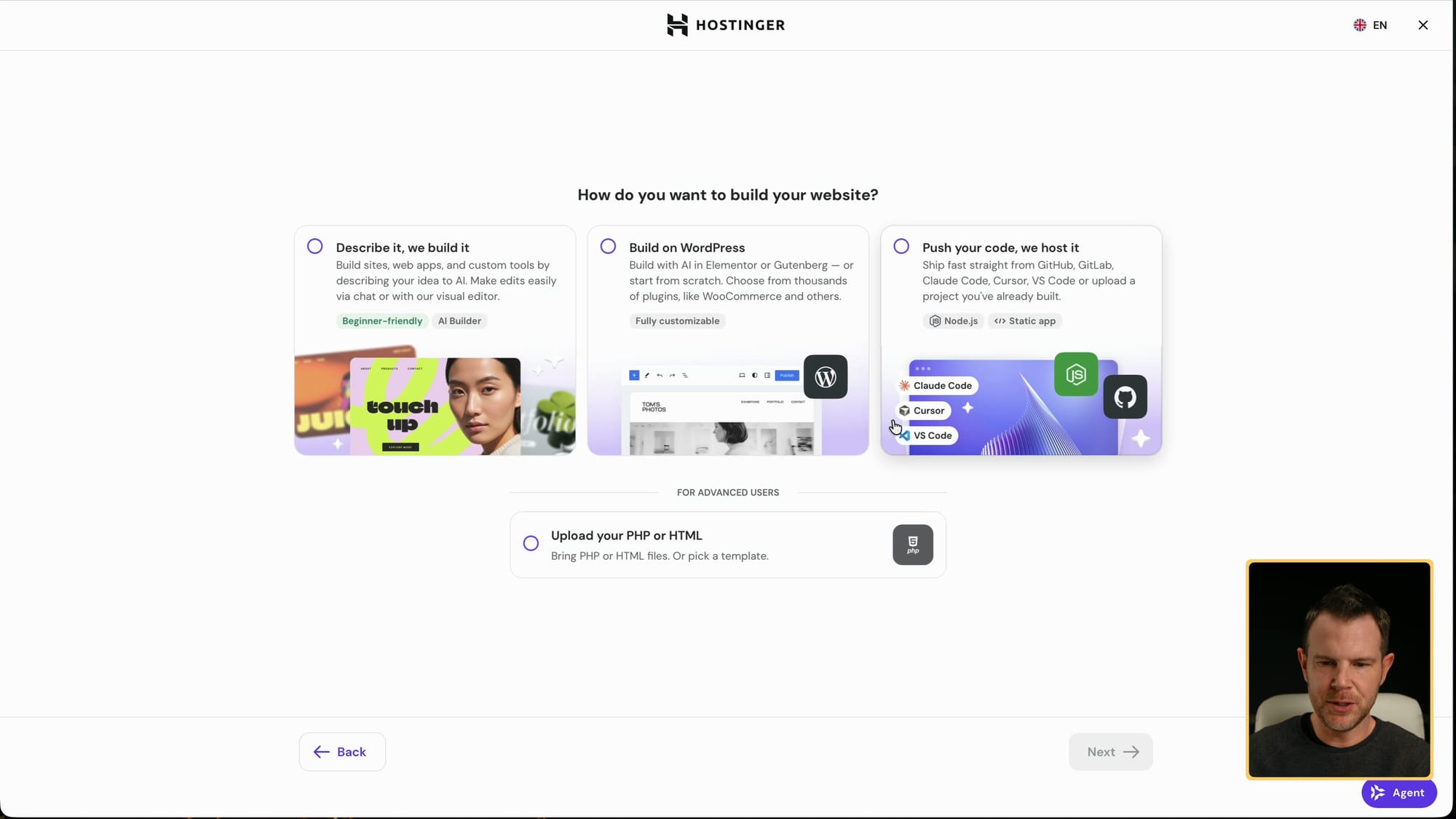
Hostinger's three ways to build: AI Builder, WordPress or host your own code
The Unlimited plan lets you build as many websites as you want. Under Websites, you click setup and choose to build a new site or migrate an existing one.
For a new site you get three options. You can vibe code it with Hostinger's AI Builder, which is a nice way to try vibe coding if you never have. You can use WordPress, which keeps getting new AI integrations (including Elementor, which I'll be covering soon). Or you can host an app you've already built, either Node.js or static.
I chose the AI Builder because I'd never tried it. It then asks whether you want manual drag-and-drop building or the agentic approach, which uses AI credits. I went agentic.
Save your free domain for an idea that works
When you build your first site, Hostinger offers the free domain that comes with the plan. You could register almost any available domain right then at no extra cost.
I didn't, and I'd suggest you hold off too. Once you use that credit, it's gone, and any domain after that is full price. Hostinger lets you pick 'use temporary domain' instead.
If you're testing an idea, start on the temporary domain. When the project proves itself, spend the free credit on the real name.
Vibe coding a band website from one prompt
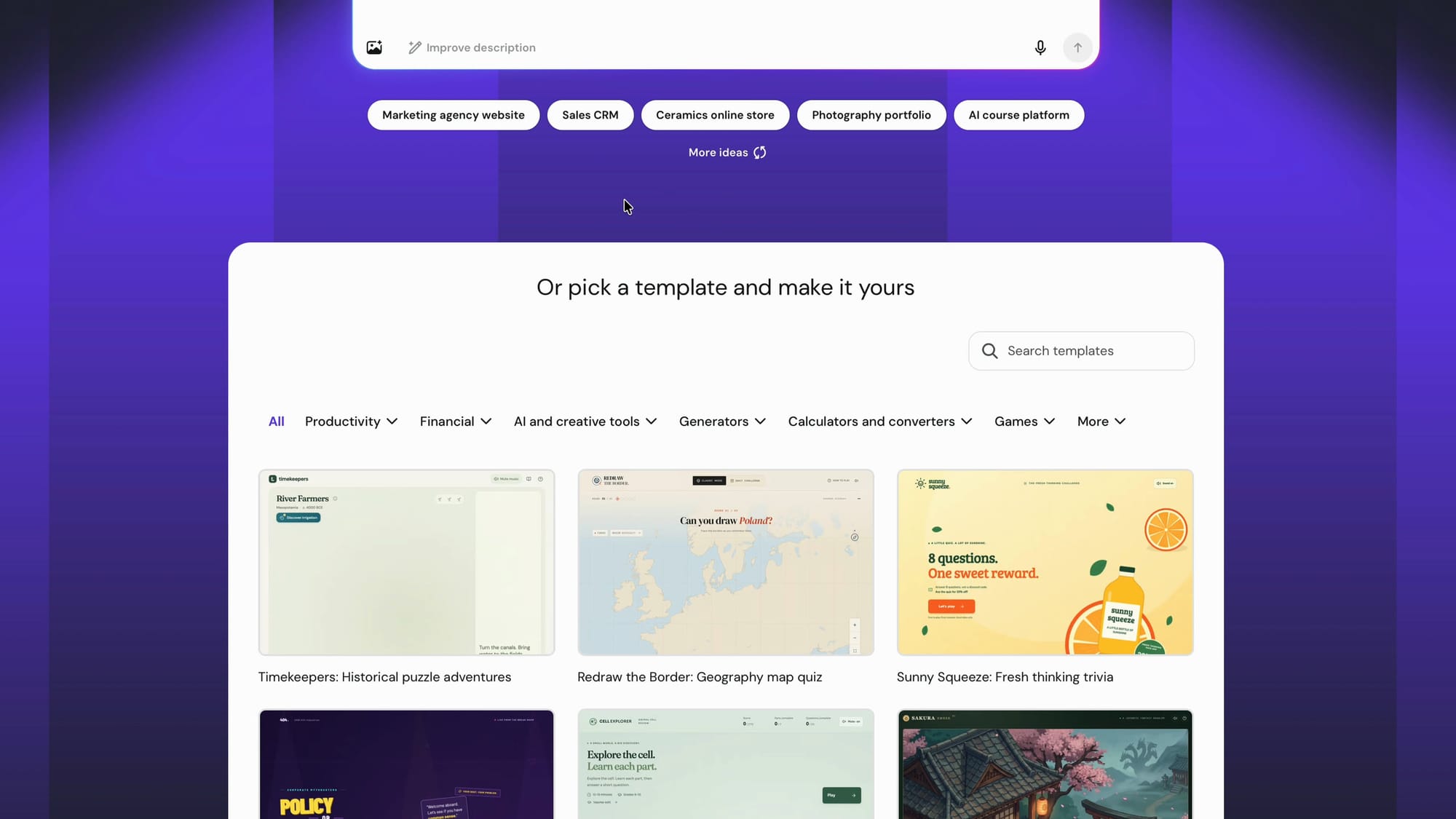
Hostinger AI Builder: start from a prompt or a template
The AI Builder lets you start from a template or just type a prompt. Templates are good for getting a sense of the style, but I wanted to see how well it does from scratch.
My prompt: build me a marketing page for a new AI music group called Good Robot Us-es, with an early-90s rock influence. Real musicians playing real instruments, singing about real-life stuff, except they're AI. I gave it no images and no colors.
It switched to a dark chat view with the code alongside, plus tabs for preview, data and code. While it worked, it even offered a little game to play. It isn't challenging (I mostly pressed the spacebar), but it passes the time. The whole build took roughly three minutes.
The finished site, and what it cost in credits
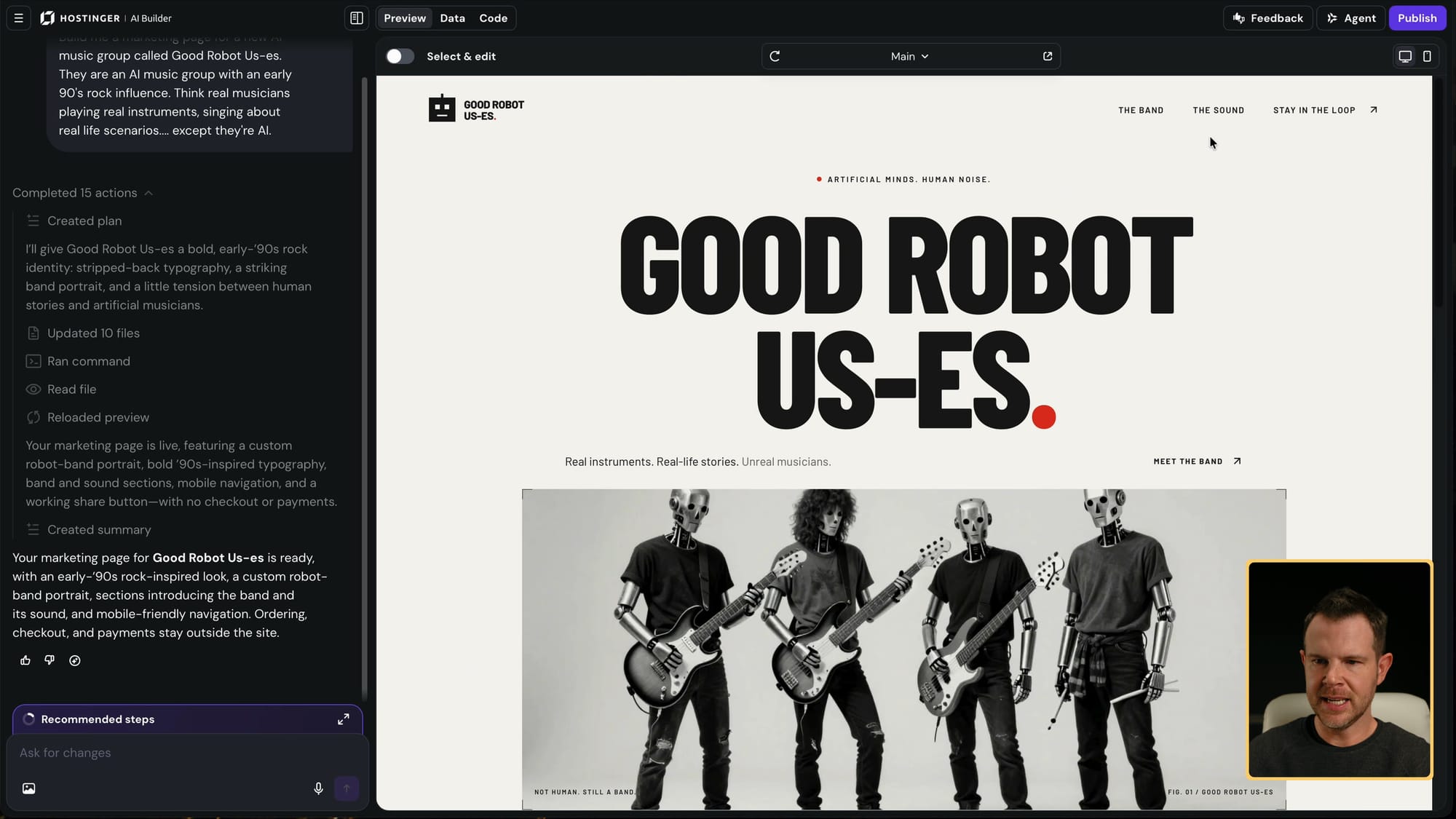
The finished Good Robot Us-es site next to the AI Builder chat
I'm kind of loving the result. Good Robot Us-es got a bold early-90s look, a band photo, and genuinely decent copy: 'They're not human. The stuff they sing about is.' I might actually build this band.
It's a one-page landing page with smooth scrolling between sections and a 'stay in the loop' signup form. I didn't ask for tour dates, videos or merch, so it didn't add them. You can always prompt again to add features. With current models you can start vague and refine.
The plan came with 15 AI credits, and this build used about 1.8. That leaves plenty for more sites. You can also use WordPress, or build with your own Claude or ChatGPT subscription and upload the files to Hostinger.
Connecting Reach email marketing to the site
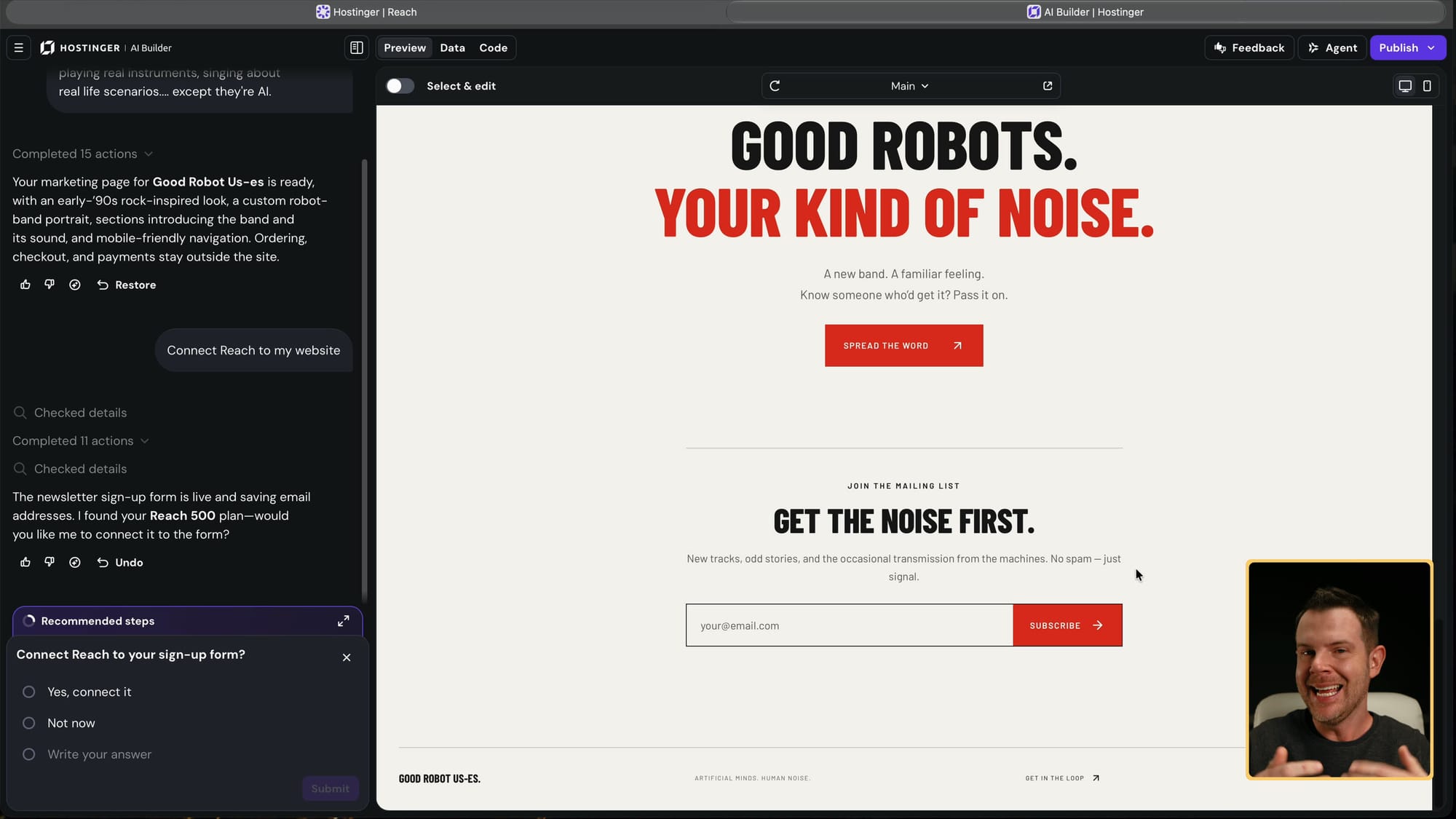
AI Builder offering to connect Reach to the site's signup form
The signup form didn't do anything yet, so I set up the third tool: Reach, Hostinger's email marketing. From the dashboard I opened email marketing, which showed my Reach 500 plan, and clicked continue setup.
It asked which site to connect and already had the band site listed. You can set it up manually if your site isn't on Hostinger, but keeping everything in one place makes sense with this bundle. I skipped to the AI chat, which had a prompt ready: connect Reach to my website. I just sent it.
The website build took about three minutes, and connecting email took maybe a minute to a minute and a half. Doing that by hand (setting up the email tool, adding a form, wiring them together) usually takes me 30 to 60 minutes, and I've been doing this a long time.
Testing the signup form
To test it, I entered my email in the site preview. I didn't expect it to work in preview mode, but it did: 'You're on the list. We'll be in touch when the noise starts.' Even the confirmation copy was good.
Then I went to Reach in the dashboard, opened Audience, then Contacts, and there was my subscription. So in one sitting I had a live website, a working signup form and an email list, all from one account.
Building an email campaign in Reach
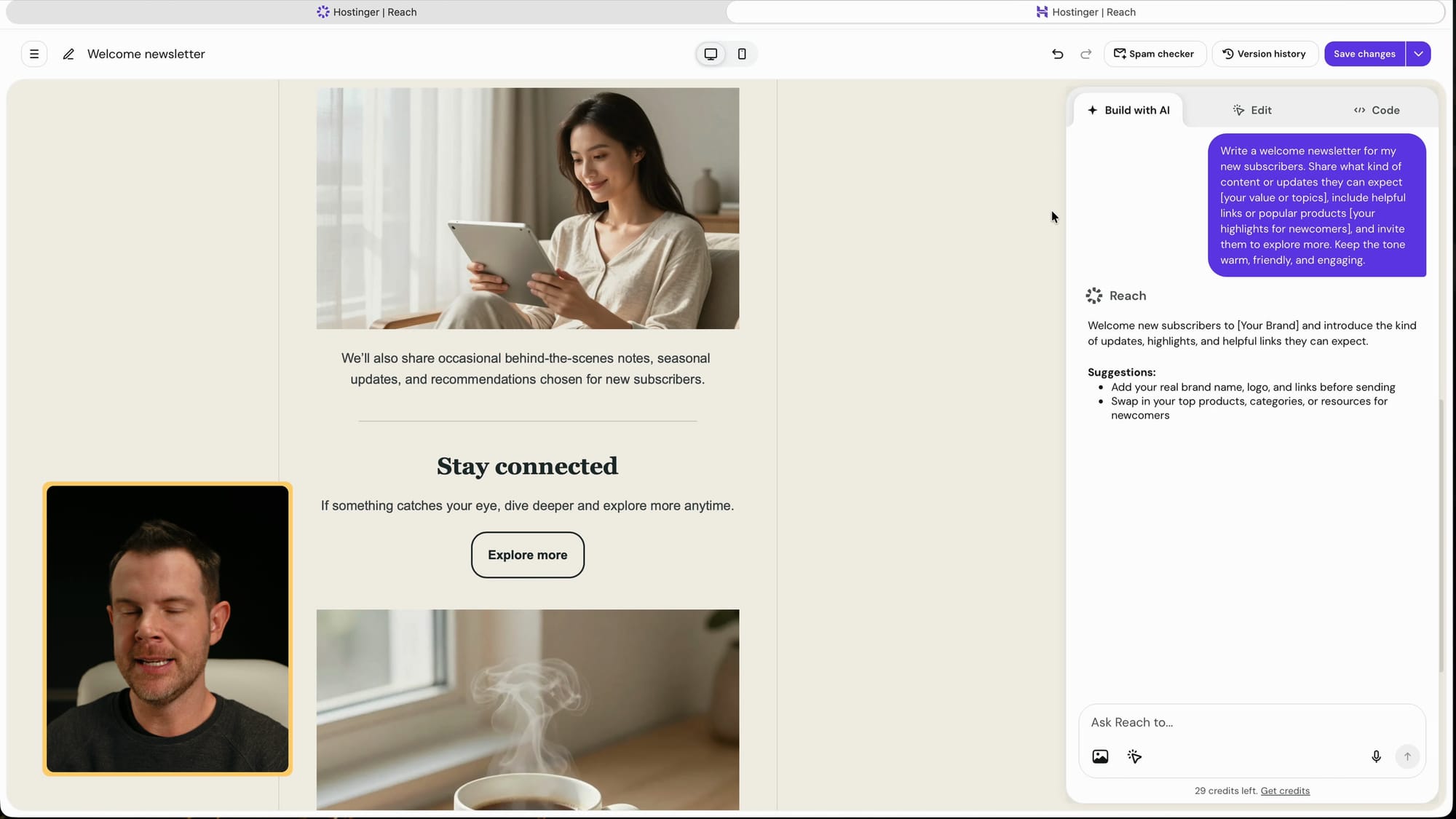
Editing a welcome email in Reach, with the AI panel on the right
Next I tried the email builder. Under Campaigns you can start from a suggestion, like a welcome newsletter, or pick a template the old-fashioned Mailchimp way. You can also let AI build the email, adding your brand details if you want.
I let AI build a welcome email without brand details, so it came out pretty generic. Editing manually is easy: inline text editing, editable buttons, and a colors panel that's simple to find. I did manage to recolor the whole box instead of just the button at first, but selecting the right element fixed it.
There's no one forcing you to use AI. You can edit the old-fashioned way, or switch to the AI tab and keep prompting to rewrite and redesign.
Reach 500 limits and the code editor upgrade
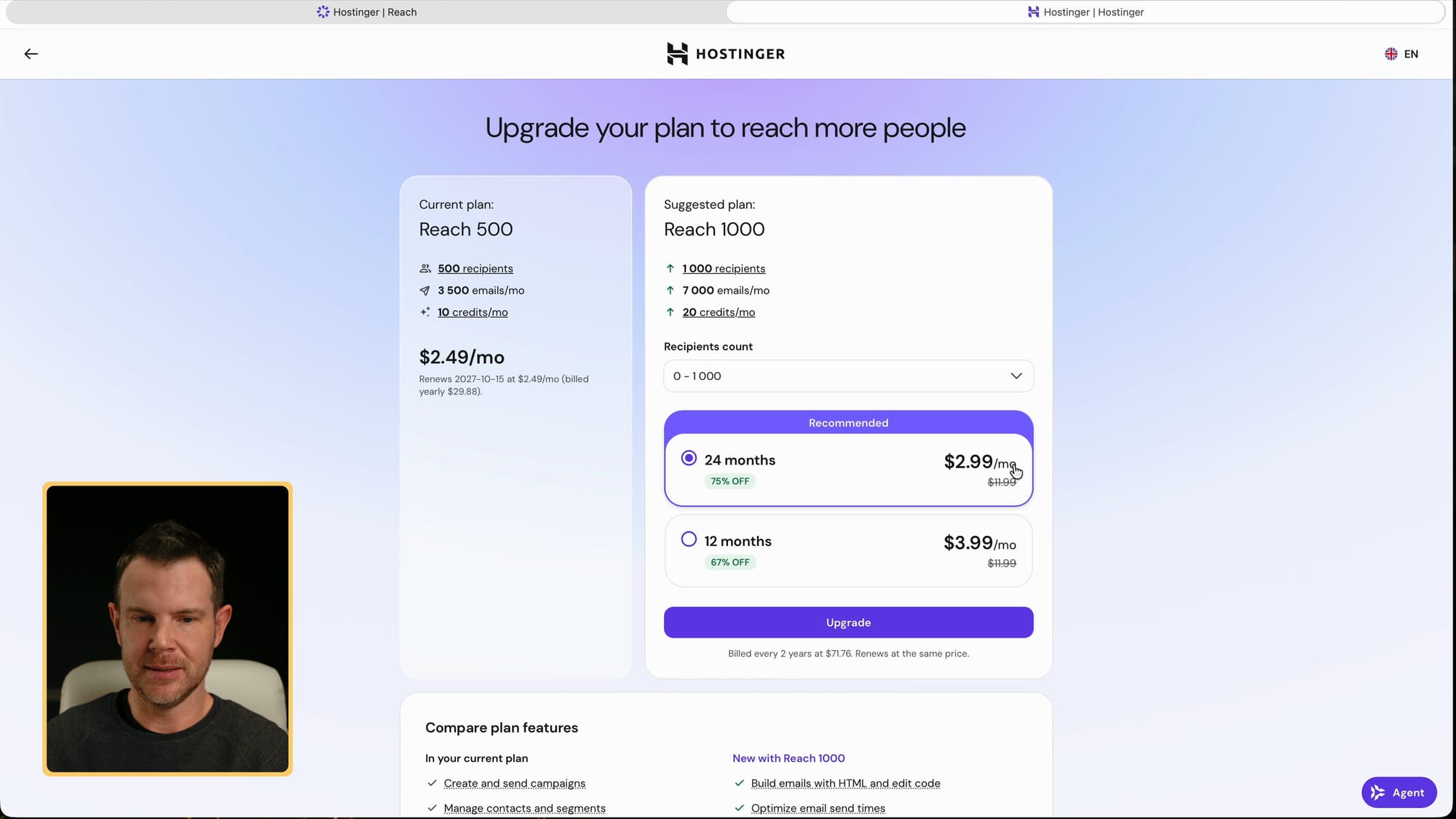
Reach 500 vs the Reach 1000 upgrade
There's a code editor tab, but it's locked behind an upgrade from Reach 500 to Reach 1000.
Reach 500 also means 500 contacts. If your list grows beyond that, you'll need to upgrade, which was about $3 more a month for 1,000 recipients when I checked. That's a pretty good deal, but plan for it if you already have a large list.
Is the Hostinger Bundle worth $44?
For a new Hostinger customer, I think it's a great deal. $44 rarely gets you very far in hosting anymore, and this gets you an AI agent, unlimited websites and email marketing for a full year. I set up all three in one sitting, and the pieces connected without fighting me. I haven't seen a deal like this in quite a while, which is why I'm happy to promote it.
Go in knowing the limits: it's non-refundable, it's for new users only, you get one AI agent, Reach 500 caps you at 500 contacts, and the code editor costs extra. None of those are dealbreakers for testing an idea or starting a small project.
The price goes up as each batch sells out, so if you want it, grab the Hostinger Bundle on AppSumo sooner rather than later.
Frequently Asked Questions
What's included in the Hostinger Bundle on AppSumo?
One year of Hostinger's Managed Apps plan (one AI agent such as Hermes Agent, OpenClaw, n8n or Paperclip), the Unlimited hosting plan with a free domain, and the Reach 500 email marketing plan.
Do I need a credit card to redeem it?
No. I redeemed it without entering a card. It auto-renews on Hostinger after a year, but without a card on file you won't get a surprise charge.
Why does Hostinger say I owe $185 at checkout?
That happened to me even with the AppSumo code applied. Remove the code, paste it back in and apply it again; the total updates to $0.
Can existing Hostinger customers buy it?
No. The deal is for new Hostinger users only, so existing customers probably can't redeem it.
Can I run more than one AI agent?
The bundle includes one. Adding another app such as OpenClaw or n8n requires an extra plan, which was roughly $6 a month when I checked.
How many AI website builds do the credits cover?
The plan came with 15 AI credits, and my one-page band site used about 1.8 of them.
How many email contacts does Reach 500 allow?
500 recipients. Going to 1,000 was about $3 more a month, and that upgrade also unlocks the HTML code editor.
Is the Hostinger Bundle refundable?
No. It's a non-refundable one-year deal, so make sure it fits before you buy.
Get Dave's Toolbox
The tools I actually use, every Tuesday. Free. No spam.
No cost. No spam. Unsubscribe anytime.


