

How Hermes uses a secret
An agent needs keys to do real work. The mix-up is treating every secret like the same object. A secret has a job.

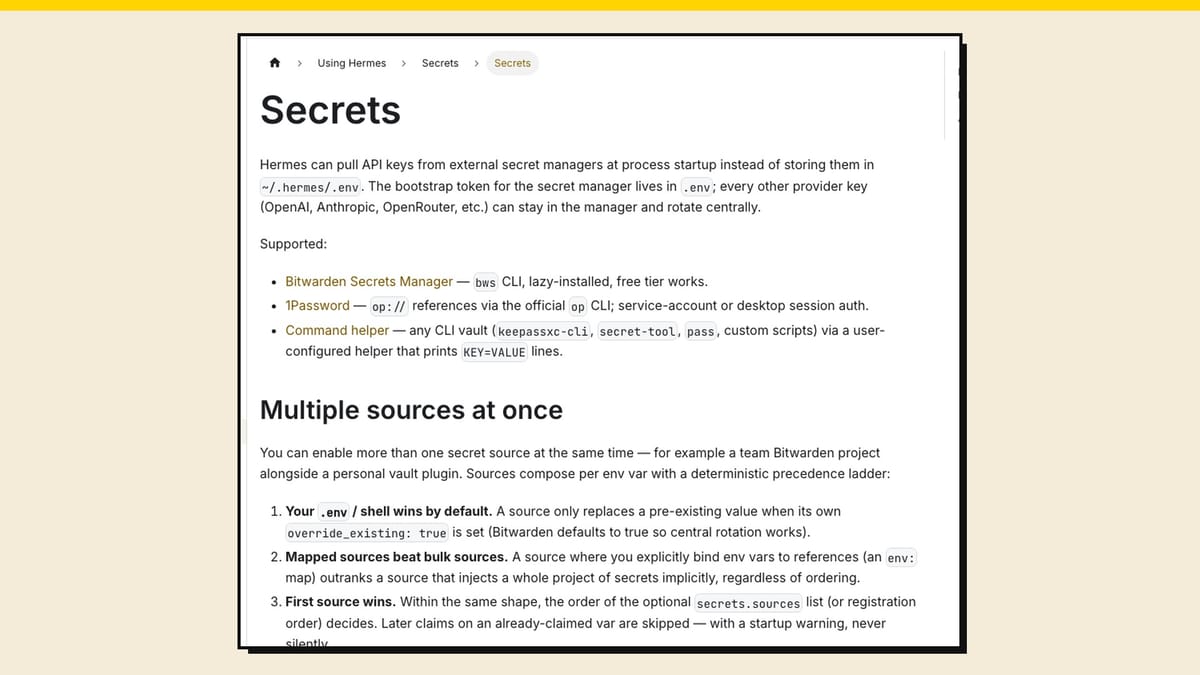
I run Hermes every day. This software has changed how I work and how I keep personal things moving.
However... Once you let an agent do real work, it needs keys & passwords.
Then the question shows up fast: how does your agent use passwords, and how do you keep those passwords out of a chat that some AI company might store? Can you even do that?
Spoiler. You can. Sometimes. But not all the time.
Most of us already know not to paste a Stripe key into ChatGPT. Using an agent feels different, because it sits on your computer and needs keys to do anything useful. The mix-up starts when we treat every secret like the same object.
It is not. A secret has a job.
The short version: keep keys out of the chat, put tool keys in a relay like Treg, and give your agent its own small accounts for website logins.
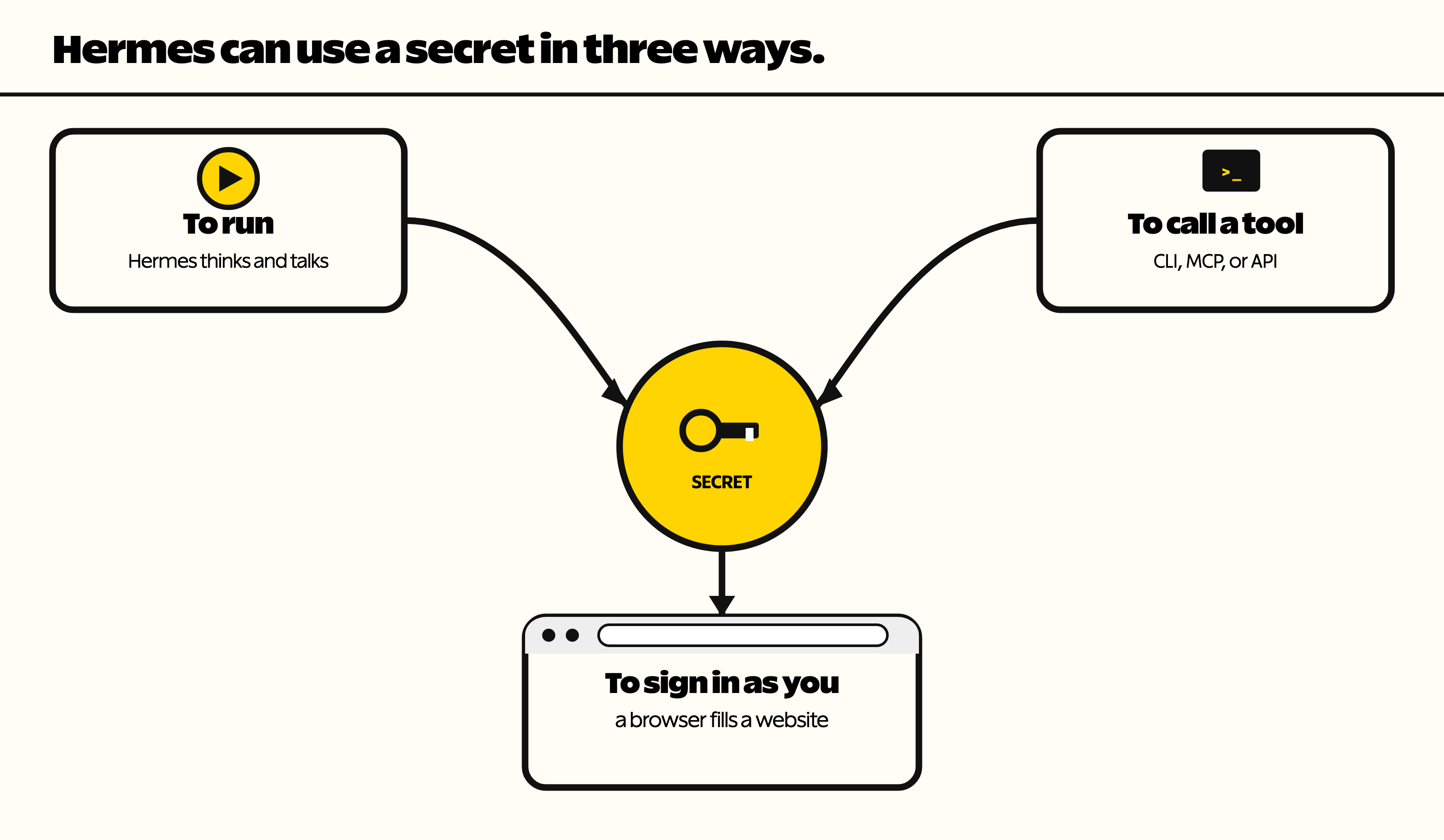
Hermes can use a secret in three ways
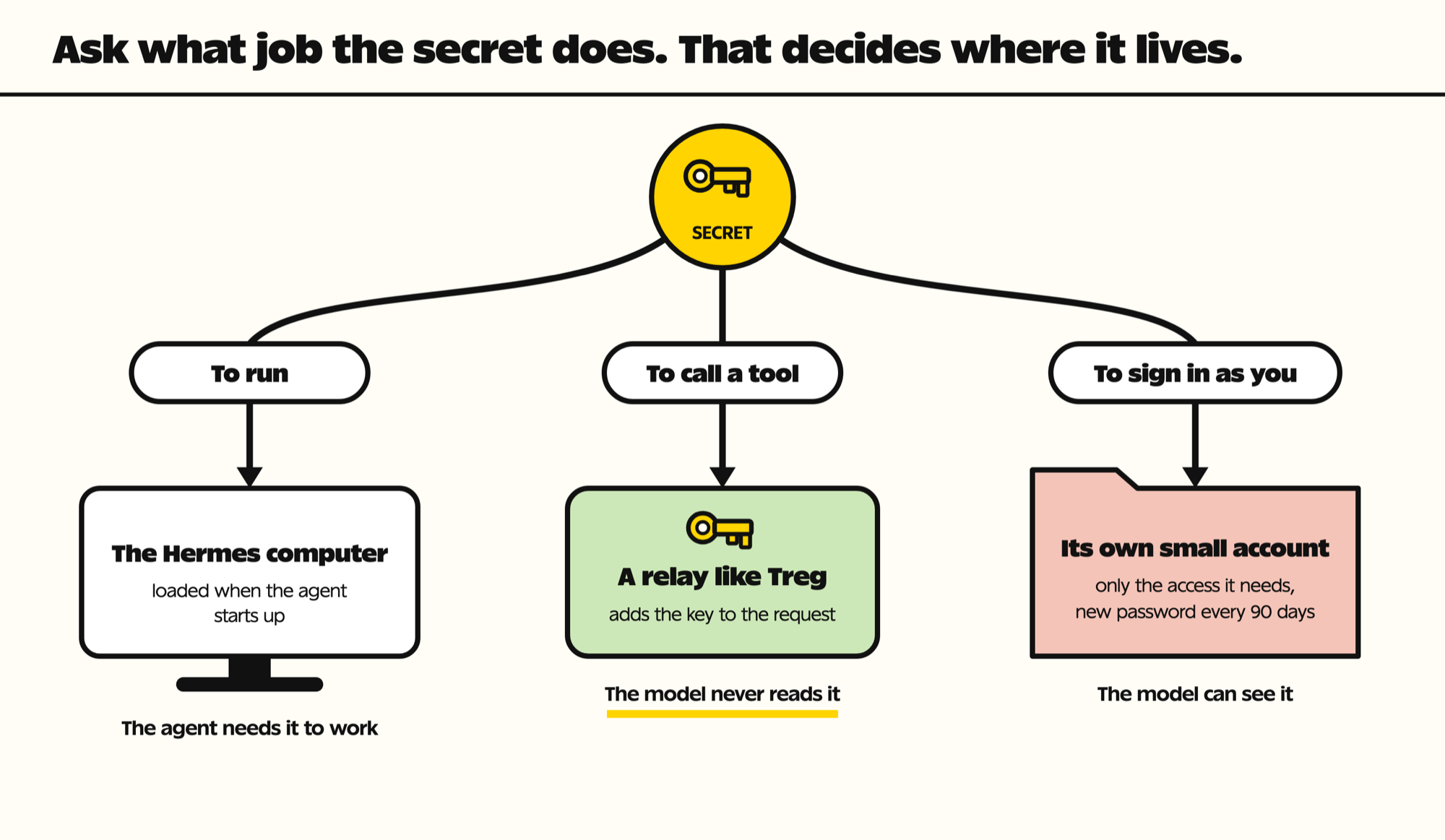
When you have a secret, ask which job it is doing.
To run. Hermes needs this to think and talk. That means model keys, chat app integrations, and whatever keeps the agent alive.
To call a tool. A CLI, an MCP server (a plug-in that gives an agent new tools), or a company API needs this. Hermes is asking another program to work. Stripe, GitHub, DigitalOcean.
To sign in as you. A browser needs this to open a website in your name. Username, password, extra locks.
| What the secret does | Examples | Where it should live | Can the AI read it? |
|---|---|---|---|
| To run | Model key, chat app tokens | On the computer Hermes runs on (.env file or password manager at start) | Yes. The agent needs it to work. |
| To call a tool | Stripe, GitHub, DigitalOcean API keys | A relay like Treg | No, when the relay adds the key |
| To sign in as you | Website usernames and passwords | A separate, scoped account just for the agent | Yes, if the agent can fetch it |
Do not put the key in the chat
A password pasted directly in your chat history can get stored in a vendor log, used as training data, or stolen from a server you do not control.
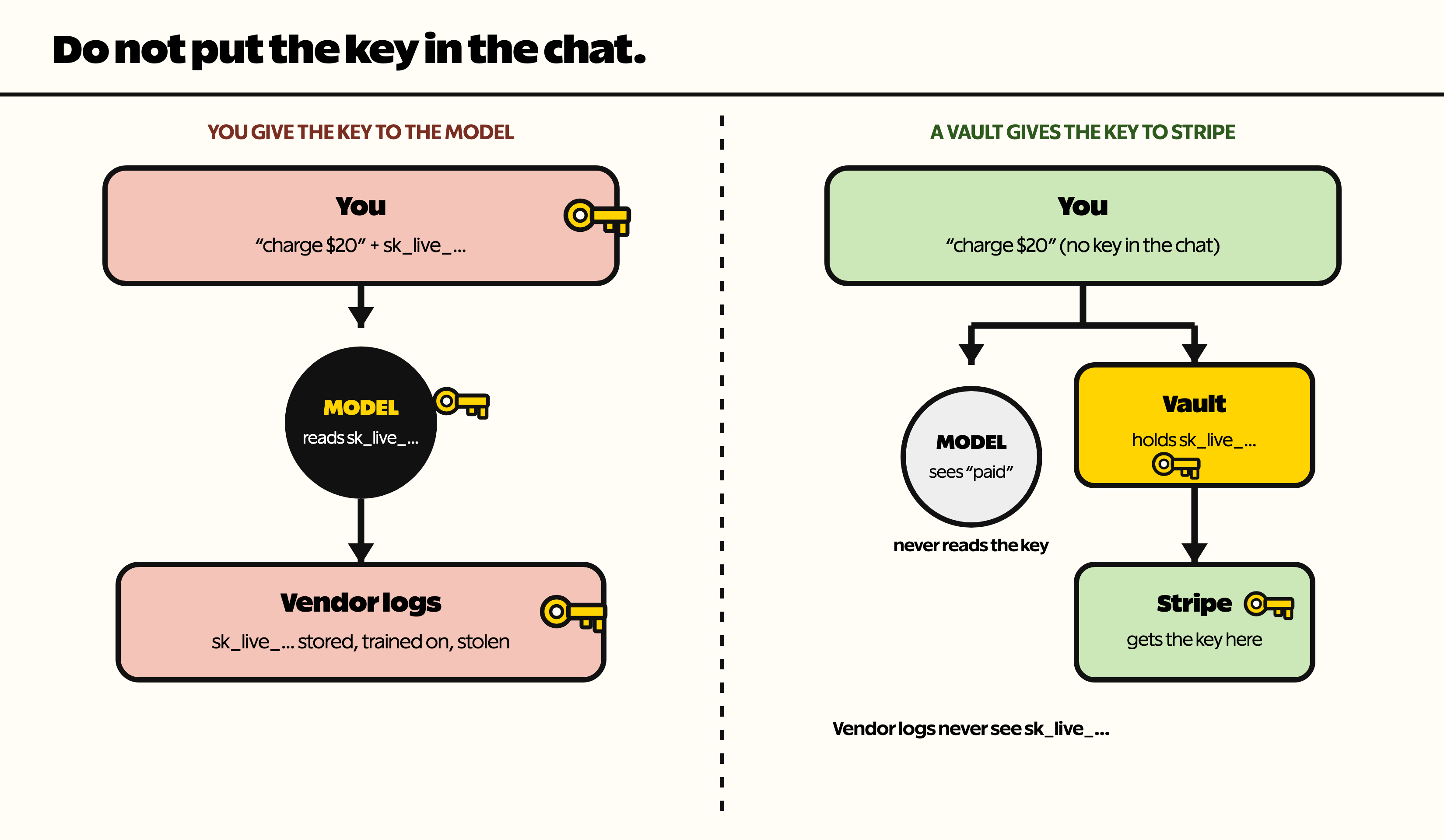
The better path for a tool key is a proxy or relay (a go-between that adds the key to the request for you). Hermes says “I need the Stripe key,” rather than you providing it. Hermes uses a proxy, which adds the Stripe key out of the context window (everything the model can see in the conversation). The key is used and the model sees the results, but it never reads the key.
For tool keys, the relay that exists today is Treg, which holds your API keys and adds them to each call (I use Treg in my own setup, but this is not sponsored post). You say you need Stripe or DigitalOcean. Treg puts the key on the HTTP request. The model sees the result. It does not see the key.
Getting started with Treg's hosted version takes three commands. This is straight from its quickstart:
curl -fsSL https://treg.to/install.sh | sh
treg login
treg catalog search "create a Stripe payment link"
After that, the agent asks Treg for the tool, Treg adds the key, and the model only gets the answer back.
A password manager is not a relay
You can keep that Stripe key in 1Password or Bitwarden. Keeping it in a password manager and never showing it to the model are two different things.
If your agent is talking to a password manager, that does not mean the password stays hidden. Without the right setup, the agent can retrieve the secret and inject it into the chat. The model then has it, the same as if you pasted it.
Hermes has built-in password manager support. When the agent starts, it can pull keys from 1Password or Bitwarden so you do not have to keep a list of keys on the computer Hermes is running on. That is useful. It does not mean those keys stay out of the model.
Which secrets can use a relay?
Only tool keys. The keys that run Hermes and your website passwords still have to be somewhere the agent can reach.
Go back to the three jobs. The relay question is different for each one.
To run: no relay
These are the keys Hermes needs to think and talk: the model key, chat app tokens, whatever keeps the agent alive. There is no relay in the middle. You put those on the machine Hermes runs on, either in its own file or pulled in from a password manager at start. The agent has to have them to function.
To call a tool: use a relay
API calls, MCP servers, CLI tools. This is where a relay actually exists. Treg can attach the key on the HTTP request so the model sees the result and not the key. You can self-host Treg, which means the secrets stay on hardware you control. You can also use their hosted version. That is simpler. It also means the keys sit on someone else’s server. You are trusting their security. That is not automatically a terrible option. It is a different risk than a key sitting in the chat.
To sign in as you: no good relay yet
Website passwords. There is not a mature relay I would recommend yet for filling a login without the model reading the password. You can still use them. It does not mean you will get hacked. It does mean you should know the risk: if the agent can fetch the password, it can land in the context window.
How should your agent use website passwords?
Until a relay exists for this job, treat website logins as the risky case and shrink the blast: limit what one leaked password could reach.
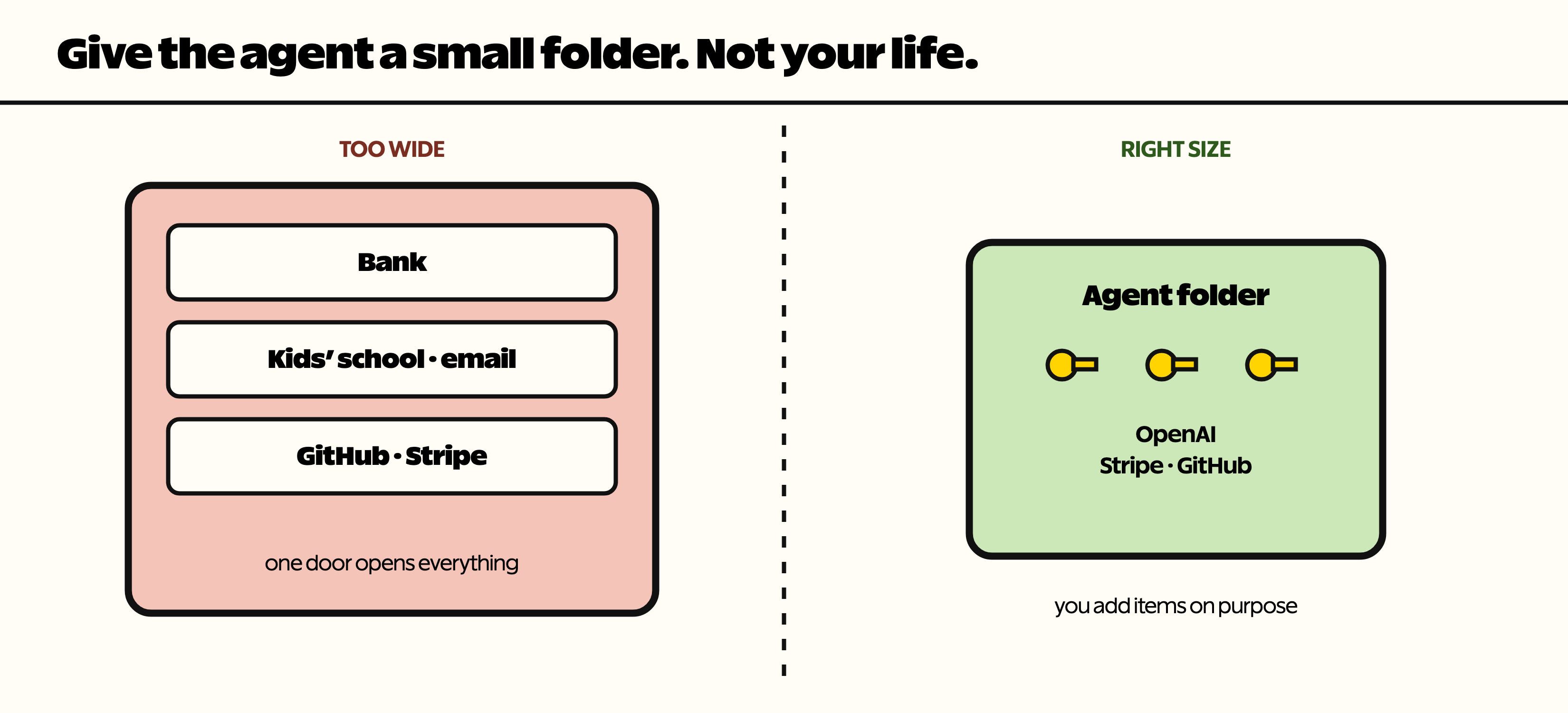
Give the agent its own logins when the site lets you, not your personal account. Scope those accounts so they can only do what the agent needs, like a GitHub token that can read one repo, or a Stripe restricted key that can make payment links but not issue refunds. Rotate those passwords every 90 days, and right away if one ever shows up in a chat. Do not hand it your bank login and the kids’ school portal in the same pile as a Stripe key.
Keep in mind, that using a smaller door does not make the model blind. It means the opening is smaller.
This is the same advice security teams follow. The OWASP Secrets Management Cheat Sheet says to give each system only the secrets it needs and to rotate them.
If you want to go deeper, NIST's key management guide (SP 800-57) and HashiCorp's Vault docs cover how big companies store and rotate secrets.
How to set up a login for your agent
- Make a new account for the agent, or invite it as a team member, when the site allows it.
- Give that account the lowest role that still does the job.
- Keep its password in a vault folder that only holds agent logins.
- Set a reminder to change the password every 90 days.
- Delete the account when the agent no longer needs it.
Do you need a password manager?
You do not have to use a password manager. Hermes can read a simple text file on the computer it runs on. Developers call that a .env file.
In an .env file, each line is a name and a secret, like STRIPE_KEY=sk_live_…. (sk_live is how a real-money Stripe key starts, not a test key.) When Hermes starts, it reads the file and has those keys for the session.
If you do use one, lock it down. On a Mac or Linux computer, run chmod 600 .env so only your user account can open the file.
That is not sloppy by default. If the agent can use a key, it can expose a key, whether the key lived in 1Password, Bitwarden, or a file next to Hermes. A local password manager does not change that. The agent still has access.
What you should actually do
A .env file is not the end of the world. For a lot of setups it is about as secure as storing the same keys in a password manager, even a Password Manager you host on your own machine (I self-host VaultWarden), because the agent can reach them either way.
If you want API calls to happen without the model reading the key, use a relay like Treg. Or keep those keys in the .env file and be honest that they can show up in the context window.
| Where the key lives | Who can read it | Easy to change? | Keeps it out of the chat? |
|---|---|---|---|
| .env file | The agent, and anyone with access to that computer | Yes. Edit one line and restart. | No |
| Password manager | The agent, once it can pull the key | Yes. Change it in one place. | No |
| Relay like Treg | The relay. The model only sees the result. | Yes. Change it in the relay. | Yes, for tool keys |
| Local AI | Only your own hardware | Same as above | Yes. The whole chat stays home. |
The thing that actually keeps secrets off a company’s servers is not running the model in the cloud. Yep, it's Local AI.
Local AI means the conversation never leaves the building. That is the real security jump. Very few of us can afford local inference that is anywhere close to frontier models, or even the big open models that need a lot of hardware.
So most of us will keep using a cloud model, keep tool keys on a relay when we can, keep website passwords scoped and separate, and not pretend a password manager is doing the relay’s job.
Key takeaways
- Every secret has one of three jobs: to run, to call a tool, or to sign in as you.
- Never paste a key into the chat. It can end up in a vendor log.
- Tool keys belong in a relay like Treg, so the model sees the result and not the key.
- A password manager is not a relay. If the agent can fetch a password, the model can see it.
- Website logins are the risky case. Give the agent its own scoped accounts and rotate them every 90 days.
- Only local AI keeps the whole conversation on your own hardware.
Questions people ask
How can I safely share API keys with AI?
Don't paste them into the chat. Use a relay like Treg, which adds the key to the request so the model sees the result and never reads the key. If you can't use a relay, keep the key in a .env file on the computer your agent runs on, and know that it can still show up in the conversation.
Does a password manager keep my keys hidden from my AI agent?
No. A password manager stores the key, but if the agent can pull the key out, the model can see it. That is the same as pasting it in. Only a relay keeps the key out of the conversation.
Is a .env file safe for AI agent keys?
For most setups, it is about as safe as a password manager the agent can reach. In both cases the agent has the key. The safer step is moving tool keys to a relay, not moving them to a different file.
How should I give an AI agent website logins?
Make the agent its own account when the site allows it, give that account only the access it needs, and rotate the password every 90 days. Never share your bank or family logins with the agent.
Does local AI keep my secrets private?
Yes. With a local model, the conversation never leaves your computer, so no AI company can store it. The catch is cost. Hardware that runs a model close to the best cloud models is expensive.
If writeups like this are useful, the newsletter at daveswift.com is the easy way to get the next one.
Get Dave's Toolbox
The tools I actually use, every Tuesday. Free. No spam.
No cost. No spam. Unsubscribe anytime.


