

Unroll.me Review: Mass Unsubscribe From Emails for Free
Unroll.me scans your inbox for newsletter subscriptions and lets you mass unsubscribe for free. This review tests detection accuracy, cleanup speed, and privacy concerns. Covers real results and whether free email cleanup tools are worth the data trade-off.

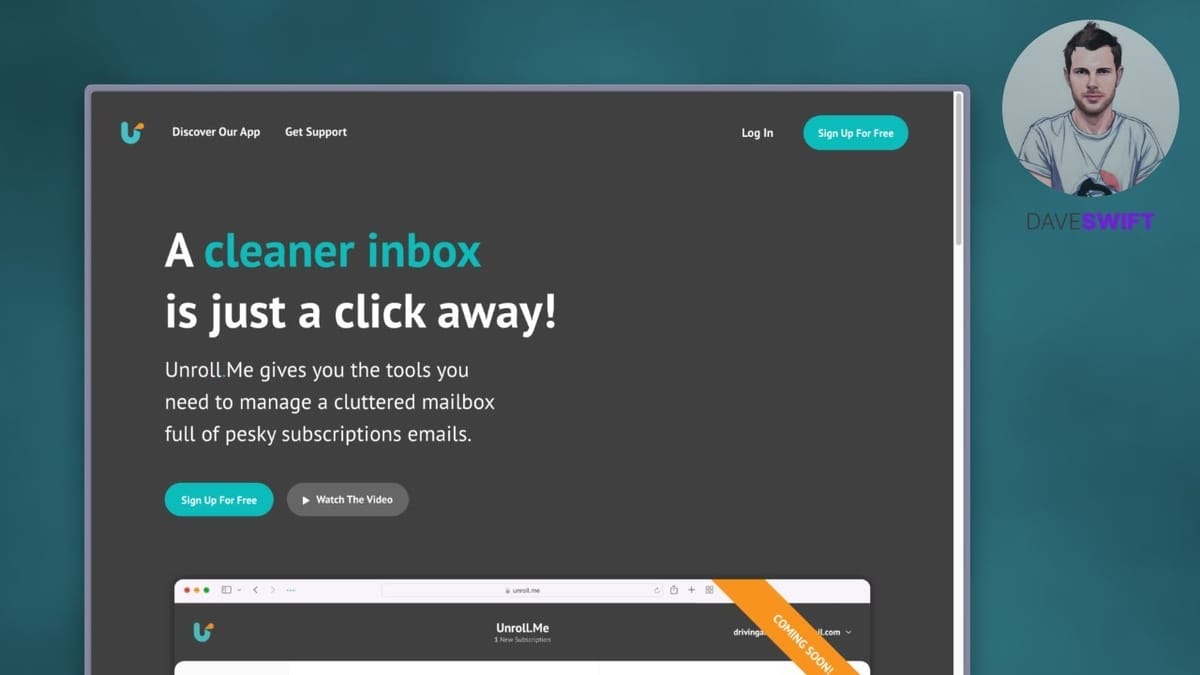
Unroll.me
Scans your email inbox for newsletter subscriptions and lets you mass unsubscribe from unwanted lists in one session.
Anyone drowning in newsletter emails who wants a fast, free way to clean up their inbox without unsubscribing one by one.
Clean Email, Leave Me Alone, SaneBox
Your Inbox After Black Friday Is a Disaster — Here's the Fix
If you've ever wondered how you ended up on 300 email lists, you're not alone. Every Black Friday, companies you forgot existed come crawling out of the woodwork to flood your inbox with promotions. You could spend an entire day clicking "unsubscribe" on each one individually, or you could knock them all out in a few minutes with a free tool called Unroll.me.
Unroll.me is a service from the Nielsen company — yes, the same Nielsen behind TV ratings. The trade-off is straightforward: they get access to anonymized data from your inbox, and you get a completely free tool to purge unwanted subscriptions. If that data exchange makes you uneasy, the good news is you only need to grant access for a few minutes while you clean house, then you can revoke it entirely.
How to Set Up Unroll.me With Your Google Account
Getting started with Unroll.me is free, but the Google sign-in process takes a few extra steps compared to most apps. Because Unroll.me needs deep access to your inbox to find subscriptions, Google requires you to create an app-specific password rather than just clicking "Allow."
Here's the process: First, make sure two-factor authentication is enabled on your Google account (which you should have on anyway). Then navigate to your Google account settings and create a custom app password — name it something like "Unroll Me" so you can identify it later. Google will generate a one-time password for you to copy. Make sure you actually copy it to your clipboard before closing the dialog, because you won't be able to see it again.
Back in Unroll.me, you'll need to confirm that two-step verification is active by clicking through both verification buttons, then paste in your app password. It's a slightly clunky setup, but you only have to do it once.
Cleaning Up Hundreds of Subscriptions in Minutes
Once Unroll.me connects to your inbox, it scans through your entire email history looking for newsletter subscriptions. In Dave's case, it found 294 subscriptions — which is a pretty common number for anyone who's been using the same email address for a few years.
The interface walks you through each subscription alphabetically, giving you three options: add it to your "Rollup" (a daily digest that combines multiple newsletters into one email), keep it in your inbox as-is, or unsubscribe. If you're planning to use Unroll.me as a one-time cleanup tool rather than an ongoing service, you can skip the Rollup feature entirely and focus on unsubscribing from anything you no longer want.
The whole process is surprisingly fast. You're essentially swiping through subscriptions and making quick keep-or-kill decisions. For the ones you're unsure about, just leave them — you can always unsubscribe manually later.
Revoking Access and Protecting Your Privacy
Once you've finished your inbox cleanup, the smart move is to delete your Unroll.me account immediately. Head to your account settings within Unroll.me and hit "Delete Account." This cuts off their access to your email right away.
For extra peace of mind, you can verify the cleanup on Google's end too. Go to your Google Account, navigate to Data & Privacy, and scroll down to the section about third-party apps with account access. You'll see every app you've ever authorized — and you might be surprised by how many old services still have access. Unroll.me is generally good about removing itself after account deletion, but it's worth checking. While you're in there, revoke access for any other apps you no longer use.
Is Unroll.me Worth Using?
Unroll.me is one of those tools that does exactly one thing and does it well. If your inbox has become unmanageable and you want a fast, free way to purge old subscriptions, it's hard to beat. The entire process — from sign-up to cleanup to account deletion — can be done in under ten minutes.
The main consideration is the privacy trade-off. Nielsen uses anonymized email data for market research, which is how they keep the service free. If that's a dealbreaker, paid alternatives like Clean Email or Leave Me Alone offer similar functionality without the data collection. But if you're comfortable with a brief, controlled data exchange for a completely free service, Unroll.me gets the job done quickly and cleanly.
Watch the Full Video
Prefer watching to reading? Check out the full video on YouTube for a complete walkthrough with live demos and commentary.
Final Verdict
Unroll.me does exactly what it promises: it lets you mass unsubscribe from email lists and roll remaining subscriptions into a daily digest. The free tier is generous and the interface makes inbox cleanup fast.
The privacy tradeoff is worth noting since Unroll.me scans your inbox to function. If you are comfortable with that, it is one of the quickest ways to reclaim an overflowing inbox. For privacy-conscious users, manual unsubscribing or Apple Mail privacy features are safer alternatives.
Rating: 6.5 out of 10
Frequently Asked Questions
What is Unroll.me?
Unroll.me is a free service that helps you manage email subscriptions. It lets you mass unsubscribe from newsletters, combine remaining subscriptions into a daily digest, and clean up your inbox.
Is Unroll.me safe to use?
Unroll.me requires email access to scan your subscriptions. While it works as advertised, it was revealed that Unroll.me was selling anonymized user data. Consider the privacy trade-off before using it.
How does Unroll.me make money?
Unroll.me is free because it monetizes anonymized user data from the emails it scans. This business model has been controversial and led some privacy-conscious users to seek alternatives.
What are alternatives to Unroll.me?
Clean Email, Leave Me Alone, and SaneBox offer similar inbox cleanup features with stronger privacy policies. Some are paid services, but they do not sell your data.
Does Unroll.me work with Gmail and Outlook?
Yes, Unroll.me works with Gmail, Outlook, Yahoo Mail, and AOL Mail. It connects to your email account to scan for subscriptions and provides an interface to manage them.
Get Dave's Toolbox
The tools I actually use, every Tuesday. Free. No spam.
No cost. No spam. Unsubscribe anytime.


